







Question: Create a To-Do List program using Java - Enter in the To Do text box then click either Add, Edit, or Remove button -
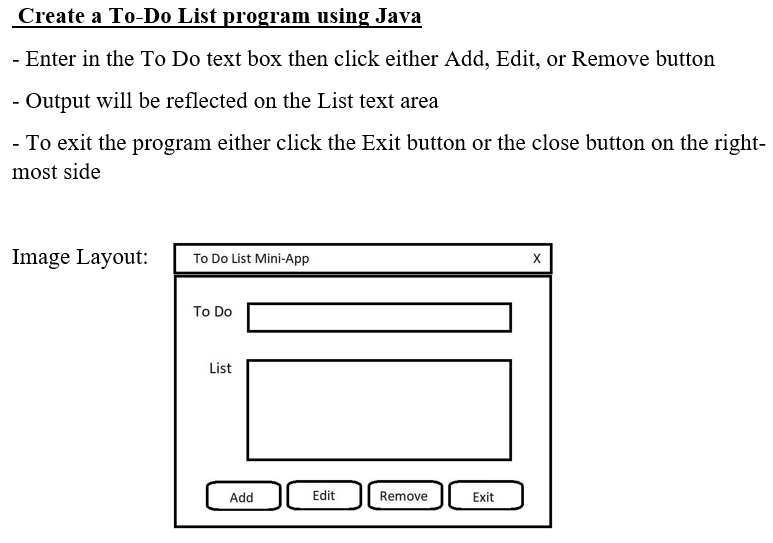
Create a To-Do List program using Java - Enter in the To Do text box then click either Add, Edit, or Remove button - Output will be reflected on the List text area - To exit the program either click the Exit button or the close button on the right- most side Image Layout: To Do List Mini-App To Do List Add Edit Remove Exit X
Step by Step Solution
There are 3 Steps involved in it
Heres a basic example of a ToDo List program in Java using Swing for the GUI java import javaxswing import javaawt import javaawteventActionEvent impo... View full answer

Get step-by-step solutions from verified subject matter experts
 Study Help