







Question: create a top level Makefile in the Bigproject directory?? pls Project 2. Assume that you are working on a big project contained in the directory
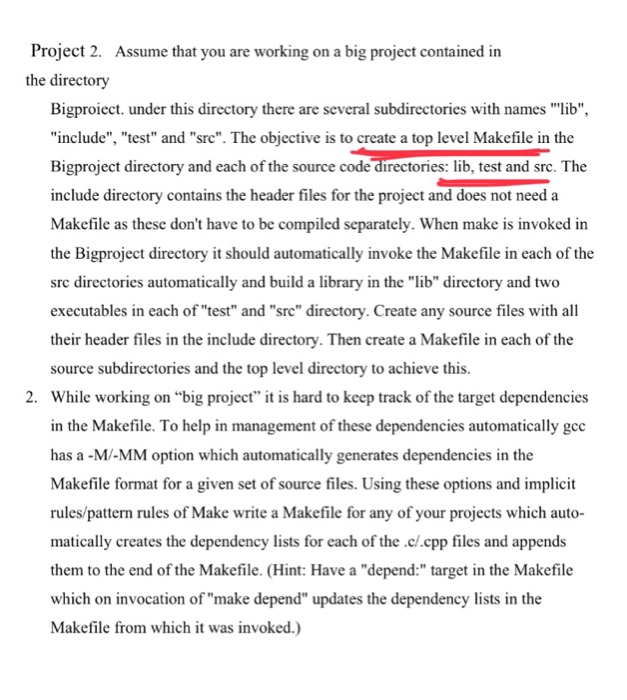
Project 2. Assume that you are working on a big project contained in the directory Bigproiect. under this directory there are several subdirectories with names "lib", "include", "test" and "src". The objective is to create a top level Makefile in the Bigproject directory and each of the source code directories: lib, test and src. The include directory contains the header files for the project and does not need a Makefile as these don't have to be compiled separately. When make is invoked in the Bigproject directory it should automatically invoke the Makefile in each of the src directories automatically and build a library in the "lib" directory and two executables in each of "test" and "src" directory. Create any source files with all their header files in the include directory. Then create a Makefile in each of the source subdirectories and the top level directory to achieve this. 2. While working on "big project" it is hard to keep track of the target dependencies in the Makefile. To help in management of these dependencies automatically gcc has a -MI-MM option which automatically generates dependencies in the Makefile format for a given set of source files. Using these options and implicit rules/pattern rules of Make write a Makefile for any of your projects which auto matically creates the dependency lists for each of the c/.cpp files and appends them to the end of the Makefile. (Hint: Have a "depend:" target in the Makefile which on invocation of "make depend" updates the dependency lists in the Makefile from which it was invoked.)
Step by Step Solution
There are 3 Steps involved in it

Get step-by-step solutions from verified subject matter experts
 Study Help