







Question: Create a Visual Basic program to calculate and display a sales receipt. Zip your files. Submit the program before the 5:00 deadline Name your project
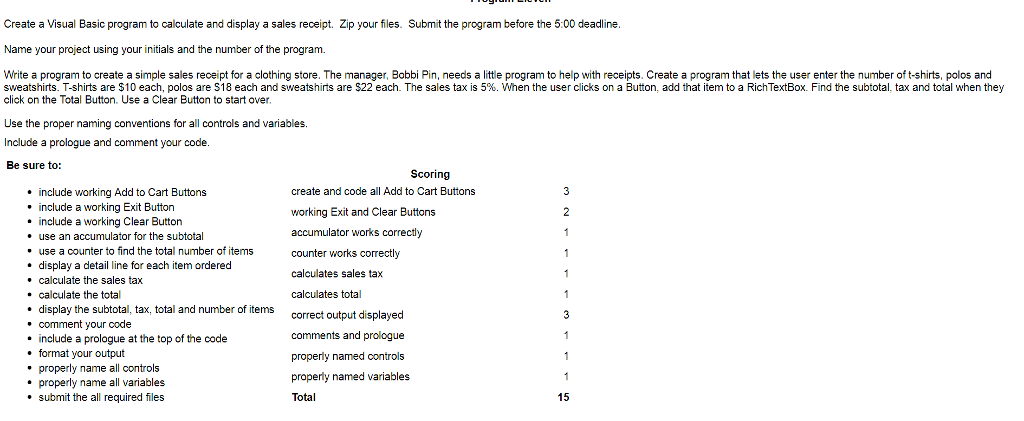
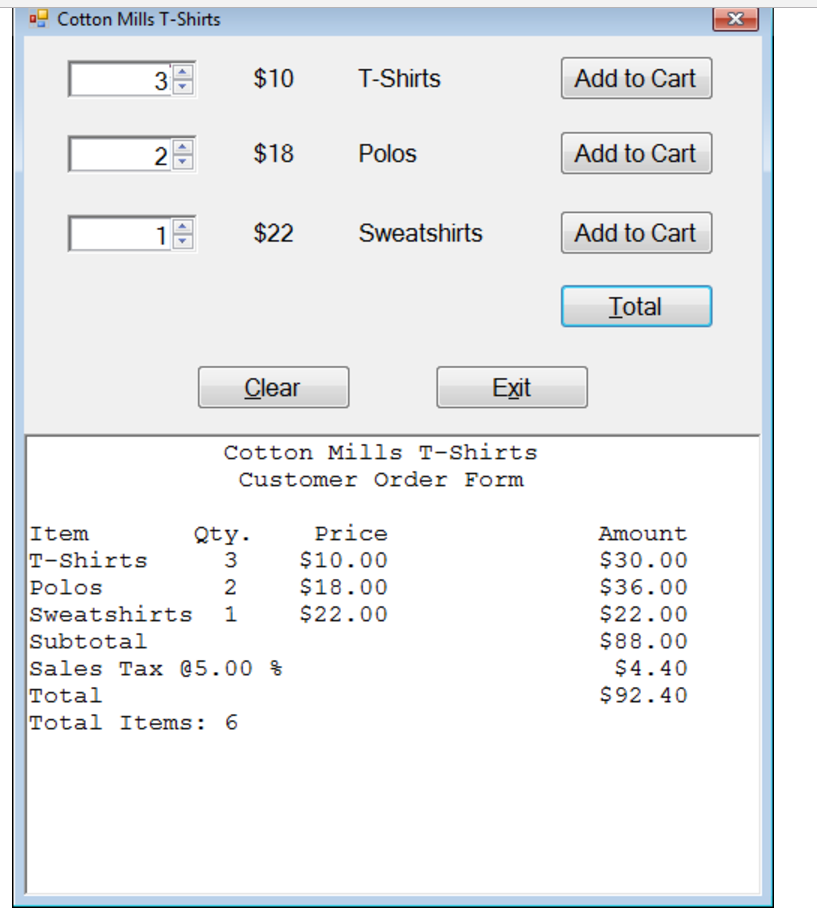
Create a Visual Basic program to calculate and display a sales receipt. Zip your files. Submit the program before the 5:00 deadline Name your project using your initials and the number of the program. Write a program to create a simple sales receipt for a clothing store. The manager, Bobbi Pin, needs a little program to help with receipts. Create a program that lets the user enter the number of t-shirts, polos and sweatshirts. T-shirts are $10 each, polos are S18 each and sweatshirts are S22 each. The sales tax is 5%. When the user clicks on a Button, add that item to a RichTextBox. Find the subtotal, tax and total when they click on the Total Button. Use a Clear Button to start over Use the proper naming conventions for all controls and variables. Include a prologue and comment your code Be sure to: Scoring create and code all Add to Cart Buttons working Exit and Clear Buttons accumulat counter works correctly calculates sales tax calculates total correct output displayed comments and prologue properly named controls properly named variables Total include working Add to Cart Buttons include a working Exit Button include a working Clear Button use an accumulator for the subtotal or works correctly . use a counter to find the total number of items display a detail line for each item ordered . calculate the sales tax . calculate the total * display the subtotal, tax, total and number of items .comment your code * include a prologue at the top of the code format your output properly name all controls * properly name all variables * submit the all required files 15
Step by Step Solution
There are 3 Steps involved in it

Get step-by-step solutions from verified subject matter experts
 Study Help