







Question: Create a web page using ASP.NET where the users can vote for 1 or more candidates and display their respective vote counts from a text
Create a web page using ASP.NET where the users can vote for 1 or more candidates and display their respective vote counts from a text file.
Given the following Razer C# codes, please help to make amendments so that it will display the outputs shown below:
votepage.cshtml
@{ var result = ""; if (IsPost) { var cand1 = Request["cand1"]; var cand2 = Request["cand2"]; var cand3 = Request["cand3"];
var userData = cand1 + "-" + cand2 + "-" + cand3 + Environment.NewLine;
var dataFile = Server.MapPath("~/App_Data/data.txt"); File.AppendAllText(@dataFile, userData); result = "Information saved."; } }
Choose Your Vote
Candidate 1
Candidate 2
Candidate 3
Result: @result
}---------------------------------------------------------------------------------------------------------------------------------------------------
To store and display the vote counts for each candidates using data.txt file in the format below:
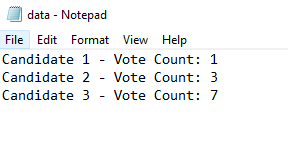
--------------------------------------------------------------------------------------------------------------------------
Desired Outputs:
Before the user votes
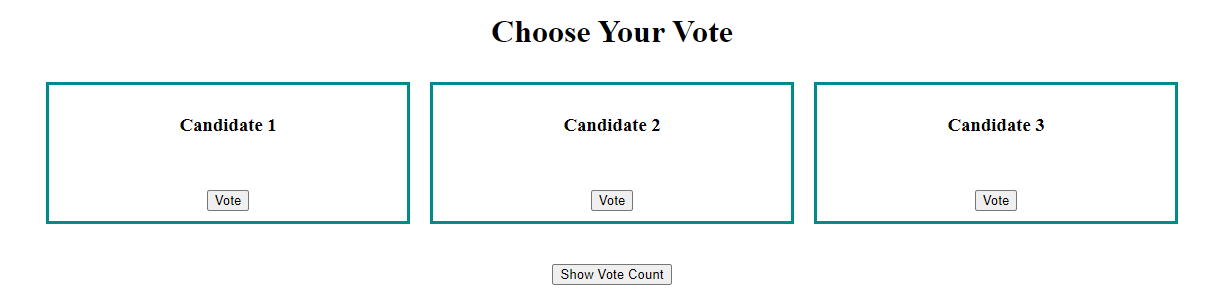
After the user votes and clicks on the show vote count button:
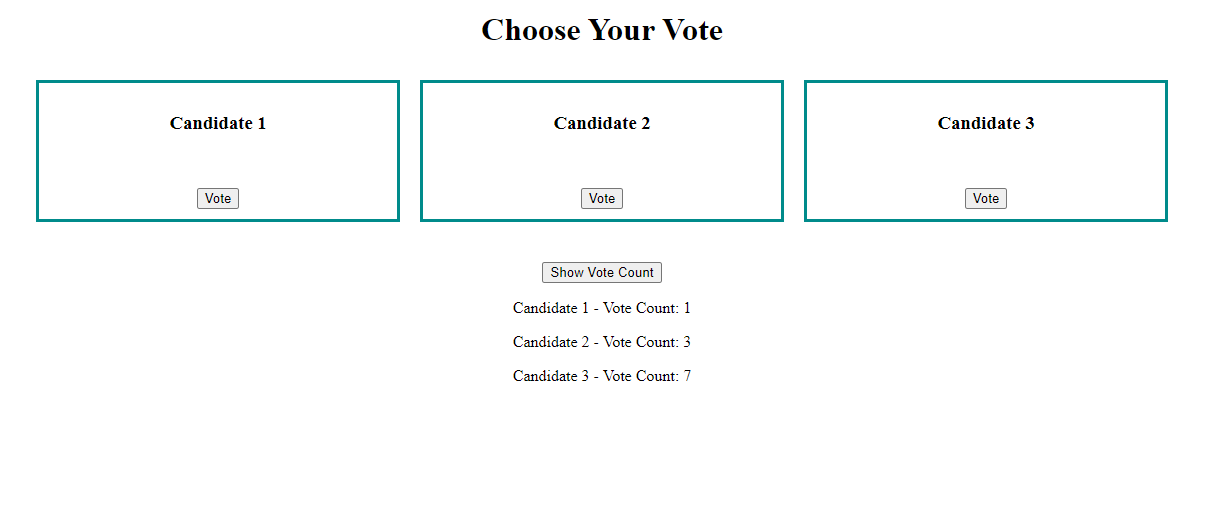
data - Notepad File Edit Format View Help Candidate 1 - Vote Count: 1 Candidate 2 Vote Count: 3 Candidate 3 Vote Count: 7 Choose Your Vote Candidate 1 Candidate 2 Candidate 3 Vote Vote Vote Show Vote Count Choose Your Vote Candidate 1 Candidate 2 Candidate 3 Vote Vote Vote Show Vote Count Candidate 1 - Vote Count: 1 Candidate 2 - Vote Count: 3 Candidate 3 - Vote Count: 7
Step by Step Solution
There are 3 Steps involved in it

Get step-by-step solutions from verified subject matter experts
 Study Help