







Question: create a WPF application of a simple student management system. A starter project is provided to help you get started. You can use it as
create a WPF application of a simple student management system.
A starter project is provided to help you get started. You can use it as it is, extend it, or create your own.
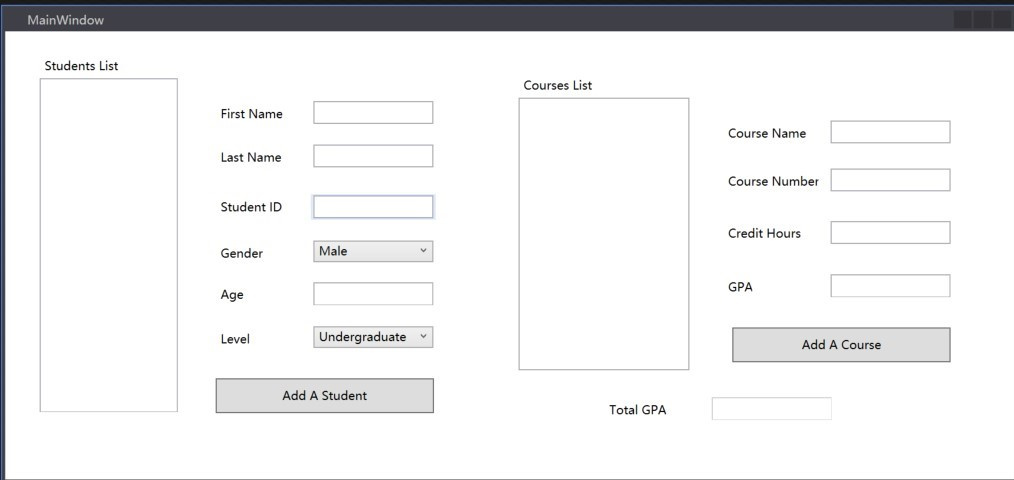
A base class Person is provided. You are required to inherit from it to create an UndergraduateStudent class, then a GraduateStudent class derived from
UndergraduateStudent class. The differences between the two are:
Undergraduate student can only add undergraduate courses, and graduate students can only add graduate course.
Course Number 1000-4999 are undergraduate courses.
Course Number 5000-9999 are graduate courses.
A Course class is needed, which includes course related information such as Course Name, Course Number etc. Build the Course class based on the information provided on the UI.
When a user types in student information (Name, ID), click Add a Student, the student should be added to the Student List ListBox on the left. A user should be able to add multiple students to the list, including graduate and undergraduate students.
When the user selects an existing student from the student list, corresponding student information (first name, last name and etc.) and Course List should be automatically filled in with proper information.
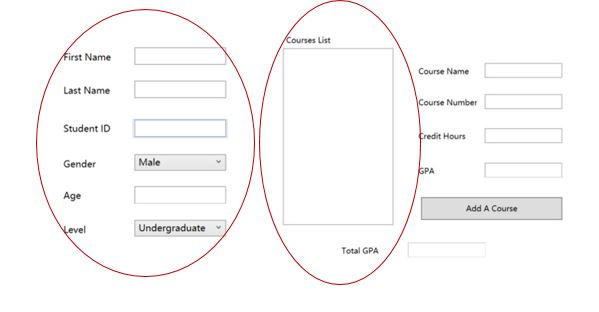
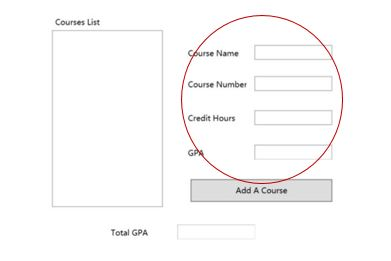
While a student is selected, a user can add courses the student. The following rules are to be followed.
Course numbers can only be a 4-digits int number.
As mentioned earlier, only undergraduate courses are allowed to be added for undergraduate students. Similarly, only graduate courses are allowed to be added for graduate students.
GPA is in the range 0.0-4.0.
Total GPA is calculated automatically, and cannot be edited.
Total GPA = ? GPA for each course*credit hours / total credit hours
When a student and one of the courses are both selected, related course information boxes should be automatically filled.
Consider exception handling for invalid user input.
ListBox is used in this project. Find a short ListBox in WPF tutorial here.
ListBox Class on MSDN.
(Bonus 10 pts) Using serialization and deserialization, add Save and Load features to save and load the students list.
(Bonus 10 pts) Add features that allow users to edit and delete students and course record.
Make sure you include a README.txt file to explain the features youve included in your application, so they can be tested and assigned credits.
MainWindow Students List Courses List First Name Course Name Last Name Course Number Student ID Credit Hours Gender Male GPA Age Level Undergraduate Add A Course Add A Student Total GPA MainWindow Students List Courses List First Name Course Name Last Name Course Number Student ID Credit Hours Gender Male GPA Age Level Undergraduate Add A Course Add A Student Total GPA
Step by Step Solution
There are 3 Steps involved in it

Get step-by-step solutions from verified subject matter experts
 Study Help