







Question: Create an amortization schedule via excel, using the following data listed above. Skills & Knowledge: Calculate the selling price of bonds using Excel and create
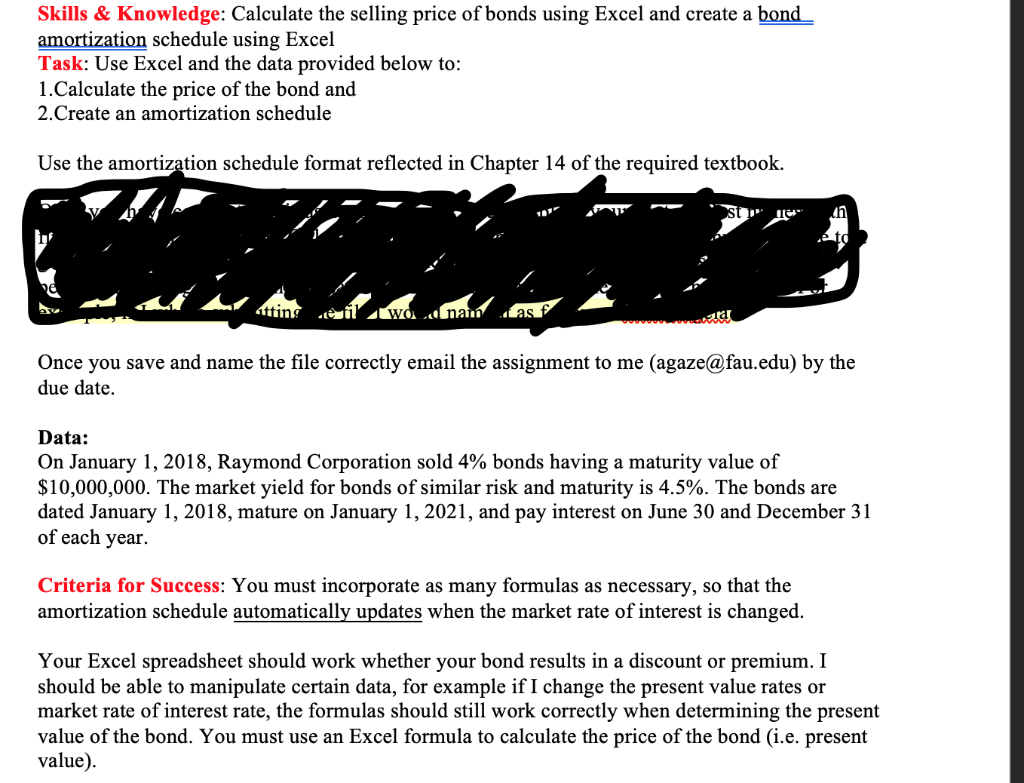
Create an amortization schedule via excel, using the following data listed above.
Skills & Knowledge: Calculate the selling price of bonds using Excel and create a bond amortization schedule using Excel Task: Use Excel and the data provided below to: 1. Calculate the price of the bond and 2.Create an amortization schedule Use the amortization schedule format reflected in Chapter 14 of the required textbook. st" 1 in eto tting e il' wad nam asf ond Once you save and name the file correctly email the assignment to me (agaze@fau.edu) by the due date. Data: On January 1, 2018, Raymond Corporation sold 4% bonds having a maturity value of $10,000,000. The market yield for bonds of similar risk and maturity is 4.5%. The bonds are dated January 1, 2018, mature on January 1, 2021, and pay interest on June 30 and December 31 of each year. Criteria for Success: You must incorporate as many formulas as necessary, so that the amortization schedule automatically updates when the market rate of interest is changed. Your Excel spreadsheet should work whether your bond results in a discount or premium. I should be able to manipulate certain data, for example if I change the present value rates or market rate of interest rate, the formulas should still work correctly when determining the present value of the bond. You must use an Excel formula to calculate the price of the bond (i.e. present value)
Step by Step Solution
There are 3 Steps involved in it

Get step-by-step solutions from verified subject matter experts
 Study Help