







Question: Create an animation by drawing the consecutive frames of the pendulum (example frame shown below) and submit your matlab function. See code snippet 5 for
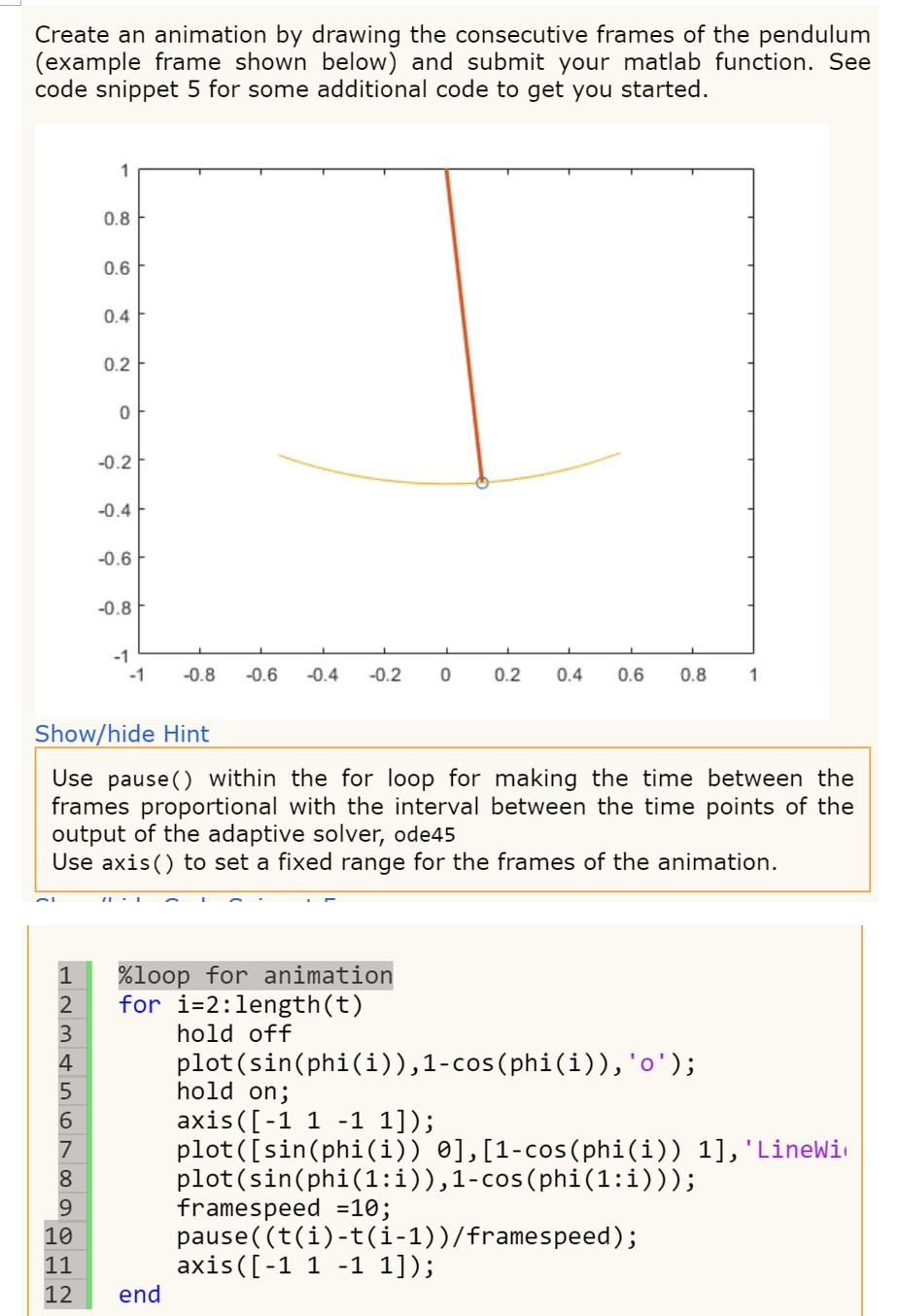
Create an animation by drawing the consecutive frames of the pendulum (example frame shown below) and submit your matlab function. See code snippet 5 for some additional code to get you started. 1 0.8 0.6 0.4 0.2 0 -0.2 -0.4 -0.6 -0.8 -1 -1 -0.8 -0.6 -0.4 -0.2 0 0.2 0.4 0.6 0.8 1 Show/hide Hint Use pause () within the for loop for making the time between the frames proportional with the interval between the time points of the output of the adaptive solver, ode45 Use axis() to set a fixed range for the frames of the animation. 1 2 3 4 %loop for animation for i=2: length(t) hold off plot(sin(phi(i)),1-cos(phi(i)), 'o'); hold on; nmn NOON 8 axis ([-1 1 -1 1]); plot([sin(phi(i)) 9], [1-cos(phi(i)) 1], 'Linelit plot(sin(phi(1:1)),1-cos(phi(1:))); framespeed = 10; pause((t(i)-t(i-1))/framespeed); axis ([-1 1 -1 1]); 9 10 11 12 end
Step by Step Solution
There are 3 Steps involved in it

Get step-by-step solutions from verified subject matter experts
 Study Help