







Question: Create an HTML 5/ CSS online portfolio (ePortfolio) and upload it on the electron web server. To create your website, you should use a simple
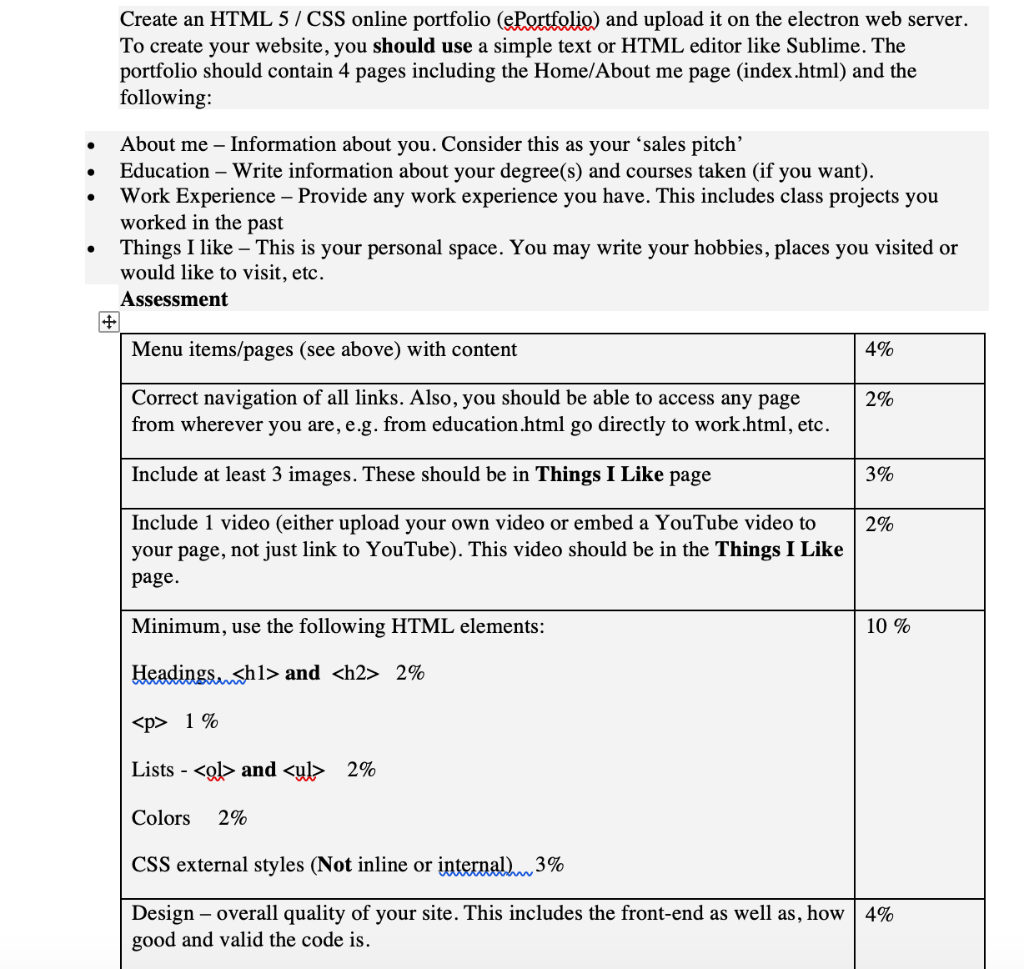
Create an HTML 5/ CSS online portfolio (ePortfolio) and upload it on the electron web server. To create your website, you should use a simple text or HTML editor like Sublime. The portfolio should contain 4 pages including the Home/About me page (index.html) and the following: About me - Information about you. Consider this as your 'sales pitch' . Education - Write information about your degree(s) and courses taken (if you want). Work Experience - Provide any work experience you have. This includes class projects you worked in the past Things I like - This is your personal space. You may write your hobbies, places you visited or would like to visit, etc. Assessment . Menu items/pages (see above) with content 4% Correct navigation of all links. Also, you should be able to access any page from wherever you are, e.g. from education.html go directly to work.html, etc. 2% Include at least 3 images. These should be in Things I Like page 3% Include 1 video (either upload your own video or embed a YouTube video to your page, not just link to YouTube). This video should be in the Things I Like page. 2% Minimum, use the following HTML elements: Headingswsh1> and
2%
1 % Lists _ and
- 2% Colors 2% CSS external styles (Not inline or internal.~3% 10% Design-overall quality of your site. This includes the front-end as well as, how | 4% good and valid the code i Create an HTML 5/ CSS online portfolio (ePortfolio) and upload it on the electron web server. To create your website, you should use a simple text or HTML editor like Sublime. The portfolio should contain 4 pages including the Home/About me page (index.html) and the following: About me - Information about you. Consider this as your 'sales pitch' . Education - Write information about your degree(s) and courses taken (if you want). Work Experience - Provide any work experience you have. This includes class projects you worked in the past Things I like - This is your personal space. You may write your hobbies, places you visited or would like to visit, etc. Assessment . Menu items/pages (see above) with content 4% Correct navigation of all links. Also, you should be able to access any page from wherever you are, e.g. from education.html go directly to work.html, etc. 2% Include at least 3 images. These should be in Things I Like page 3% Include 1 video (either upload your own video or embed a YouTube video to your page, not just link to YouTube). This video should be in the Things I Like page. 2% Minimum, use the following HTML elements: Headingswsh1> and
2%
1 % Lists _ and
- 2% Colors 2% CSS external styles (Not inline or internal.~3% 10% Design-overall quality of your site. This includes the front-end as well as, how | 4% good and valid the code
Step by Step Solution
There are 3 Steps involved in it

Get step-by-step solutions from verified subject matter experts
 Study Help