







Question: CREATE AN INSERT PROCEDURE MySQL Workbench unconnected X MySQL Model x File Edit View Query Database Server SIL SE unconnected unconnected x unconnected X unconnected
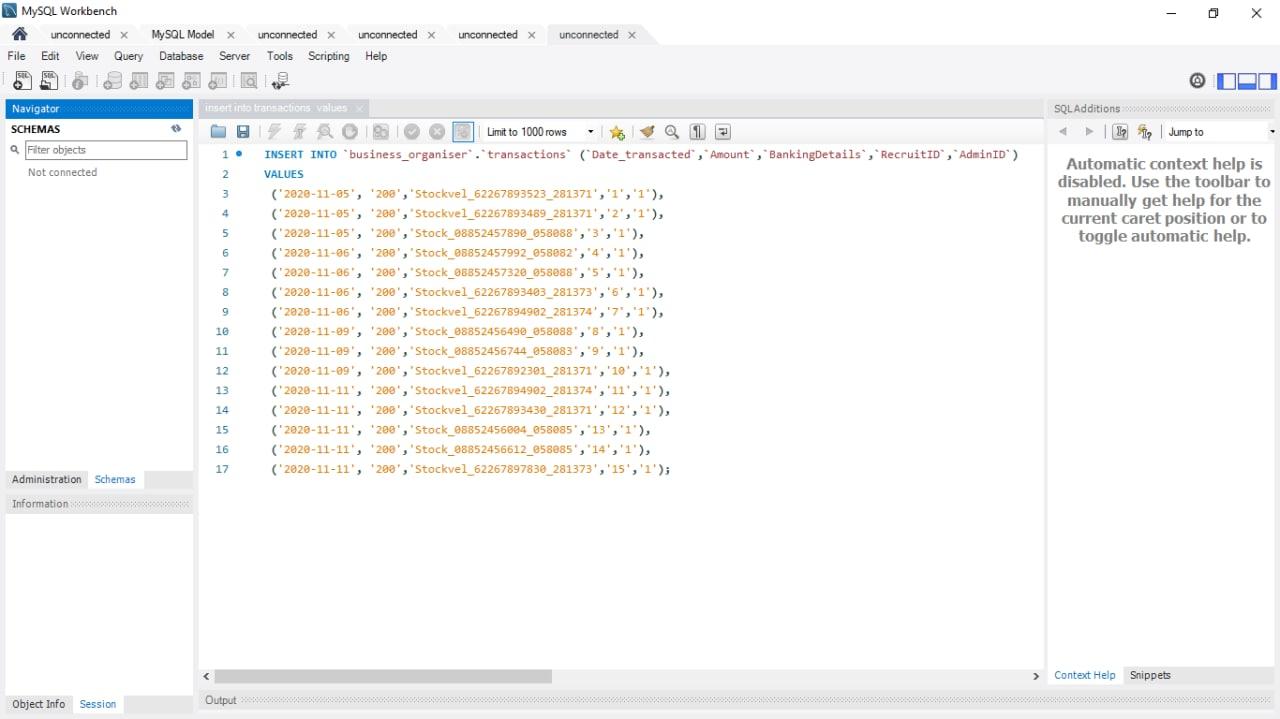 CREATE AN INSERT PROCEDURE
MySQL Workbench unconnected X MySQL Model x File Edit View Query Database Server SIL SE unconnected unconnected x unconnected X unconnected X Tools Scripting Help Navigator SCHEMAS a Fiter objects SQL Additions lipp Jump to Not connected Automatic context help is disabled. Use the toolbar to manually get help for the current caret position or to toggle automatic help. 6 innsats into transactions valises BO Limit to 1000 rows Q 1. INSERT INTO `business_organiser transactions" (Date_transacted", "Amount",BankingDetails", "RecruitID","AdminID) 2 VALUES 3 (2028-11-85', '208', 'Stockvel_62267893523_281371','1','1'), 4 ('2020-11-05', '200', 'Stockvel_62267893489_281371','2','1'), 5 (2928-11-25', *200','Stock_08852457890_658888','3','1'), ('2928-11-96', '282', 'Stock_08852457992_058882', '4','1'), 7 (2020-11-06', '200', 'Stock_36352457320_658888', '5','1'), ('2020-11-06', '200', 'Stockvel_62267893483_281373', '5','1'), ('2928-11-86', 208', 'Stockvel_62267894902_281374','7,'1'), 10 (2928-11-99', '200', 'Stock_88852456492_058888','','1'), 11 ('2828-11-29', '200', 'Stock_08852456744_058883', '9','1'), 12 ('2028-11-09', '200', 'Stockvel_62267892301_281371', '10', '1'), 13 ('2920-11-11', '200', 'Stockvel_62267694902_281374','1','1'), 14 (2828-11-11', '298', 'Stockvel_62267893439_281371','12','1'), 15 (2928-11-11', '289', 'Stock_08852456824_65885','13','1'), 16 (2028-11-11', '200', 'Stock_88852456612_658885', '14','1'), 17 ("2820-11-11', '298', 'Stockvel_62267897830_281373','15','1'); 8 9 Administration Schemas Information > Context Help Snippets Object Info Session Output
Step by Step Solution
There are 3 Steps involved in it

Get step-by-step solutions from verified subject matter experts
 Study Help