







Question: Create an inventory management tool for tracking materials used in a construction site. The tool will allow users to calculate costs, check stock levels, and
Create an inventory management tool for tracking materials used in a construction site. The tool will allow users to calculate costs, check stock levels, and generate reports based on specific criteria.
Project Instructions
Create an Excel worksheet with columns for Material ID Material Name, Unit Price, Quantity in Stock, Reorder Level, Total Cost, Reorder Status, and Order Priority.
Populate the worksheet with sample data for at least different materials.
The total cost is calculated by multiplying the Quantity in stock and the Unit Price
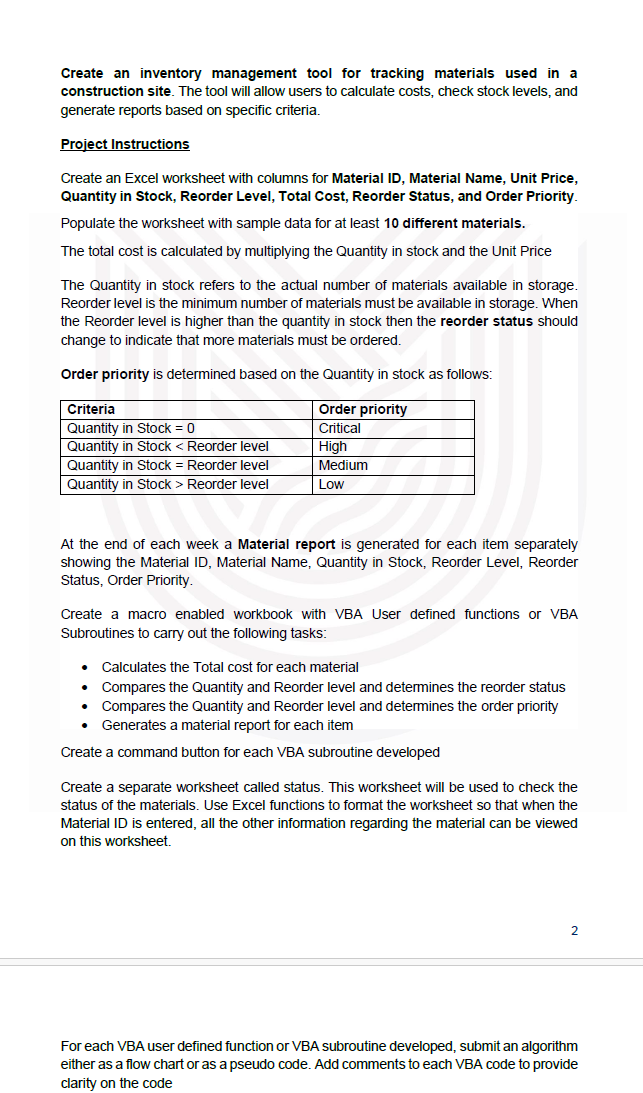
The Quantity in stock refers to the actual number of materials available in storage. Reorder level is the minimum number of materials must be available in storage. When the Reorder level is higher than the quantity in stock then the reorder status should change to indicate that more materials must be ordered.
Order priority is determined based on the Quantity in stock as follows:
At the end of each week a Material report is generated for each item separately showing the Material ID Material Name, Quantity in Stock, Reorder Level, Reorder Status, Order Priority.
Create a macro enabled workbook with VBA User defined functions or VBA Subroutines to carry out the following tasks:
Calculates the Total cost for each material
Compares the Quantity and Reorder level and determines the reorder status
Compares the Quantity and Reorder level and determines the order priority
Generates a material report for each item
Create a command button for each VBA subroutine developed
Create a separate worksheet called status. This worksheet will be used to check the status of the materials. Use Excel functions to format the worksheet so that when the Material ID is entered, all the other information regarding the material can be viewed on this worksheet.
For each VBA user defined function or VBA subroutine developed, submit an algorithm either as a flow chart or as a pseudo code. Add comments to each VBA code to provide clarity on the code
Step by Step Solution
There are 3 Steps involved in it
1 Expert Approved Answer
Step: 1 Unlock

Question Has Been Solved by an Expert!
Get step-by-step solutions from verified subject matter experts
Step: 2 Unlock
Step: 3 Unlock
 Study Help