







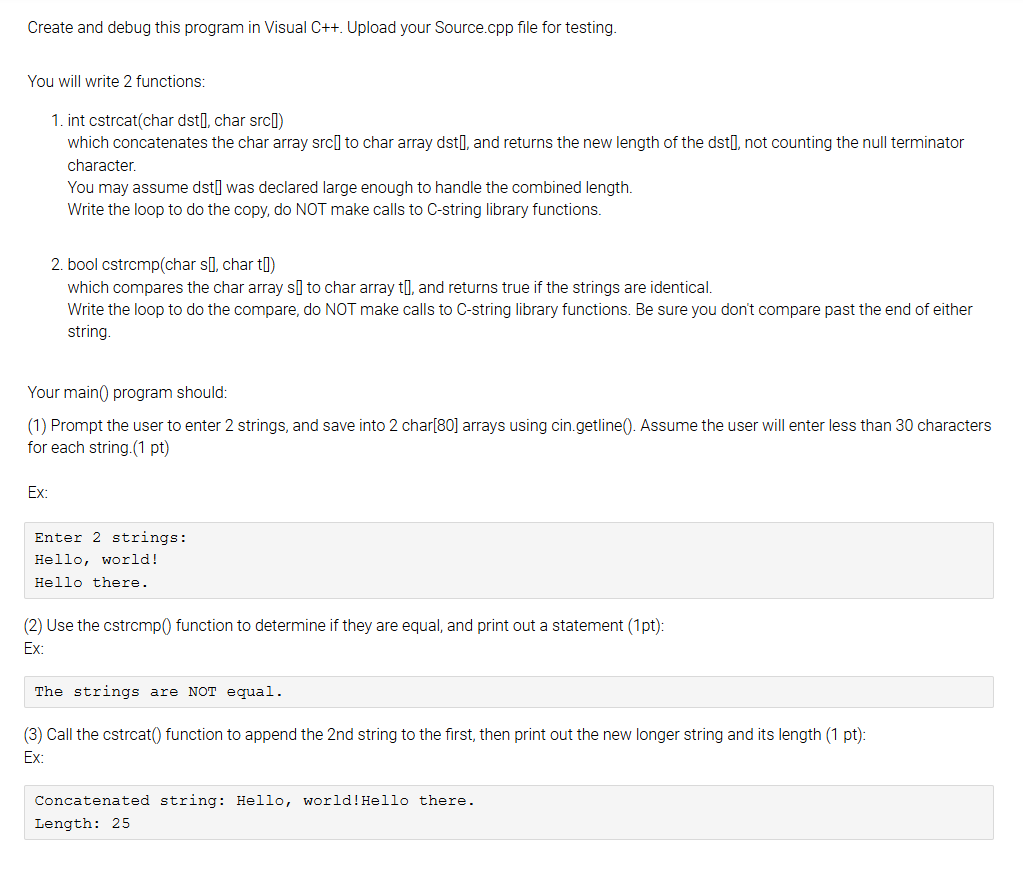
Question: Create and debug this program in Visual C + + . Upload your Source.cpp file for testing. You will write 2 functions: 1 . int
Create and debug this program in Visual C Upload your Source.cpp file for testing.
You will write functions:
int cstrcatchar dst char src
which concatenates the char array src to char array dst and returns the new length of the dst not counting the null terminator character.
You may assume dst was declared large enough to handle the combined length. Write the loop to do the copy, do NOT make calls to Cstring library functions.
bool cstrempchar s char t
which compares the char array s to char array t and returns true if the strings are identical.
Write the loop to do the compare, do NOT make calls to Cstring library functions. Be sure you don't compare past the end of either string.
Your main program should:
Prompt the user to enter strings, and save into char arrays using cin.getline Assume the user will enter less than characters for each string. pt
Ex:
Enter strings:
Hello, world!
Hello there.
Use the cstrcmp function to determine if they are equal, and print out a statement pt :
Ex:
The strings are NOT equal.
Call the cstrcat function to append the nd string to the first, then print out the new longer string and its length pt: Ex:
Concatenated string: Hello, world!Hello there.
Length:
Step by Step Solution
There are 3 Steps involved in it
1 Expert Approved Answer
Step: 1 Unlock

Question Has Been Solved by an Expert!
Get step-by-step solutions from verified subject matter experts
Step: 2 Unlock
Step: 3 Unlock
 Study Help