







Question: Create JavaFx program for display a circle with center point = (200,200), radius =50, fills color in red. The window size (400,400) with a title
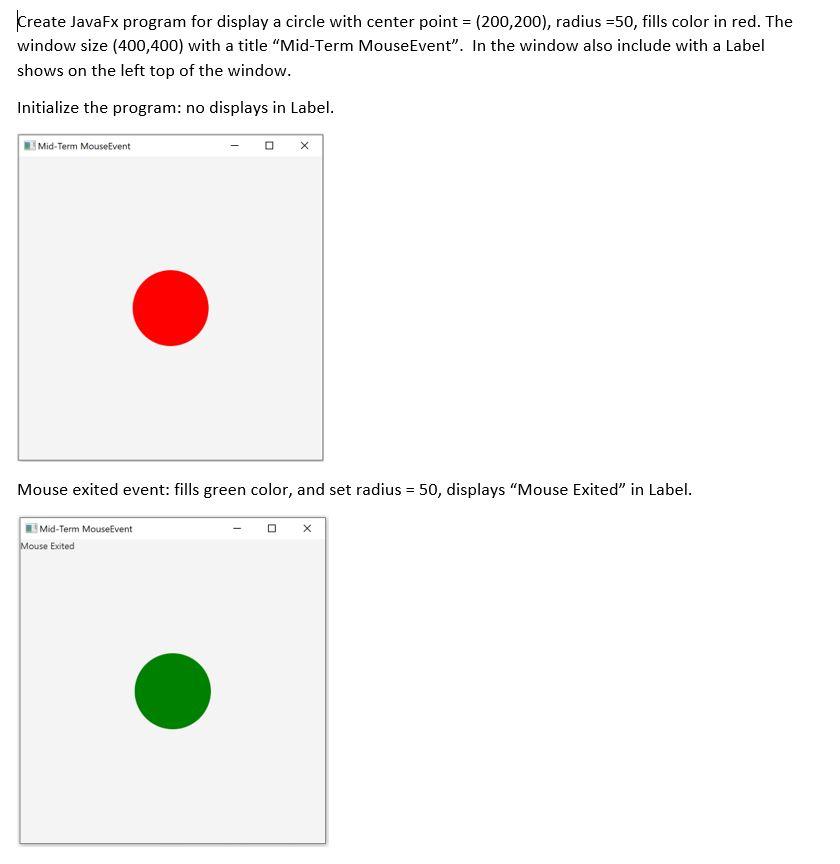
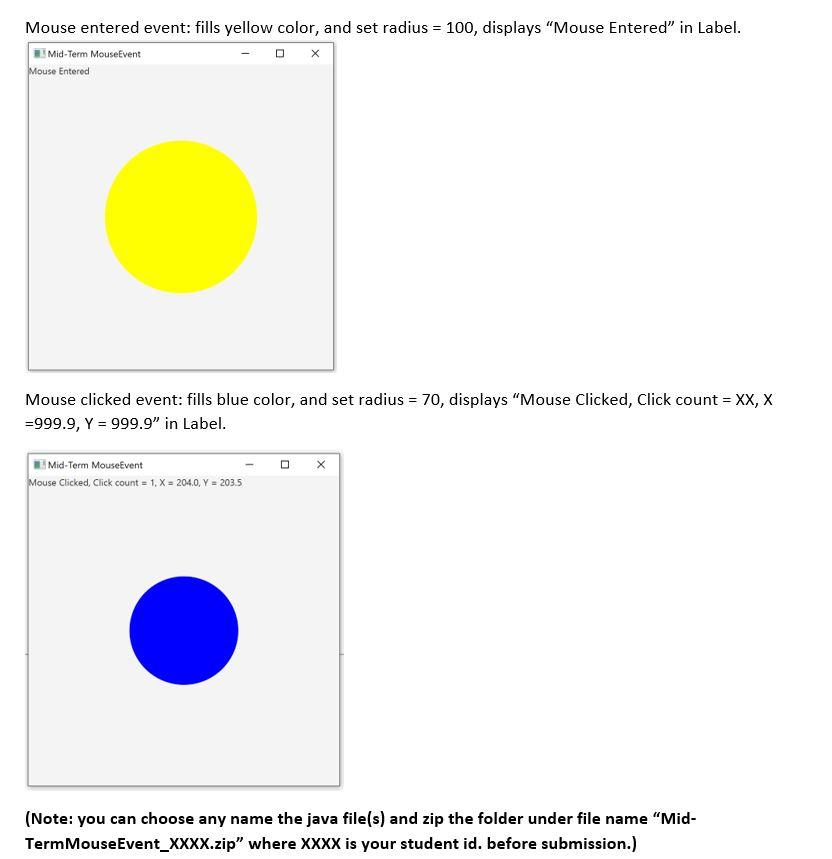
Create JavaFx program for display a circle with center point = (200,200), radius =50, fills color in red. The window size (400,400) with a title Mid-Term MouseEvent". In the window also include with a Label shows on the left top of the window. Initialize the program: no displays in Label. Mid-Term MouseEvent Mouse exited event: fills green color, and set radius = 50, displays "Mouse Exited" in Label. Mid-Term MouseEvent Mouse Exited Mouse entered event: fills yellow color, and set radius = 100, displays "Mouse Entered in Label. Mid-Term MouseEvent Mouse Entered Mouse clicked event: fills blue color, and set radius = 70, displays "Mouse Clicked, Click count = XX, X =999.9, Y = 999.9" in Label. - X | Mid-Term MouseEvent Mouse Clicked, Click count = 1, X = 204.0, Y = 203.5 (Note: you can choose any name the java file(s) and zip the folder under file name "Mid- TermMouseEvent_XXXX.zip" where XXXX is your student id. before submission.)
Step by Step Solution
There are 3 Steps involved in it

Get step-by-step solutions from verified subject matter experts
 Study Help