







Question: Create the application to work with Java ArrayList data structure 1. Create an ArrayList structure 2. Insert 50 numbers from 0 to 49 to the
Create the application to work with Java ArrayList data structure
1. Create an ArrayList structure
2. Insert 50 numbers from 0 to 49 to the ArrayList
3. Promp to allow users to insert 3 vehicles that can be cars or motorcycles to the ArrayList
4. Insert numbers from 50 to 99 to the ArrayList
5. Display the size of ArrayList
6. Delete an object at index 50 then display the size
7. Fetch and print out the information of the node at index 25 (temp) and the node at index 50 (temp1)
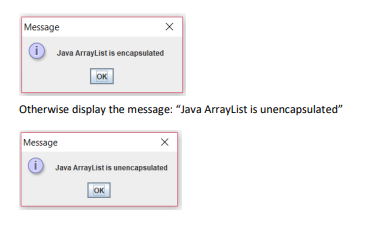
8. To verify ArrayList is unencapsulated: modify the color the node temp1 that is fetched above, then fetch the node at index 50 again (temp2). Compare the color of temp1 and temp2. If the colors are different display message box: Java ArrayList is encapsulated
JavaArrayListDemo will be the name of the class
Message iJava ArrayList is encapsulated OK Otherwise display the message: "Java ArrayList is unencapsulated" Message Java ArrayList is unencapsulated OK
Step by Step Solution
There are 3 Steps involved in it

Get step-by-step solutions from verified subject matter experts
 Study Help