







Question: Create using C # Enter the comment with the section title as described above. Create an ArrayList named produceList. ProduceList is used to hold the
Create using C #
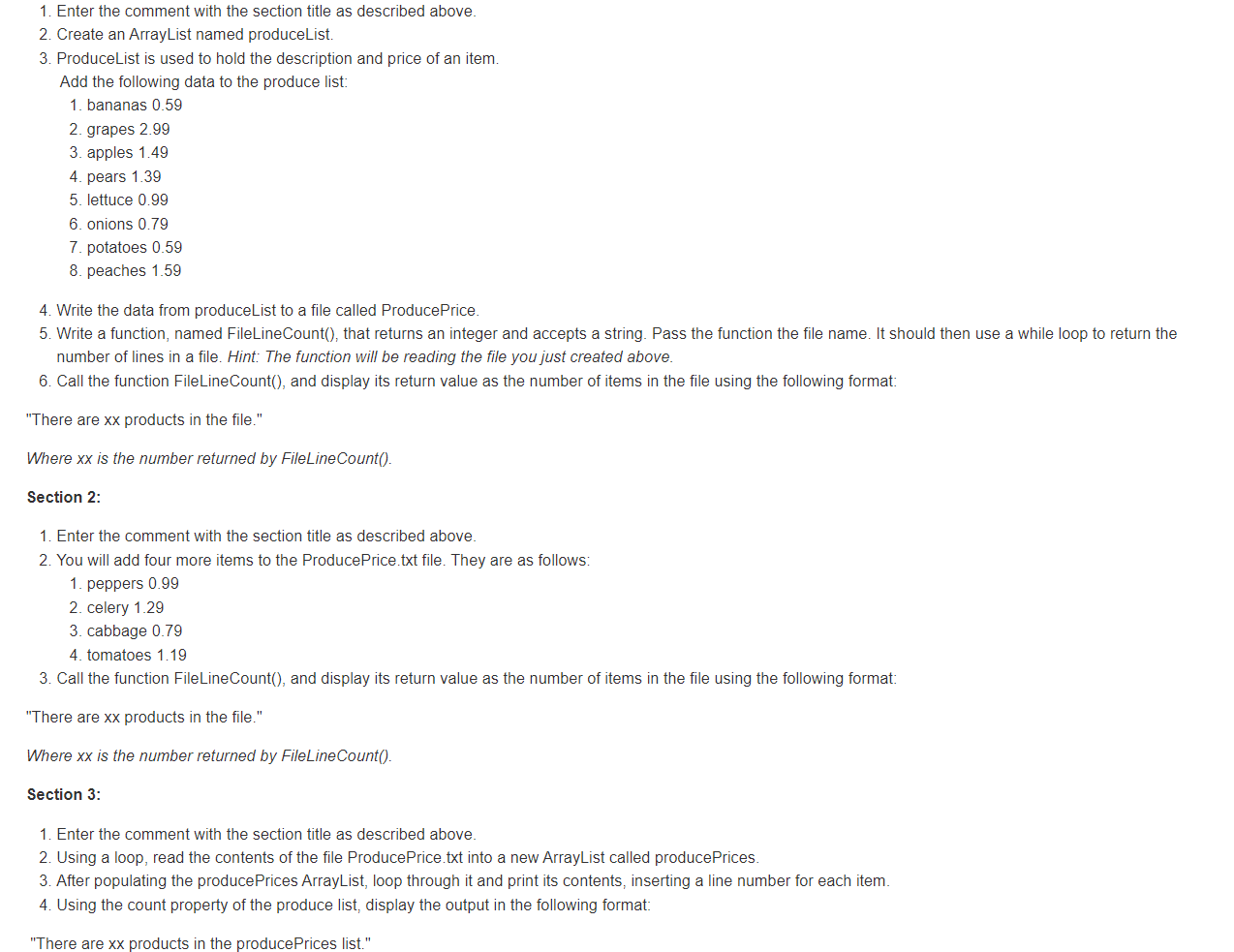
Enter the comment with the section title as described above.
Create an ArrayList named produceList.
ProduceList is used to hold the description and price of an item.
Add the following data to the produce list:
bananas
grapes
apples
pears
lettuce
onions
potatoes
peaches
Write the data from produceList to a file called ProducePrice.
Write a function, named FileLineCount that returns an integer and accepts a string. Pass the function the file name. It should then use a while loop to return the
number of lines in a file. Hint: The function will be reading the file you just created above.
Call the function FileLineCount and display its return value as the number of items in the file using the following format:
"There are xx products in the file."
Where is the number returned by FileLineCount
Section :
Enter the comment with the section title as described above.
You will add four more items to the ProducePrice.txt file. They are as follows:
peppers
celery
cabbage
tomatoes
Call the function FileLineCount and display its return value as the number of items in the file using the following format:
"There are products in the file."
Where is the number returned by FileLineCount
Section :
Enter the comment with the section title as described above.
Using a loop, read the contents of the file ProducePrice.txt into a new ArrayList called producePrices.
After populating the producePrices ArrayList, loop through it and print its contents, inserting a line number for each item.
Using the count property of the produce list, display the output in the following format:
"There are xx products in the producePrices list."
Step by Step Solution
There are 3 Steps involved in it
1 Expert Approved Answer
Step: 1 Unlock

Question Has Been Solved by an Expert!
Get step-by-step solutions from verified subject matter experts
Step: 2 Unlock
Step: 3 Unlock
 Study Help