







Question: Create vb.net file on Visual studio 1. Create a 55 two-dimensional array. Assign all elements the character O. Use a constant to determine the dimensions
Create vb.net file on Visual studio 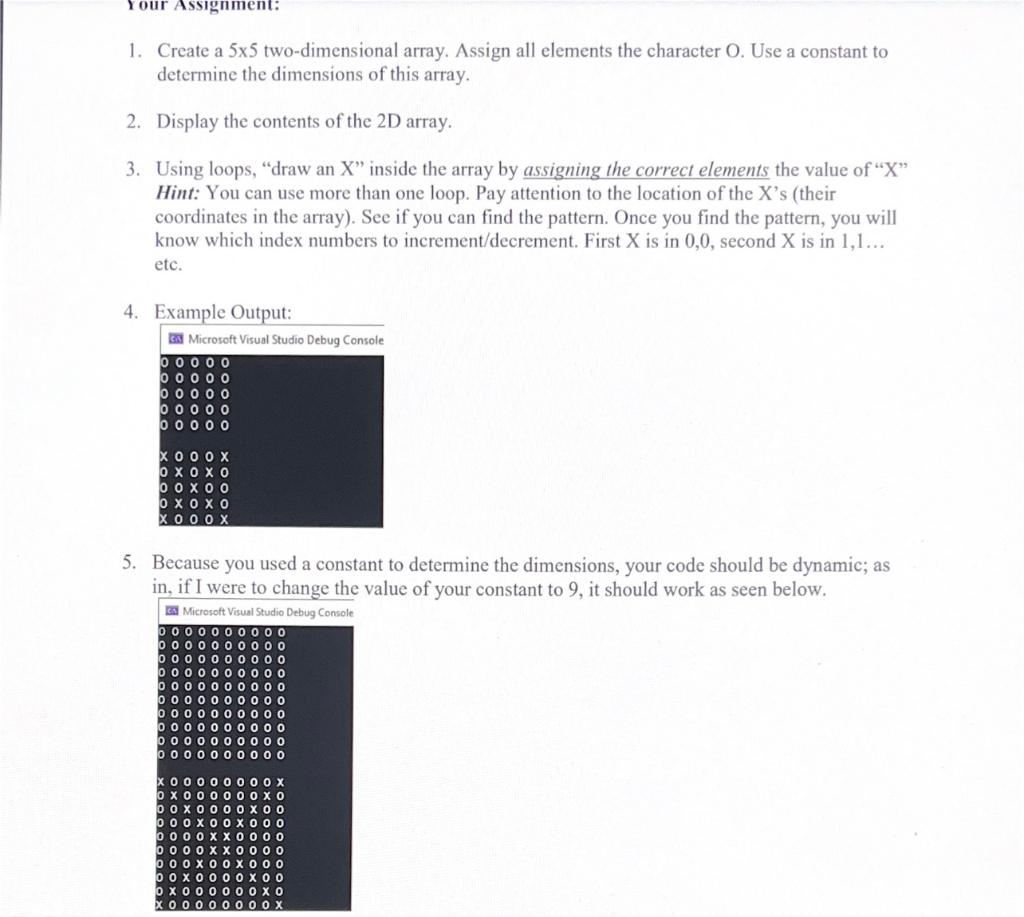
1. Create a 55 two-dimensional array. Assign all elements the character O. Use a constant to determine the dimensions of this array. 2. Display the contents of the 2D array. 3. Using loops, "draw an X" inside the array by assigning the correct elements the value of " X " Hint: You can use more than one loop. Pay attention to the location of the X's (their coordinates in the array). See if you can find the pattern. Once you find the pattern, you will know which index numbers to increment/decrement. First X is in 0,0 , second X is in 1,1 etc. 4. 5. Because you used a constant to determine the dimensions, your code should be dynamic; as in, if I were to change the value of your constant to 9 , it should work as seen below
Step by Step Solution
There are 3 Steps involved in it

Get step-by-step solutions from verified subject matter experts
 Study Help