







Question: Create your first react app - In class Objective: Create a React application that displays a list of courses. Each course will be represented as
Create your first react app In class
Objective:
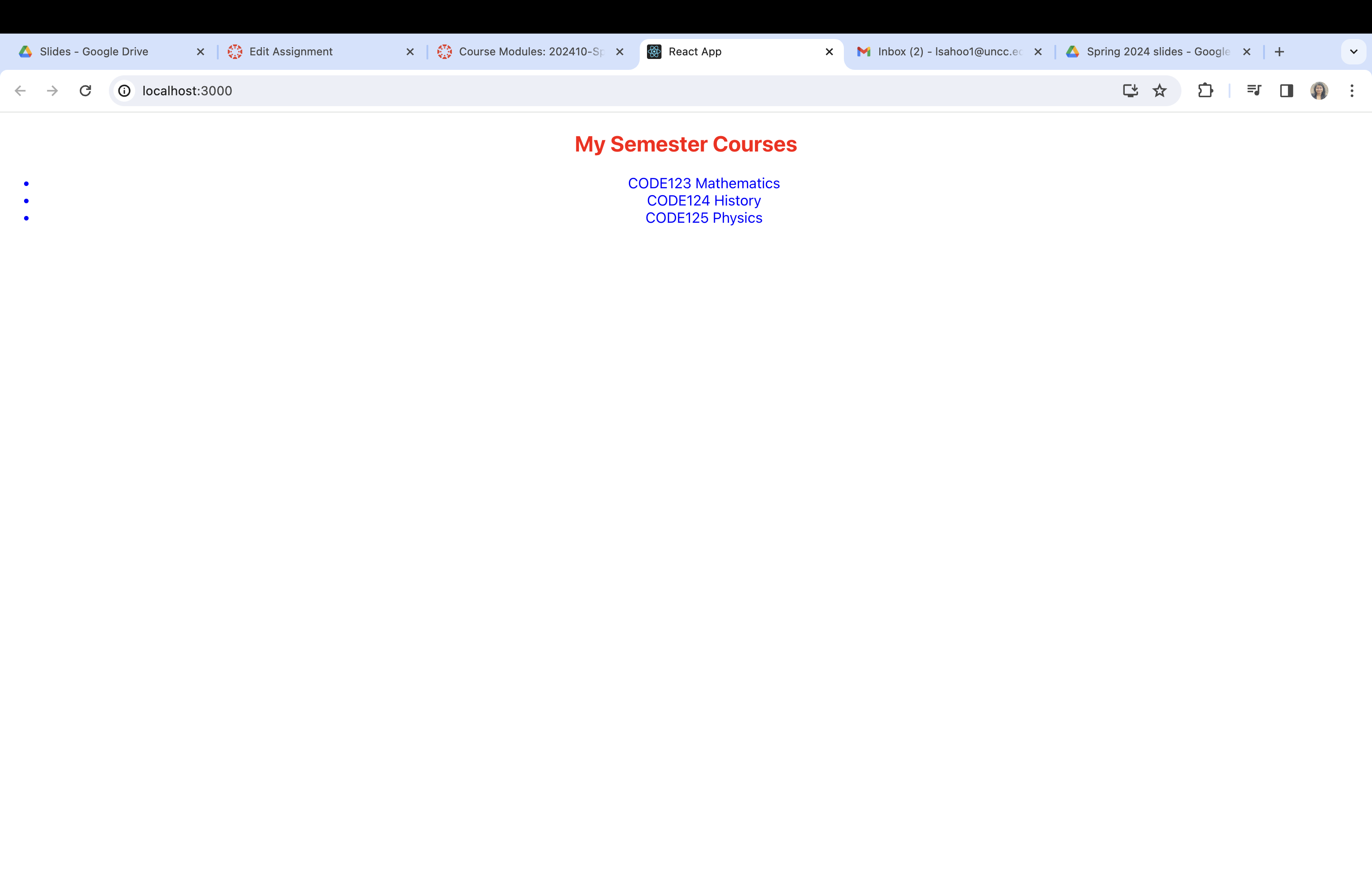
Create a React application that displays a list of courses. Each course will be represented as an item in a list, and the application should be styled using CSS
Requirements:
Setup:
Initialize a New React Project: Use Create React App to set up a new project. You can do this by running npx createreactapp courselistapp in your terminal.
Project Structure: Once your project is set up navigate to the src folder. You will mainly work within this directory.
React Component:
Create 'CourseList' Component:
Create a new file named CourseList.js in the src folder.
In this file, import React and create a functional component named CourseList.
Define an array courses within this component. This array should contain objects with id and name properties. Each object represents a course as provided in the example
Return a JSX layout that includes a header and an unordered list
CODE Mathematics CODE History CODE Physics
Step by Step Solution
There are 3 Steps involved in it
1 Expert Approved Answer
Step: 1 Unlock

Question Has Been Solved by an Expert!
Get step-by-step solutions from verified subject matter experts
Step: 2 Unlock
Step: 3 Unlock
 Study Help