







Question: Create Your Own Rhythm ! Using the notation software, choose your favorite time signature and create an original rhythm that follows these guidelines: Your piece
Create Your Own Rhythm
Using the notation software, choose your favorite time signature and create an original rhythm that
follows these guidelines:
Your piece should be measures long. Make sure you choose the correct number of measures
when you create a new file.
Use both notes and rests. Remember that silence is just as effective as sound! Use at least three
different note values.
Do not use different pitches: for this assignment, you are only to compose a RHYTHM Pick one
starting pitch and use it for all of your note values. We'll get to writing with different pitches
in Composition
Be sure you write a coherent rhythmic pattern, where measures repeat or slightly vary
measures This will help you in future assignments if you wish to reuse the rhythm
Use the playback feature to hear how your rhythm sounds. If you wish to make any changes, you can do
that. Helpful hint: page of the Unit Course Packet has some rhythmic "cells" you can use and
combine!
Submit your piece through Canvas by the due date on the calendar which varies by term
Also, if you are using Noteflight's browserbased notation software, I've created an instructional video
for Compositions and and uploaded them to the Kaltura Media Gallery on Canvas. Feel free to
watch those to get yourself started in using Noteflight to compose.
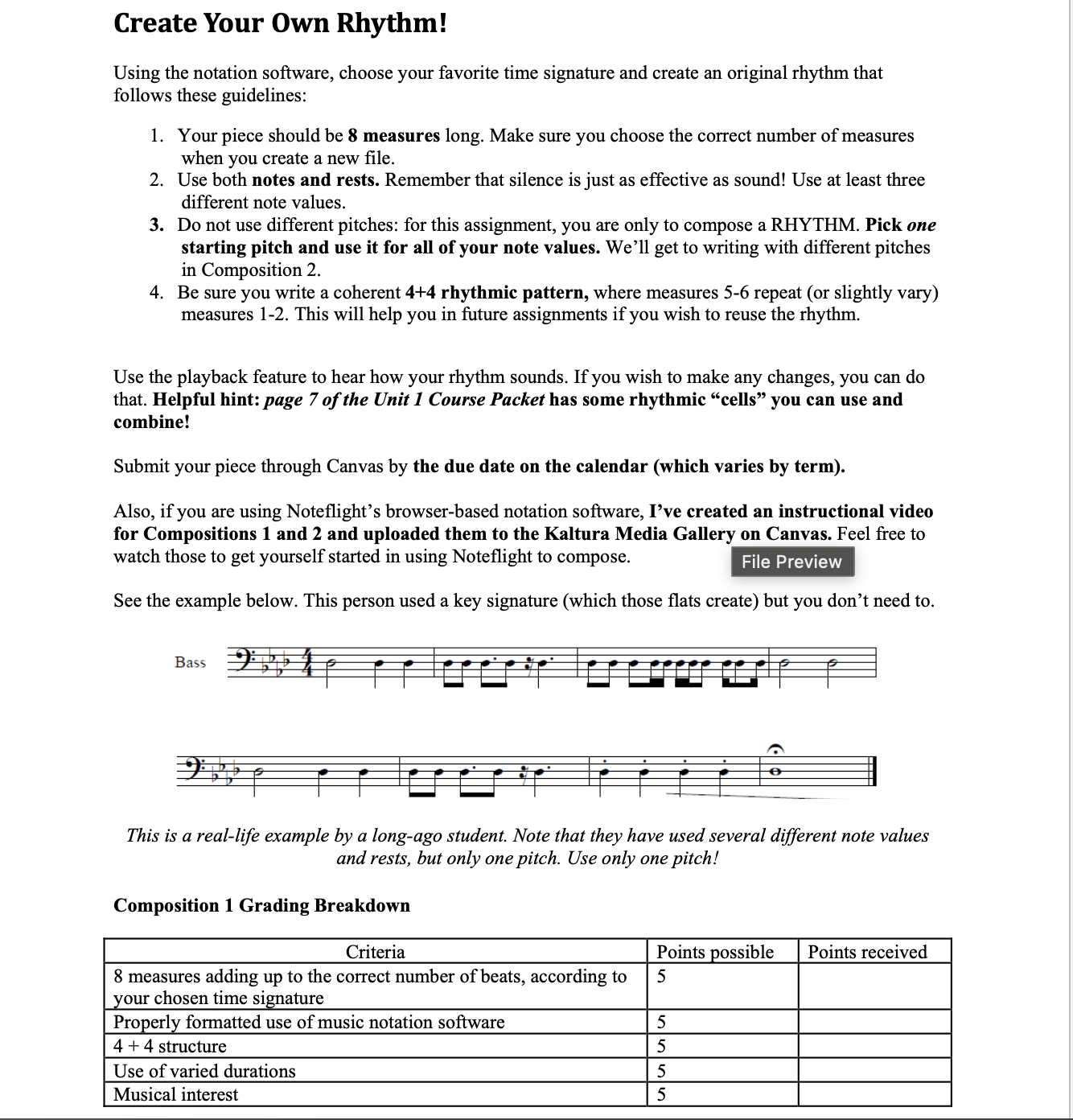
See the example below. This person used a key signature which those flats create but you don't need to
This is a reallife example by a longago student. Note that they have used several different note values
and rests, but only one pitch. Use only one pitch!
Composition Grading Breakdown
draw a picture of it
Step by Step Solution
There are 3 Steps involved in it
1 Expert Approved Answer
Step: 1 Unlock

Question Has Been Solved by an Expert!
Get step-by-step solutions from verified subject matter experts
Step: 2 Unlock
Step: 3 Unlock
 Study Help