







Question: CS145 PROGRAMMING ASSIGNMENT #1 OVERVIEW - This is a review exercise, so the primary goal of the exercise is to get your mind working
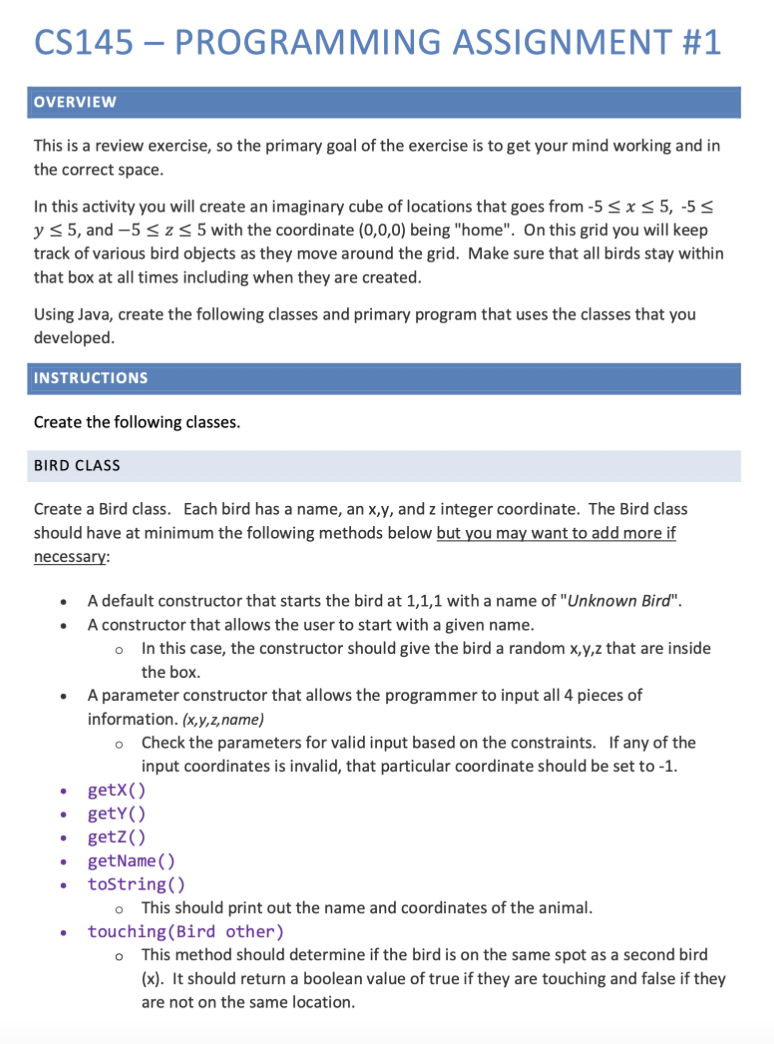
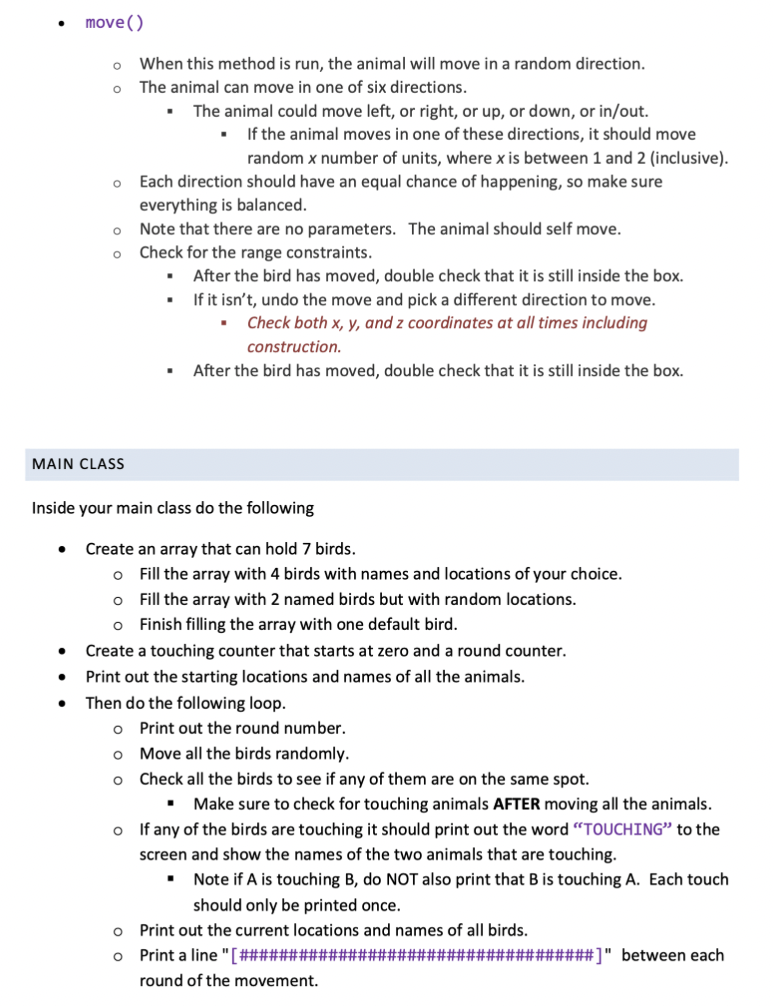

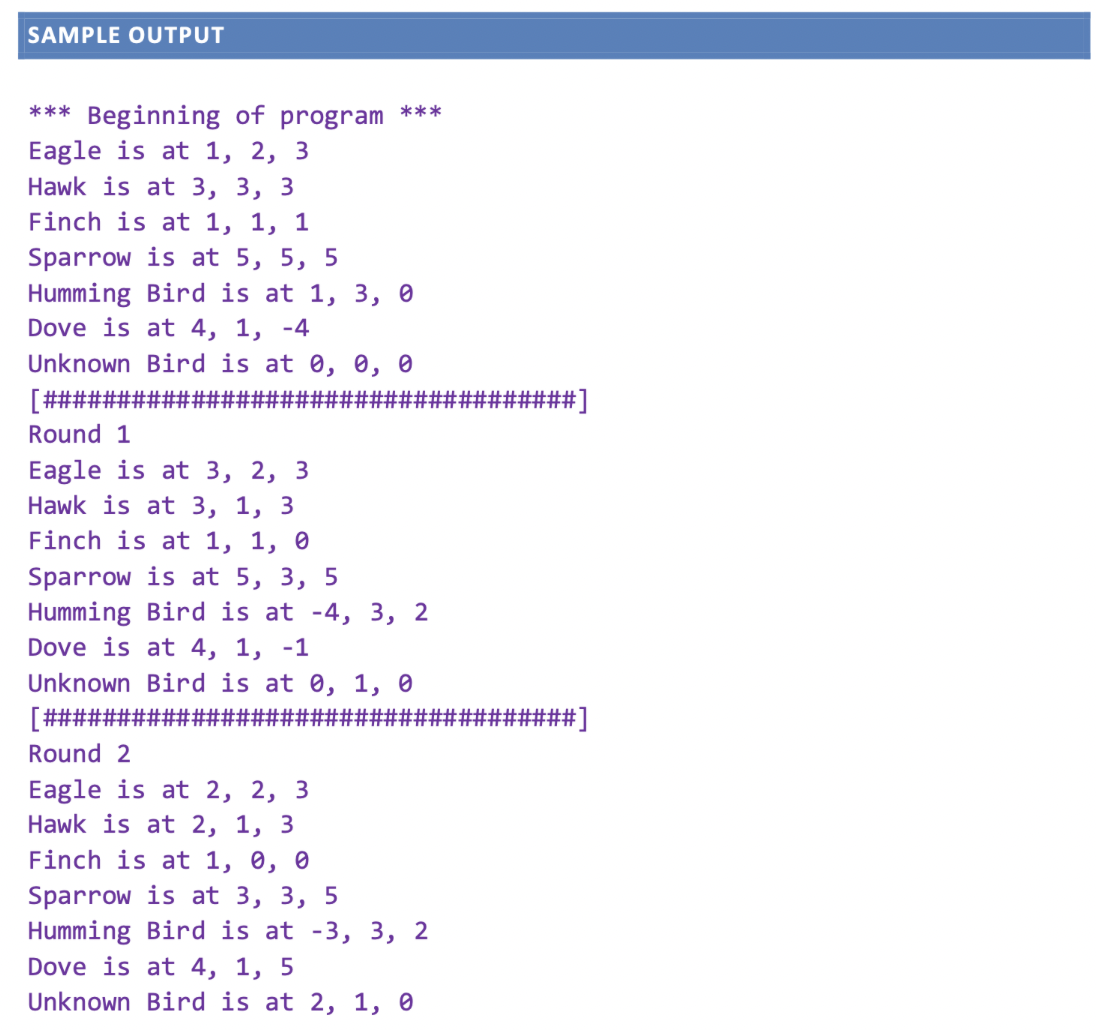
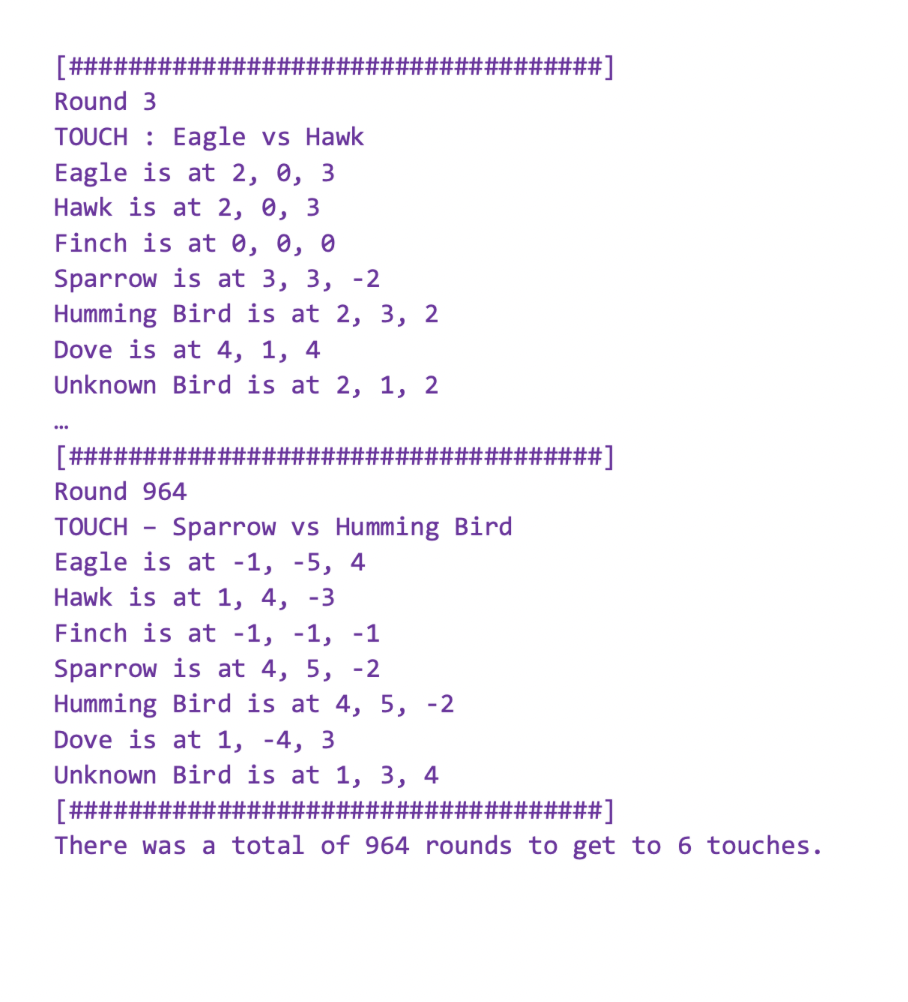
CS145 PROGRAMMING ASSIGNMENT #1 OVERVIEW - This is a review exercise, so the primary goal of the exercise is to get your mind working and in the correct space. In this activity you will create an imaginary cube of locations that goes from -5 x 5, -5 y5, and -5 Z 5 with the coordinate (0,0,0) being "home". On this grid you will keep track of various bird objects as they move around the grid. Make sure that all birds stay within that box at all times including when they are created. Using Java, create the following classes and primary program that uses the classes that you developed. INSTRUCTIONS Create the following classes. BIRD CLASS Create a Bird class. Each bird has a name, an x,y, and z integer coordinate. The Bird class should have at minimum the following methods below but you may want to add more if necessary: A default constructor that starts the bird at 1,1,1 with a name of "Unknown Bird". A constructor that allows the user to start with a given name. In this case, the constructor should give the bird a random x,y,z that are inside the box. A parameter constructor that allows the programmer to input all 4 pieces of information. (x,y,z,name) Check the parameters for valid input based on the constraints. If any of the input coordinates is invalid, that particular coordinate should be set to -1. getx() getY() getz() getName() toString() This should print out the name and coordinates of the animal. touching (Bird other) This method should determine if the bird is on the same spot as a second bird (x). It should return a boolean value of true if they are touching and false if they are not on the same location. move() When this method is run, the animal will move in a random direction. The animal can move in one of six directions. The animal could move left, or right, or up, or down, or in/out. If the animal moves in one of these directions, it should move random x number of units, where x is between 1 and 2 (inclusive). Each direction should have an equal chance of happening, so make sure everything is balanced. Note that there are no parameters. The animal should self move. Check for the range constraints. After the bird has moved, double check that it is still inside the box. " If it isn't, undo the move and pick a different direction to move. Check both x, y, and z coordinates at all times including construction. " After the bird has moved, double check that it is still inside the box. MAIN CLASS Inside your main class do the following Create an array that can hold 7 birds. Fill the array with 4 birds with names and locations of your choice. Fill the array with 2 named birds but with random locations. o Finish filling the array with one default bird. Create a touching counter that starts at zero and a round counter. Print out the starting locations and names of all the animals. Then do the following loop. o Print out the round number. Move all the birds randomly. o Check all the birds to see if any of them are on the same spot. " Make sure to check for touching animals AFTER moving all the animals. If any of the birds are touching it should print out the word "TOUCHING" to the screen and show the names of the two animals that are touching. Note if A is touching B, do NOT also print that B is touching A. Each touch should only be printed once. o Print out the current locations and names of all birds. Print a line "[############## round of the movement. ############]" between each Repeat the loop above until there are at least 6 touches. Print out the total number of fights. O This will probably be 6 but might be larger IF there were multiple touches on the last round. Print out the total number of rounds that it took to get to 6 touches. SAMPLE OUTPUT *** Beginning of program Eagle is at 1, 2, 3 Hawk is at 3, 3, 3 Finch is at 1, 1, 1 Sparrow is at 5, 5, 5 *** Humming Bird is at 1, 3, 0 Dove is at 4, 1, -4 Unknown Bird is at 0, 0, 0 [####### Round 1 Eagle is at 3, 2, 3 Hawk is at 3, 1, 3 Finch is at 1, 1, 0 Sparrow is at 5, 3, 5 Humming Bird is at -4, 3, 2 Dove is at 4, 1, -1 Unknown Bird is at 0, 1, 0 [### Round 2 Eagle is at 2, 2, 3 Hawk is at 2, 1, 3 Finch is at 1, 0, 0 Sparrow is at 3, 3, 5 Humming Bird is at -3, 3, 2 Dove is at 4, 1, 5 Unknown Bird is at 2, 1, 0 ####] ] [######## Round 3 TOUCH Eagle vs Hawk Eagle is at 2, 0, 3 Hawk is at 2, 0, 3 Finch is at 0, 0, 0 Sparrow is at 3, 3, -2 Humming Bird is at 2, 3, 2 Dove is at 4, 1, 4 Unknown Bird is at 2, 1, 2 [######### Round 964 TOUCH - ########] ######] Sparrow vs Humming Bird Eagle is at -1, -5, 4 Hawk is at 1, 4, -3 Finch is at -1, -1, -1 Sparrow is at 4, 5, -2 Humming Bird is at 4, 5, -2 Unknown Bird is at 1, 3, 4 Dove is at 1, -4, 3 [############ ########] There was a total of 964 rounds to get to 6 touches.
Step by Step Solution
3.39 Rating (168 Votes )
There are 3 Steps involved in it
Limited Direct Connection The circuit design course management system and bird simulation data are not directly related in terms of functionality They ... View full answer

Get step-by-step solutions from verified subject matter experts
 Study Help