







Question: CS212: Web Programming - Spring 2019 After entering 201 in the tax percent input box, note the light red background color Restaurant Bill Calculator Tax
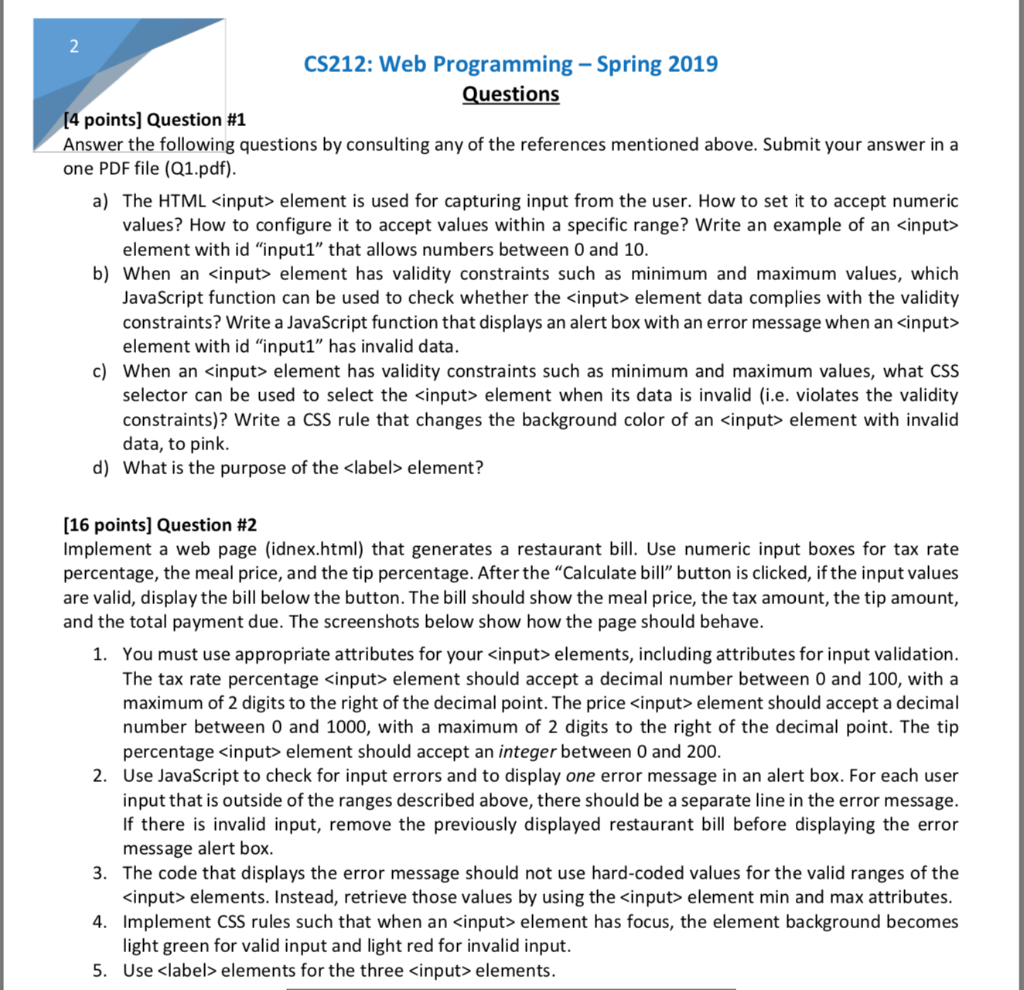
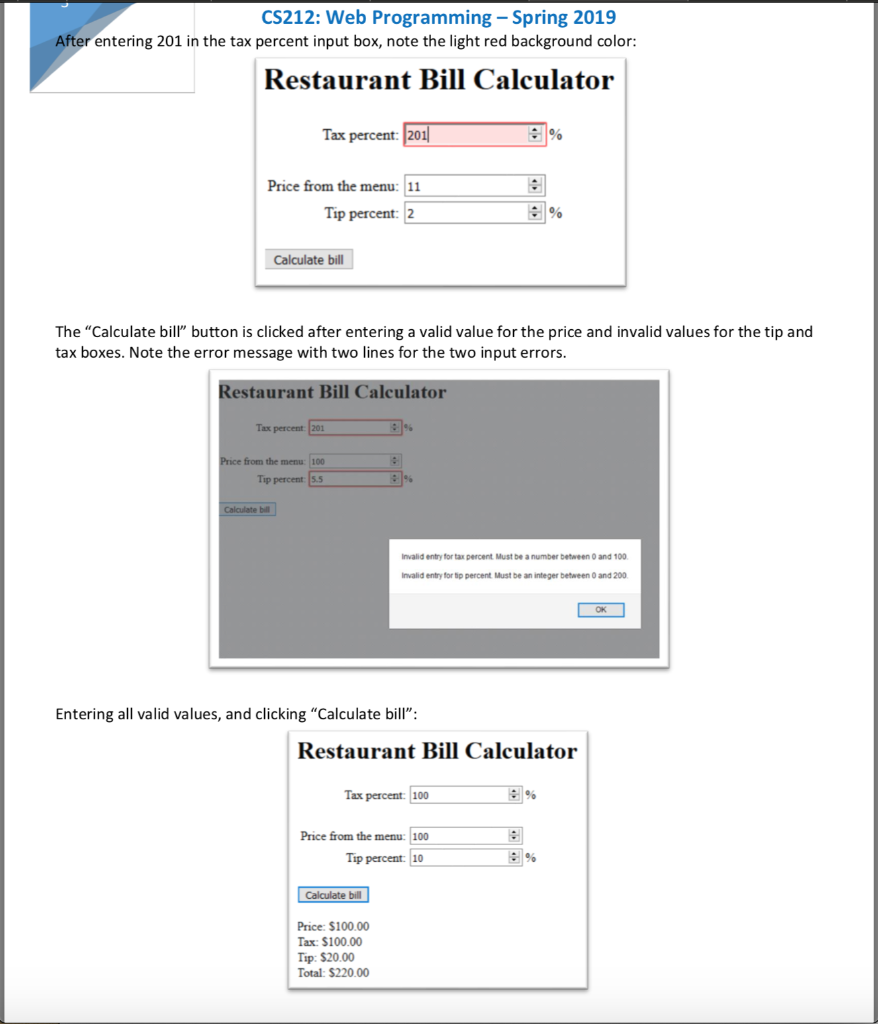
CS212: Web Programming - Spring 2019 After entering 201 in the tax percent input box, note the light red background color Restaurant Bill Calculator Tax percent: 201 Price from the menu: 11 Tip percent: 2 9 Calculate bill The "Calculate bill" button is clicked after entering a valid value for the price and invalid values for the tip and tax boxes. Note the error message with two lines for the two input errors Restaurant Bill Calculator Tax percent 201 from the menu: 100 Tip percent 5.5 Invalid entry for tax percent Must be a number between 0 and 100 Invalid entry for tip percent Must be an integer between 0 and 200 OK Entering all valid values, and clicking "Calculate bill": Restaurant Bill Calculator Tax percent: 100 Price from the menu: 100 Tip percent 10 Price: $100.00 Tax: S100.00 Tip: $20.00 Total: $220.00
Step by Step Solution
There are 3 Steps involved in it

Get step-by-step solutions from verified subject matter experts
 Study Help