







Question: CS222 Assignment 4 - Debugging This assignment will teach you various methods for debugging by ollowing the instructions for changing various lines of code
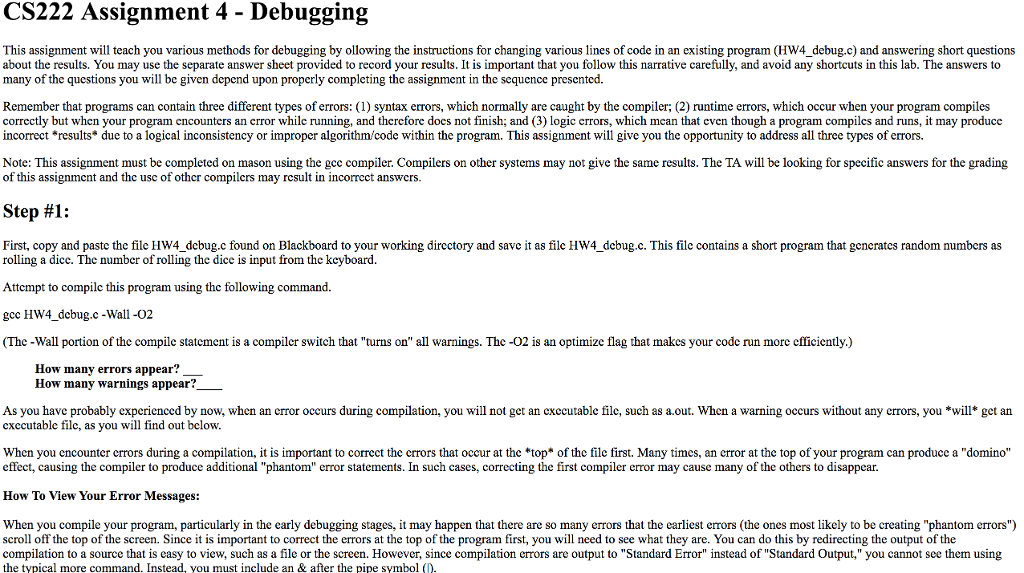
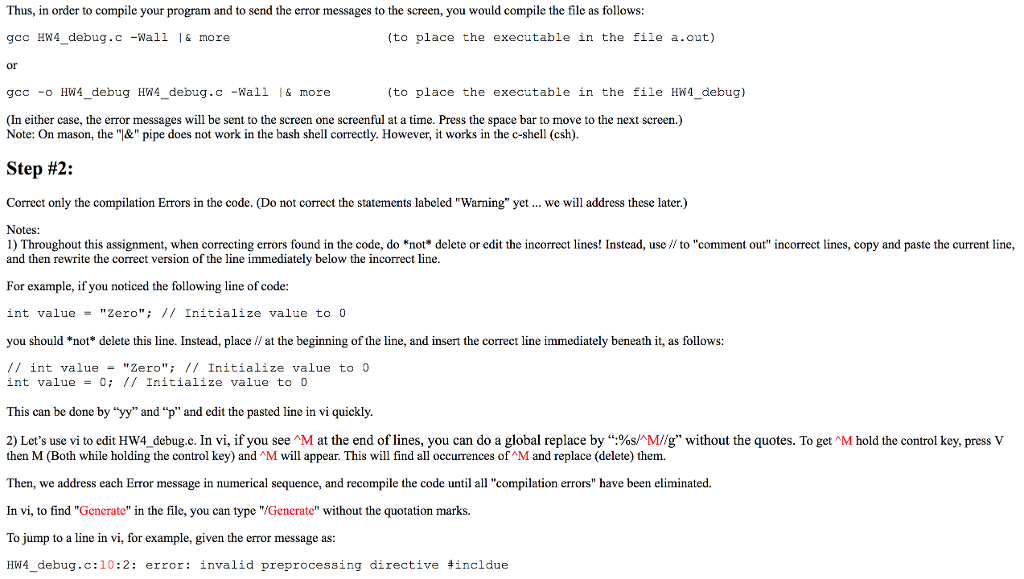
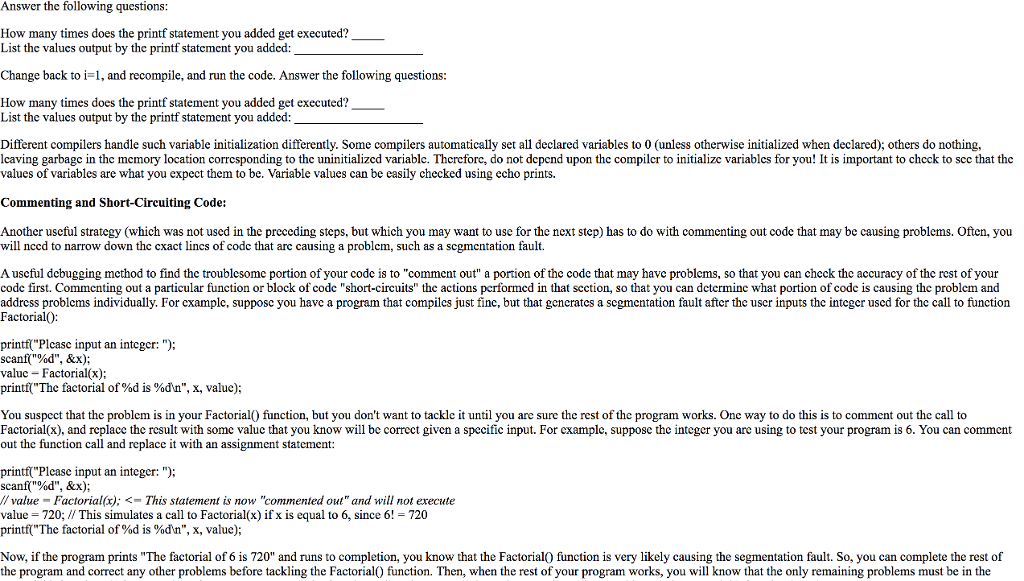
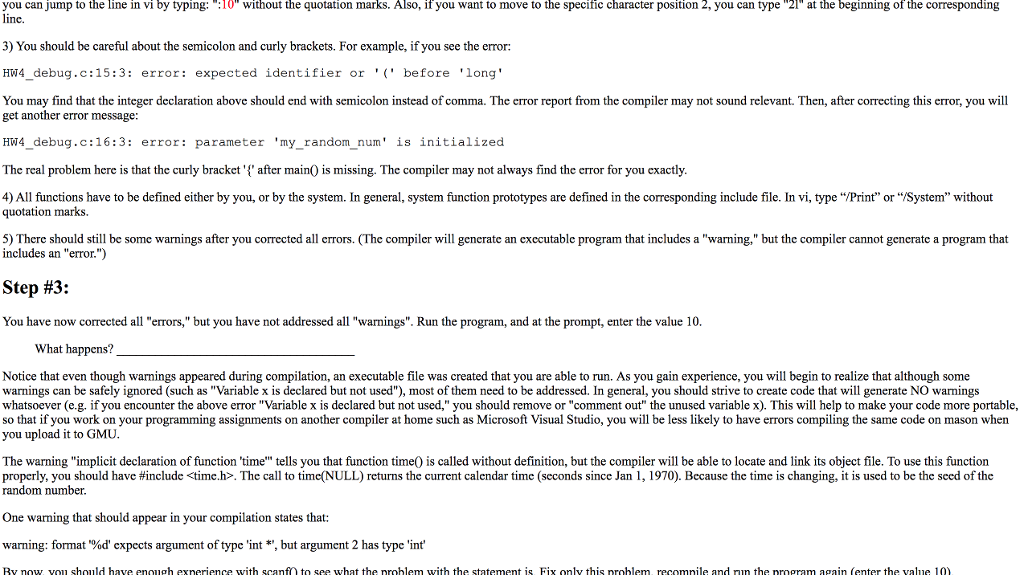
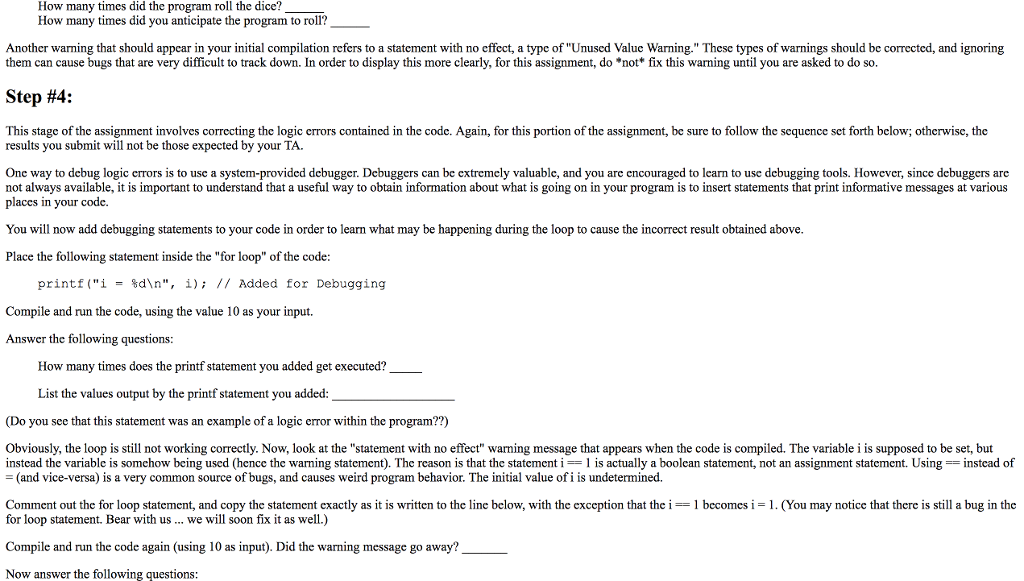
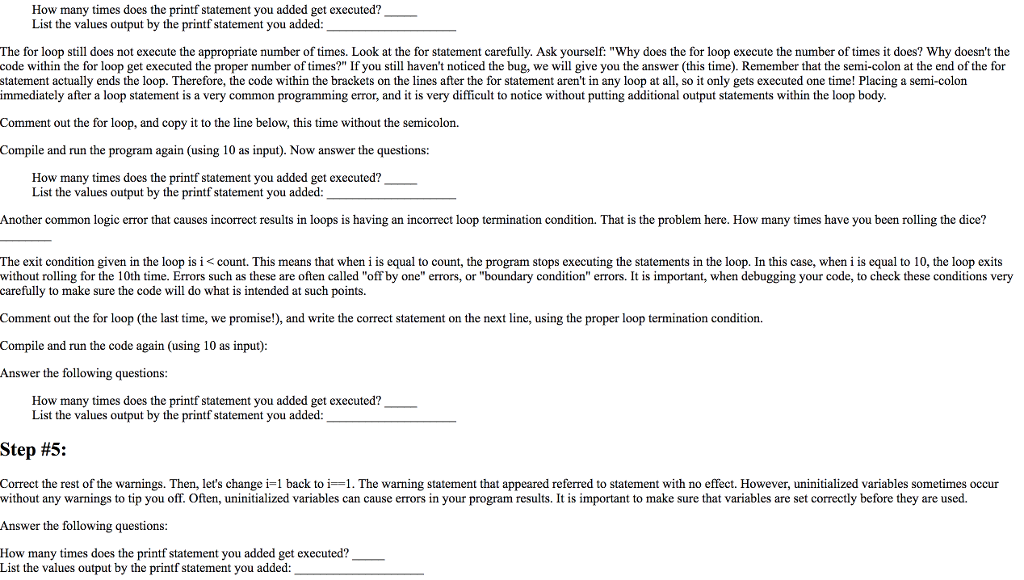
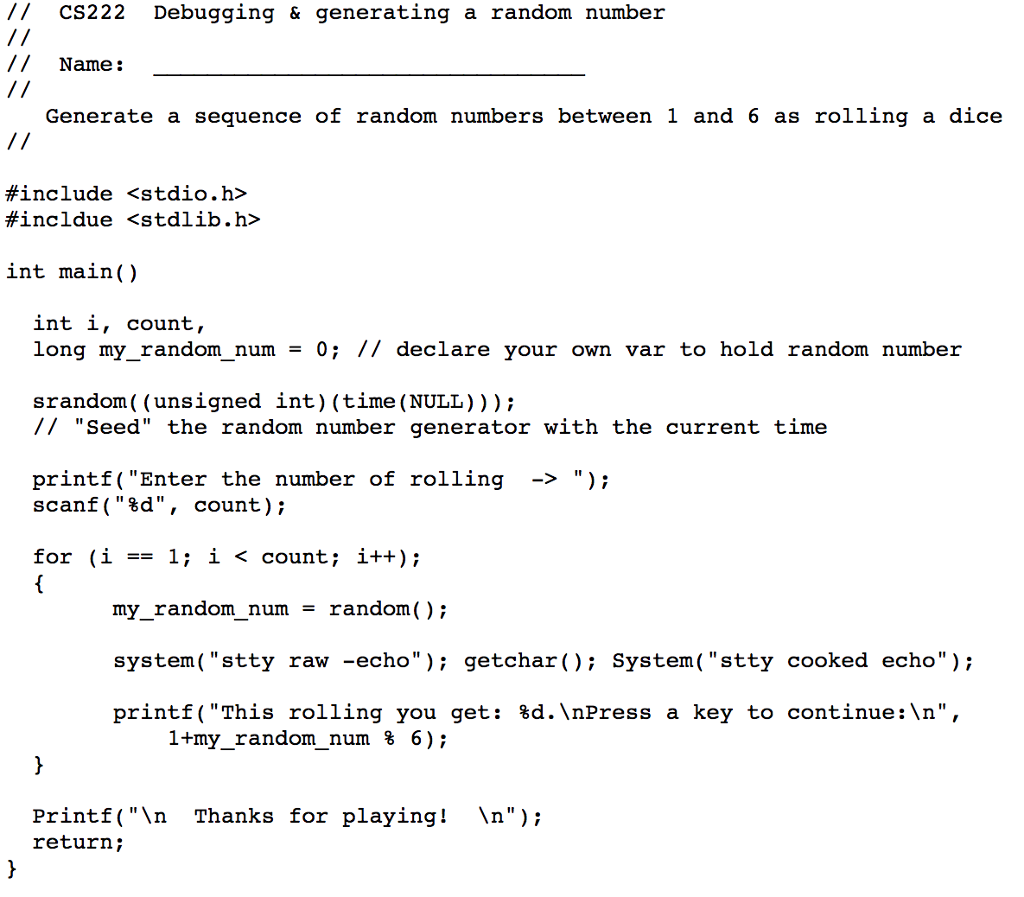
CS222 Assignment 4 - Debugging This assignment will teach you various methods for debugging by ollowing the instructions for changing various lines of code in an existing program (HW4_debug.c) and answering short questions about the results. You may use the separate answer sheet provided to record your results. It is important that you follow this narrative carefully, and avoid any shortcuts in this lab. The answers to many of the questions you will be given depend upon properly completing the assignment in the sequence presented. Remember that programs can contain three different types of errors: (1) syntax errors, which normally are caught by the compiler; (2) runtime errors, which occur when your program compiles correctly but when your program encounters an error while running, and therefore does not finish; and (3) logic errors, which mean that even though a program compiles and runs, it may produce incorrect *results* due to a logical inconsistency or improper algorithm/code within the program. This assignment will give you the opportunity to address all three types of errors. Note: This assignment must be completed on mason using the gcc compiler. Compilers on other systems may not give the same results. The TA will be looking for specific answers for the grading of this assignment and the use of other compilers may result in incorrect answers. Step #1: First, copy and paste the file HW4_debug.c found on Blackboard to your working directory and save it as file HW4_debug.c. This file contains a short program that generates random numbers as rolling a dice. The number of rolling the dice is input from the keyboard. Attempt to compile this program using the following command. gee HW4_debug.c -Wall -02 (The-Wall portion of the compile statement is a compiler switch that "turns on" all warnings. The -02 is an optimize flag that makes your code run more efficiently.) How many errors appear? How many warnings appear? As you have probably experienced by now, when an error occurs during compilation, you will not get an executable file, such as a.out. When a warning occurs without any errors, you *will* get an executable file, as you will find out below. When you encounter errors during a compilation, it is important to correct the errors that occur at the top of the file first. Many times, an error at the top of your program can produce a "domino" effect, causing the compiler to produce additional "phantom" error statements. In such cases, correcting the first compiler error may cause many of the others to disappear. How To View Your Error Messages: When you compile your program, particularly in the early debugging stages, it may happen that there are so many errors that the earliest errors (the ones most likely to be creating "phantom errors") scroll off the top of the screen. Since it is important to correct the errors at the top of the program first, you will need to see what they are. You can do this by redirecting the output of the compilation to a source that is easy to view, such as a file or the screen. However, since compilation errors are output to "Standard Error" instead of "Standard Output," you cannot see them using the typical more command. Instead, you must include an & after the pipe symbol (I).
Step by Step Solution
There are 3 Steps involved in it

Get step-by-step solutions from verified subject matter experts
 Study Help