







Question: CSC 1 3 0 Introduction to Computer Science Assignment Four Obiectives: A . To create a design diagram B . To accept input into a
CSC Introduction to Computer Science
Assignment Four
Obiectives:
A To create a design diagram
B To accept input into a program
C To use the Selection construct with nested selection
Assignment:
Part I
This assignment has a
bonus that is worth extra
points. If you have
completed the entire
assignment and your
program works as
expected, then and only
then feel free to do the
bonus that is on page
Copy the diagram shown below into a new word processing page. Fill it out. Save this as a Word file titled
AssignmentDesignDiagram.
Remember that the only variables on a design diagram are input and output variables. The process is a
simplified list of the steps of the program. Do not use bullets or numbering. Do use the correct variable
names when referring to them in the process portion.
Part II
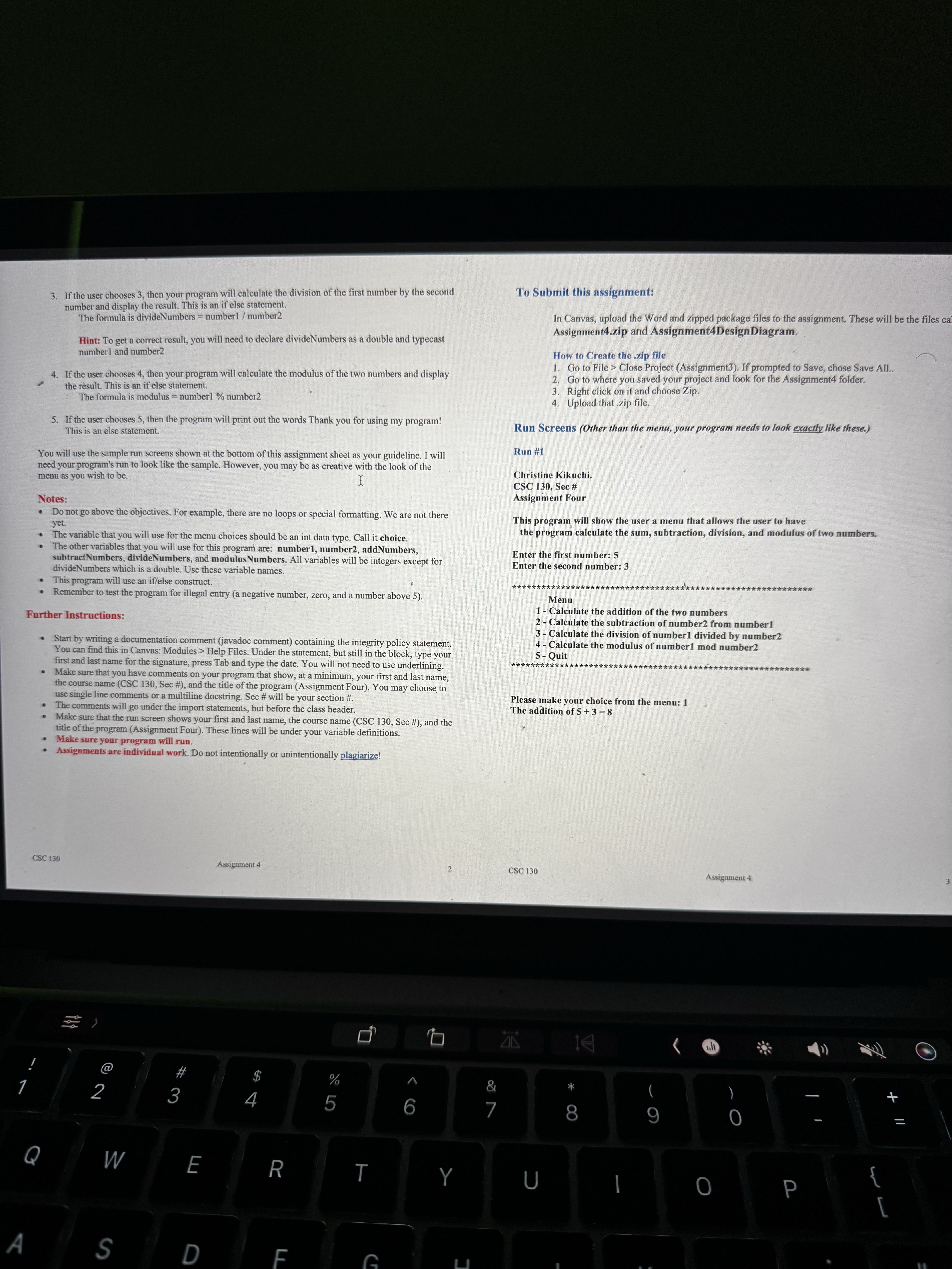
Write a program called Assignment The program will ask a user to enter two integers into variables called
number and number The program then will show the user a menu that has five choices. These choices are
to calculate the addition, subtraction, division, and modulus of two numbers, and to quit the menu.
If the user chooses a number below or above then your program will tell the user Invalid choice, Please
select Allow the user to reenter the number. This is a separate if statement.
The program will then go into the nested if statements to do choice or
Note: There will be only once chance to let the user reenter. There is no loop.
If the user chooses then your program will calculate the addition of the two numbers and display
the result. This is an if statement.
The formula is addNumbers number number
If the user chooses then your program will calculate the subtraction of the second number from the
first number and display the result. This is an if else statement.
The formula is subtractNumbers number number
Implement code in java
Step by Step Solution
There are 3 Steps involved in it
1 Expert Approved Answer
Step: 1 Unlock

Question Has Been Solved by an Expert!
Get step-by-step solutions from verified subject matter experts
Step: 2 Unlock
Step: 3 Unlock
 Study Help