







Question: CSC 156 Java Computer Science I Lab 3 PROJECT Invoice Creation-Control Structures 100 points Objective To type a simple Java program, execute (run) the program
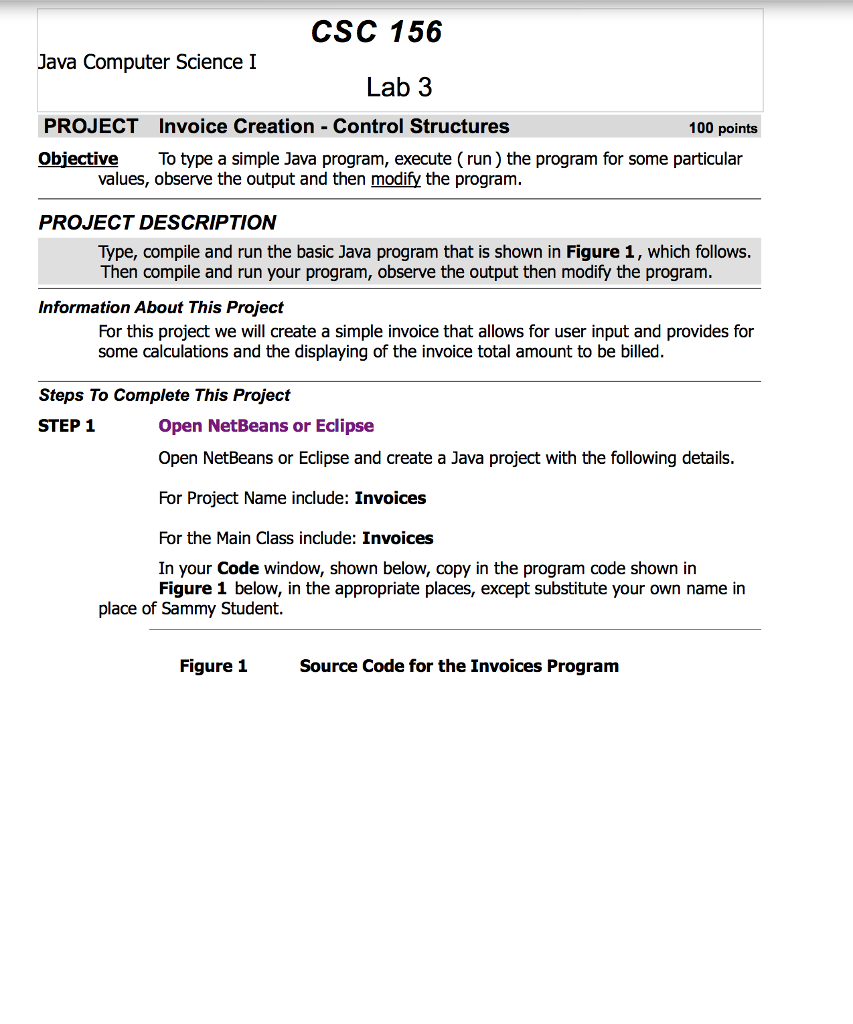
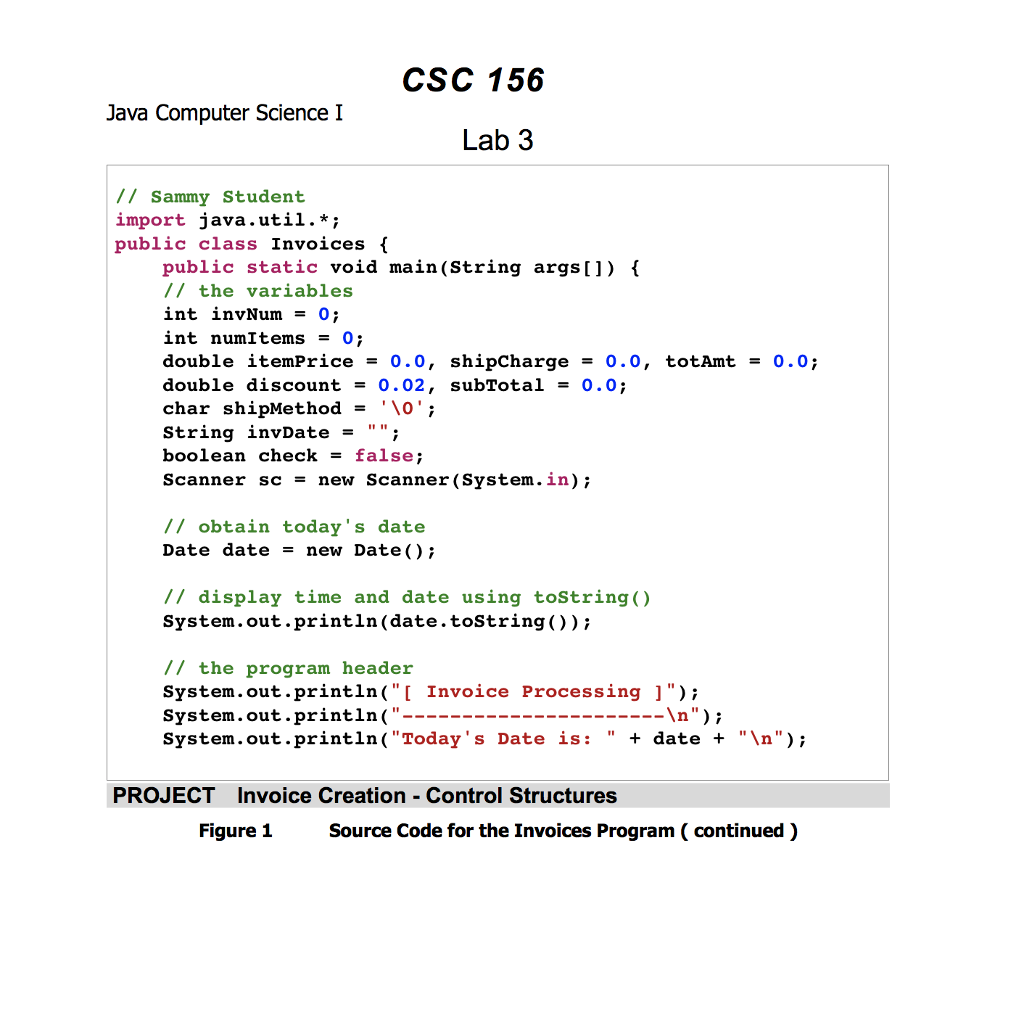
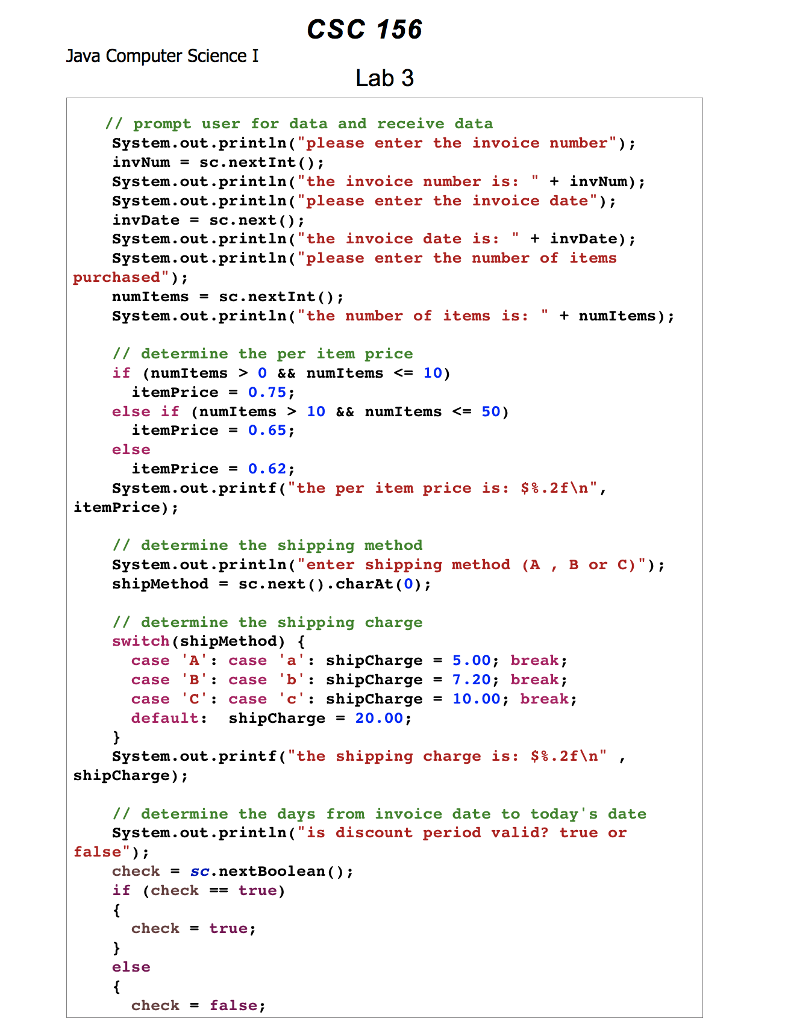
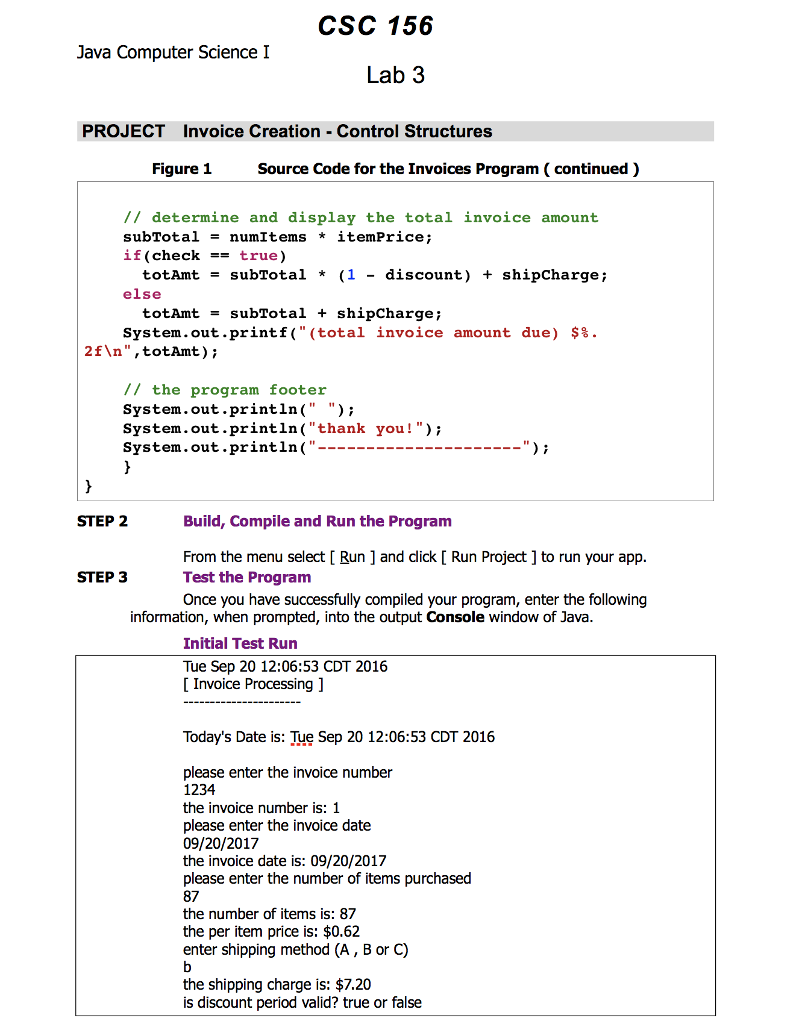
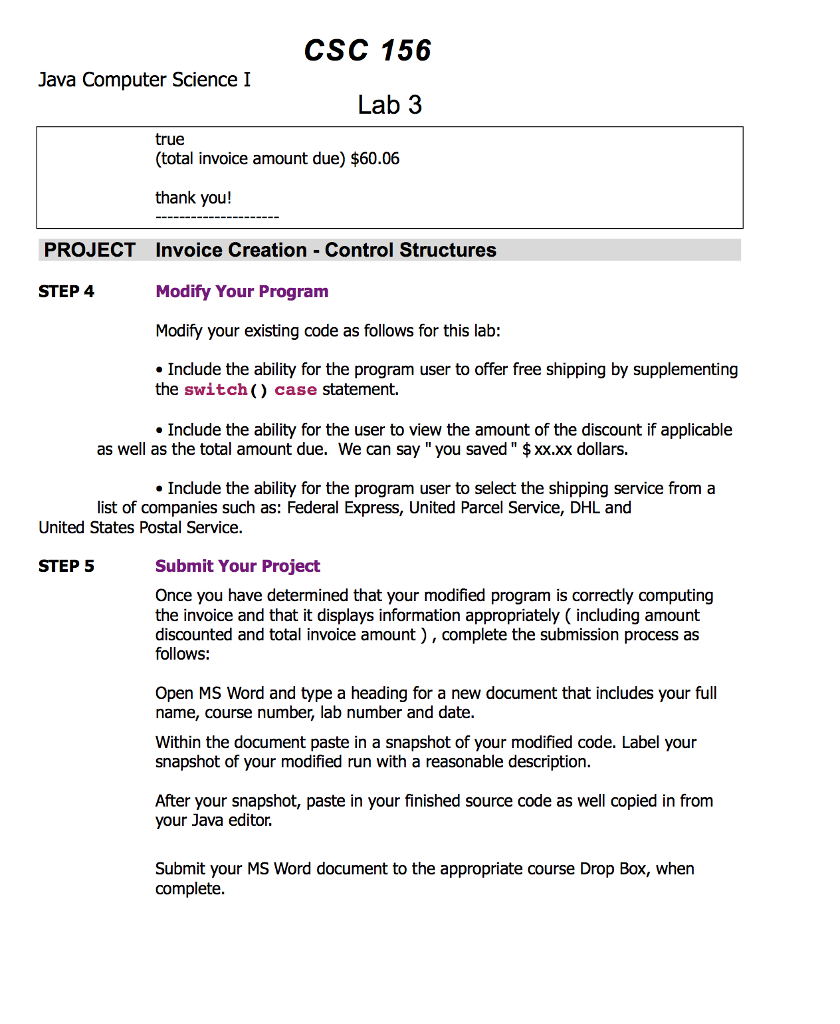
CSC 156 Java Computer Science I Lab 3 PROJECT Invoice Creation-Control Structures 100 points Objective To type a simple Java program, execute (run) the program for some particular values, observe the output and then modify the program PROJECT DESCRIPTION Type, compile and run the basic Java program that is shown in Figure 1, which follows Then compile and run your program, observe the output then modify the program. Information About This Project For this project we will create a simple invoice that allows for user input and provides for some calculations and the displaying of the invoice total amount to be billed Steps To Complete This Project STEP 1 Open NetBeans or Eclipse Open NetBeans or Eclipse and create a Java project with the following details. For Project Name include: Invoices For the Main Class include: Invoices In your Code window, shown below, copy in the program code shown in Figure 1 below, in the appropriate places, except substitute your own name in place of Sammy Student. Figure 1 Source Code for the Invoices Program
Step by Step Solution
There are 3 Steps involved in it

Get step-by-step solutions from verified subject matter experts
 Study Help