







Question: CSE 232 Spring 2019 Programming Project #04 This assignment is worth 30 points and must be completed and turned in before 11:59 on Monday, February
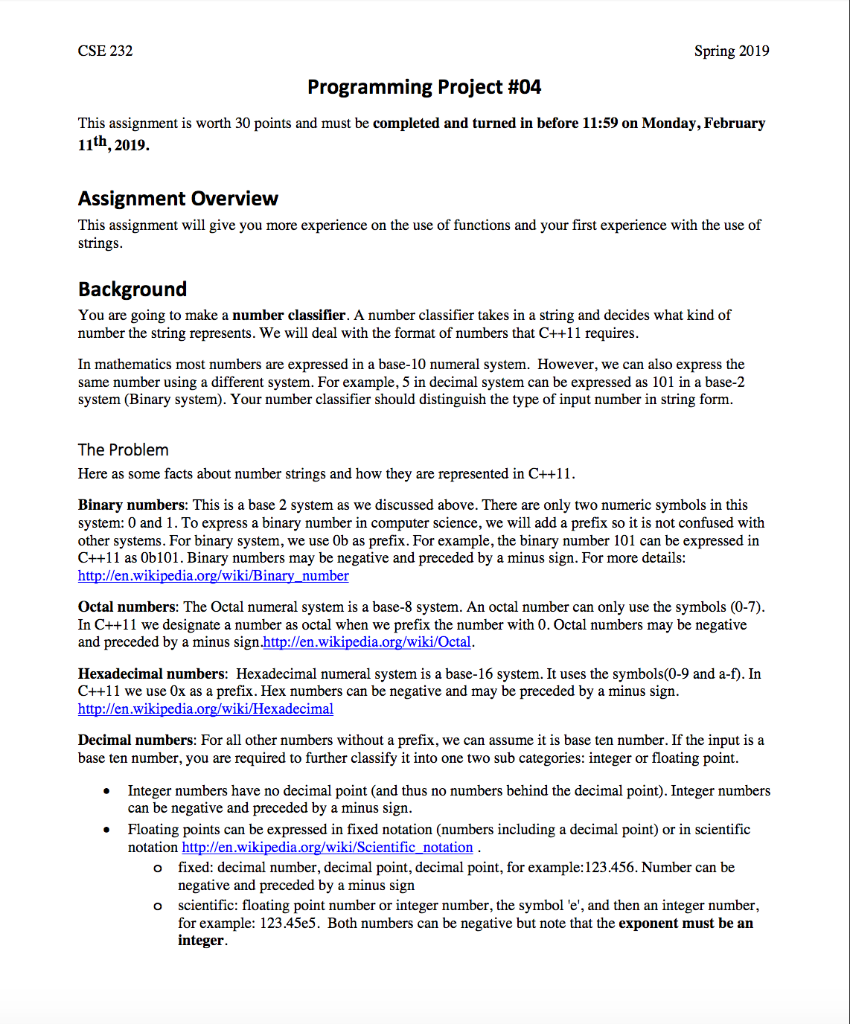
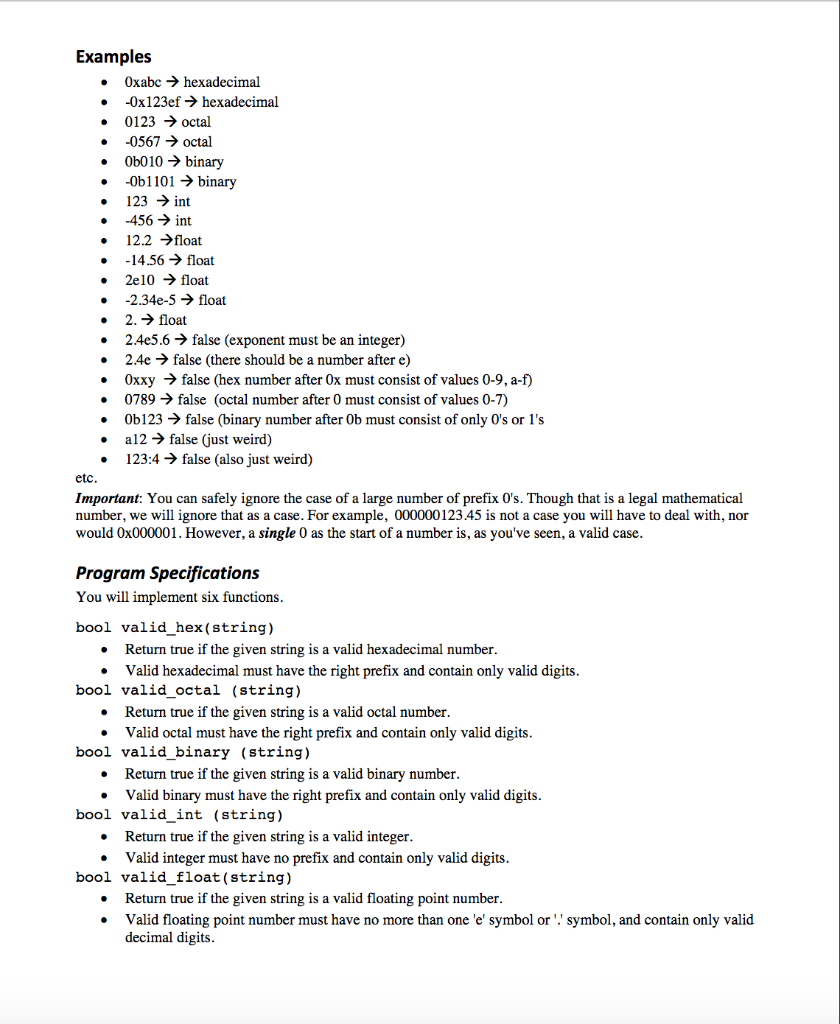
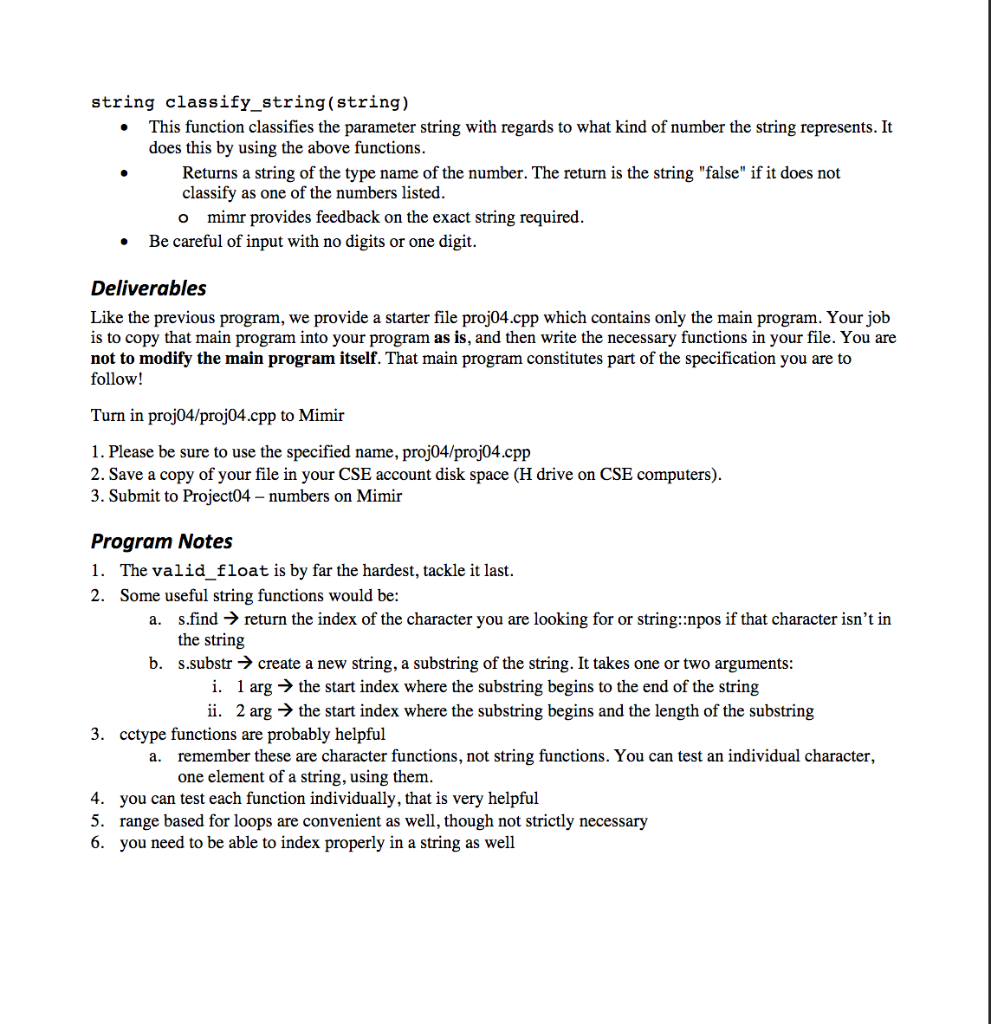
CSE 232 Spring 2019 Programming Project #04 This assignment is worth 30 points and must be completed and turned in before 11:59 on Monday, February 11th, 2019. Assignment Overview This assignment will give you more experience on the use of functions and your first experience with the use of strings Background You are going to make a number classifier. A number classifier takes in a string and decides what kind of number the string represents. We will deal with the format of numbers that C++11 requires In mathematics most numbers are expressed in a base-10 numeral system. However, we can also express the same number using a different system. For example, 5 in decimal system can be expressed as 101 in a base-2 system (Binary system). Your number classifier should distinguish the type of input number in string form. The Problem Here as some facts about number strings and how they are represented in C++11 Binary numbers: This is a base 2 system as we discussed above. There are only two numeric symbols in this system: 0 and 1. To express a binary number in computer science, we will add a prefix so it is not confused with other systems. For binary system, we use Ob as prefix. For example, the binary number 101 can be expressed in C++11 as Ob101. Binary numbers may be negative and preceded by a minus sign. For more details: http://en.wikipedia.org/wiki/Bin number Octal numbers: The Octal numeral system is a base-8 system. An octal number can only use the symbols (0-7) In C++11 we designate a number as octal when we prefix the number with 0. Octal numbers may be negative and preceded by a minus sign.http://en.wikipedia.org/wiki/Octal Hexadecimal numbers: Hexadecimal numeral system is a base-16 system. It uses the symbols(0-9 and a-f). In C++11 we use Ox as a prefix. Hex numbers can be negative and may be preceded by a minus sign ://en.wikipedia.org/wiki/Hexadecimal Decimal numbers: For all other numbers without a prefix, we can assume it is base ten number. If the input is a base ten number, you are required to further classify it into one two sub categories: integer or floating point Integer numbers have no decimal point (and thus no numbers behind the decimal point). Integer numbers can be negative and preceded by a minus sign Floating points can be expressed in fixed notation (numbers including a decimal point) or in scientific notation http://en.wikipedia.org/wiki/Scientific_ notation . fixed: decimal number, decimal point, decimal point, for example: 123.456. Number can be negative and preceded by a minus sign o o scientific: floating point number or integer number, the symbol e', and then an integer number for example: 123.45e5. Both numbers can be negative but note that the exponent must be an integer Examples 0xabchexadecimal -0x1 23ef hexadecimal 0123 octal -0567 octal 0b010 binary . -0b1101 - binary . 456 int . -14.56 float 123 > int 12.2float 2e10 float 2.34e-5 float 2. float 2.4e5.6 -> false (exponent must be an integer) 2.4e > false (there should be a number after e) 0xxy 0789> false (octal number after 0 must consist of values 0-7) 0b123- false (binary number after 0b must consist of only 0's or 1's a12> false (just weird) false (hex number after 0x must consist of values 0-9, a-f) 123:4 -> false (also just weird) etc Important: You can safely ignore the case of a large number of prefix 0's. Though that is a legal mathematical number, we will ignore that as a case. For example, 000000123.45 is not a case you will have to deal with, nor would 0x000001. However, a single 0 as the start of a number is, as you've seen, a valid case Program Specifications You will implement six functions bool valid hex(string) . Return true if the given string is a valid hexadecimal number * Valid hexadecimal must have the right prefix and contain only valid digits bool valid octal (string) Return true if the given string is a valid octal number * Valid octal must have the right prefix and contain only valid digits bool valid binary (string) e Return true if the given string is a valid binary number * Valid binary must have the right prefix and contain only valid digits bool valid int (string) Return true if the given string is a valid integer * Valid integer must have no prefix and contain only valid digits bool valid float (string) Return true if the given string is a valid floating point number * Valid floating point number must have no more than one 'e' symbol or . symbol, and contain only valid decimal digits string classify string(string) This function classifies the parameter string with regards to what kind of number the string represents. It does this by using the above functions Returns a string of the type name of the number. The return is the string "false" if it does not classify as one of the numbers listed o mimr provides feedback on the exact string required Be careful of input with no digits or one digit. Deliverables Like the previous program, we provide a starter file proj04.cpp which contains only the main program. Your job is to copy that main program into your program as is, and then write the necessary functions in your file. You are not to modify the main program itself. That main program constitutes part of the specification you are to follow! Turn in proj04/proj04.cpp to Mimir 1. Please be sure to use the specified name, proj04/proj04.cpp 2. Save a copy of your file in your CSE account disk space (H drive on CSE computers). 3. Submit to Project04 - numbers on Mimir Program Notes 1. The valid float is by far the hardest, tackle it last. 2. Some useful string functions would be a. s.find return the index of the character you are looking for or string::npos if that character isn't in the string s.substr -> create a new string, a substring of the string. It takes one or two arguments b. i. 1 arg -> the start index where the substring begins to the end of the string ii. 2 arg - the start index where the substring begins and the length of the substring 3. cctype functions are probably helpful remember these are character functions, not string functions. You can test an individual character, one element of a string, using them. a. 4. 5. 6. you can test each function individually, that is very helpful range based for loops are convenient as well, though not strictly necessary you need to be able to index properly in a string as well
Step by Step Solution
There are 3 Steps involved in it

Get step-by-step solutions from verified subject matter experts
 Study Help