







Question: d) A descriptive comment before each function/method Assignment Details: As an Information Technology professional, much of your decisions are derived by Information Technology (IT).
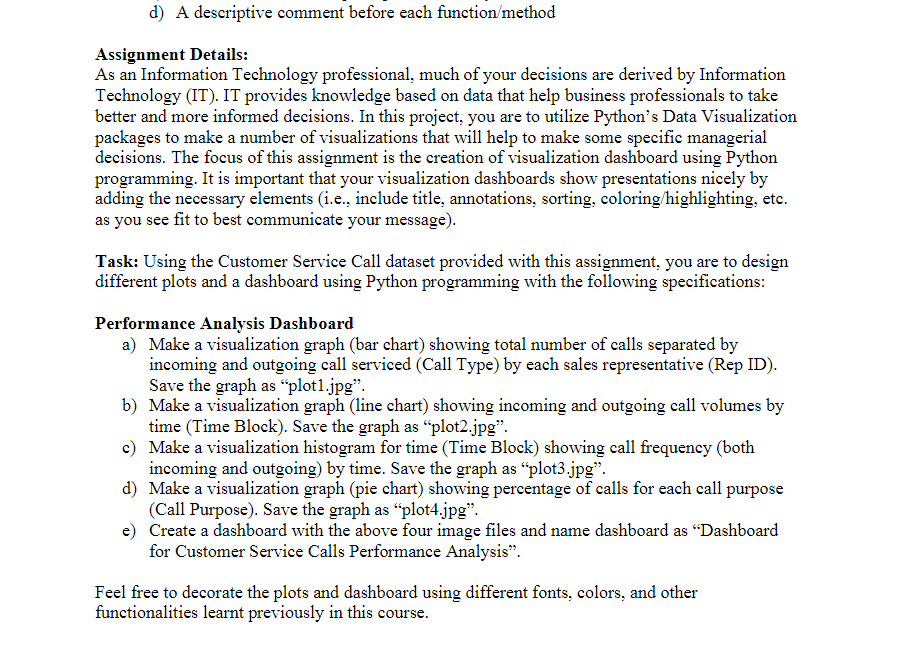
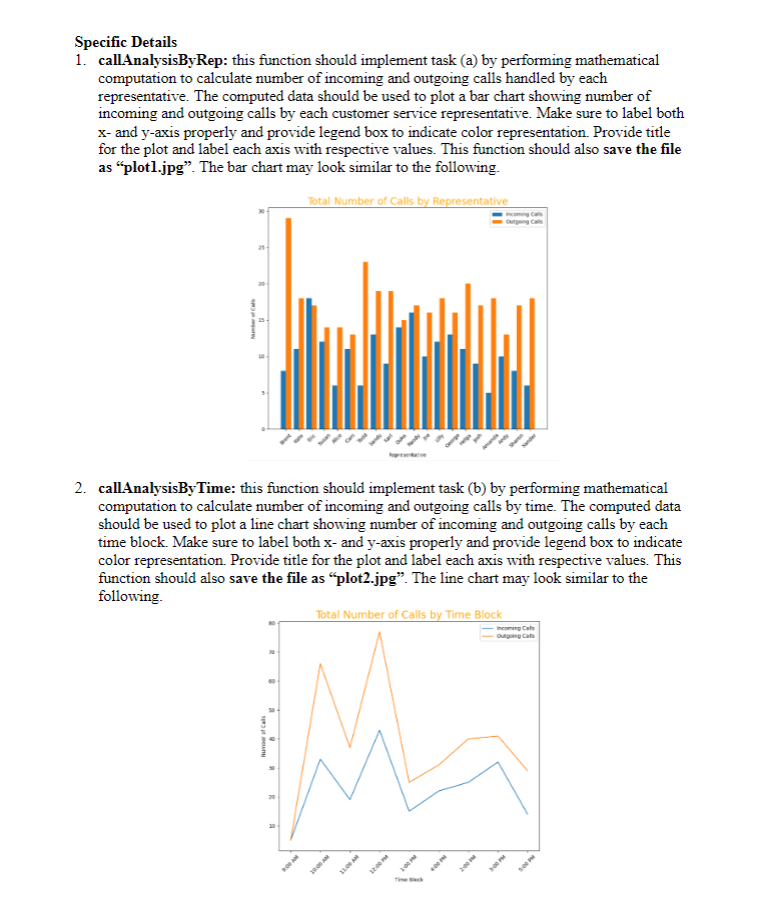
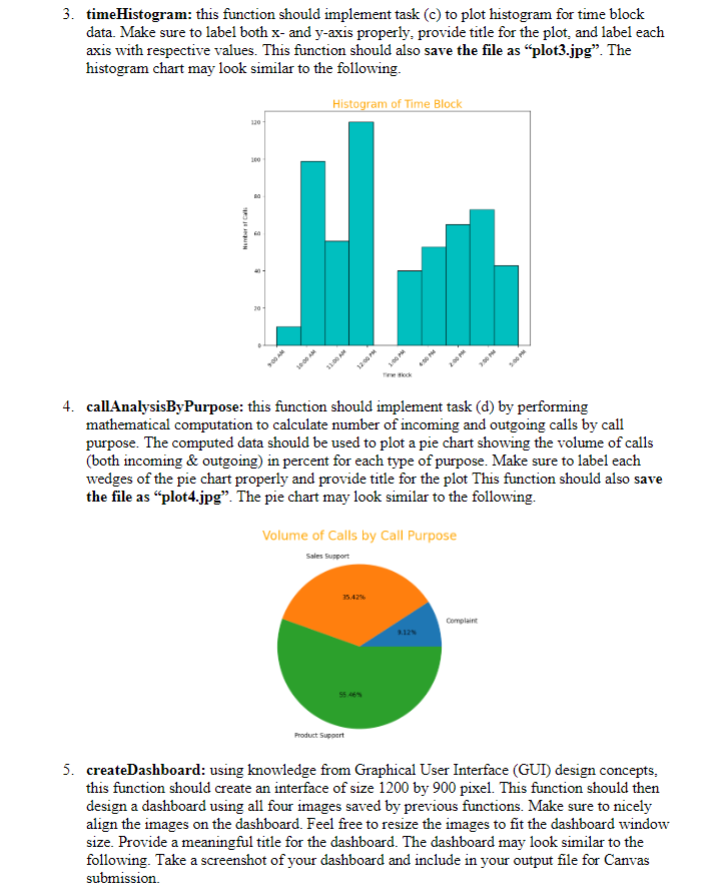
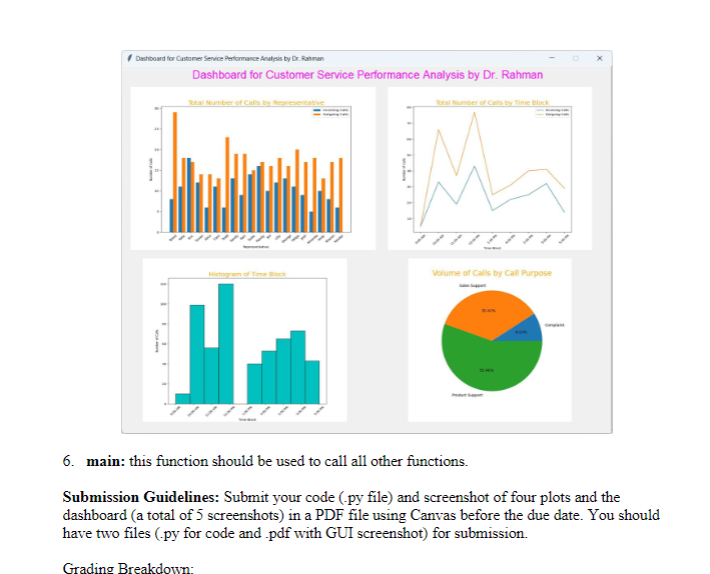
d) A descriptive comment before each function/method Assignment Details: As an Information Technology professional, much of your decisions are derived by Information Technology (IT). IT provides knowledge based on data that help business professionals to take better and more informed decisions. In this project, you are to utilize Python's Data Visualization packages to make a number of visualizations that will help to make some specific managerial decisions. The focus of this assignment is the creation of visualization dashboard using Python programming. It is important that your visualization dashboards show presentations nicely by adding the necessary elements (i.e., include title, annotations, sorting, coloring/highlighting, etc. as you see fit to best communicate your message). Task: Using the Customer Service Call dataset provided with this assignment, you are to design different plots and a dashboard using Python programming with the following specifications: Performance Analysis Dashboard a) Make a visualization graph (bar chart) showing total number of calls separated by incoming and outgoing call serviced (Call Type) by each sales representative (Rep ID). Save the graph as "plot1.jpg". b) Make a visualization graph (line chart) showing incoming and outgoing call volumes by time (Time Block). Save the graph as "plot2.jpg". c) Make a visualization histogram for time (Time Block) showing call frequency (both incoming and outgoing) by time. Save the graph as "plot3.jpg". d) Make a visualization graph (pie chart) showing percentage of calls for each call purpose (Call Purpose). Save the graph as "plot4.jpg". e) Create a dashboard with the above four image files and name dashboard as "Dashboard for Customer Service Calls Performance Analysis". Feel free to decorate the plots and dashboard using different fonts, colors, and other functionalities learnt previously in this course. Specific Details 1. callAnalysisByRep: this function should implement task (a) by performing mathematical computation to calculate number of incoming and outgoing calls handled by each representative. The computed data should be used to plot a bar chart showing number of incoming and outgoing calls by each customer service representative. Make sure to label both x- and y-axis properly and provide legend box to indicate color representation. Provide title for the plot and label each axis with respective values. This function should also save the file as "plotl.jpg". The bar chart may look similar to the following. Total Number of Calls by Representative Number of Cal Numer of Cal 2. callAnalysisByTime: this function should implement task (b) by performing mathematical computation to calculate number of incoming and outgoing calls by time. The computed data should be used to plot a line chart showing number of incoming and outgoing calls by each time block. Make sure to label both x- and y-axis properly and provide legend box to indicate color representation. Provide title for the plot and label each axis with respective values. This function should also save the file as "plot2.jpg". The line chart may look similar to the following. 2 8 6 Outgoing Calls 3 Total Number of Calls by Time Block Time Sk Incoming Calls Outgoing Cats 5:00 PM 3. timeHistogram: this function should implement task (c) to plot histogram for time block data. Make sure to label both x- and y-axis properly, provide title for the plot, and label each axis with respective values. This function should also save the file as "plot3.jpg". The histogram chart may look similar to the following. Histogram of Time Block 120- 100 4. callAnalysisBy Purpose: this function should implement task (d) by performing mathematical computation to calculate number of incoming and outgoing calls by call purpose. The computed data should be used to plot a pie chart showing the volume of calls (both incoming & outgoing) in percent for each type of purpose. Make sure to label each wedges of the pie chart properly and provide title for the plot This function should also save the file as "plot4.jpg". The pie chart may look similar to the following. Volume of Calls by Call Purpose Sales Support 35.42% Product Support 3.12% Complaint 5. createDashboard: using knowledge from Graphical User Interface (GUI) design concepts, this function should create an interface of size 1200 by 900 pixel. This function should then design a dashboard using all four images saved by previous functions. Make sure to nicely align the images on the dashboard. Feel free to resize the images to fit the dashboard window size. Provide a meaningful title for the dashboard. The dashboard may look similar to the following. Take a screenshot of your dashboard and include in your output file for Canvas submission. Dashboard for Customer Service Performance Analysis by Dr. Rahman Dashboard for Customer Service Performance Analysis by Dr. Rahman Total Number of Calls by Representativ Total Number of Calls by Time Block Grading Breakdown: Volume of Calls by Call Purpose 6. main: this function should be used to call all other functions. Submission Guidelines: Submit your code (.py file) and screenshot of four plots and the dashboard (a total of 5 screenshots) in a PDF file using Canvas before the due date. You should have two files (.py for code and .pdf with GUI screenshot) for submission.
Step by Step Solution
3.40 Rating (141 Votes )
There are 3 Steps involved in it
Based on the provided assignment details heres an outline of the required functions and their descriptions python Copy import matplotlibpyplot as plt ... View full answer

Get step-by-step solutions from verified subject matter experts
 Study Help