







Question: D E G STUDENT DATA 2 Kristen Hockman 9 3 Student Name 4 Student Age 5 Year in School 17 10 Freshman Sophomore Junior Senior
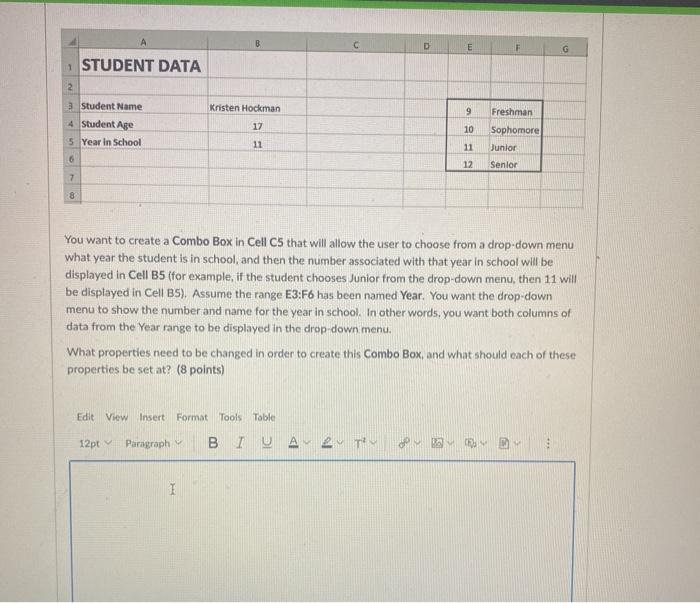
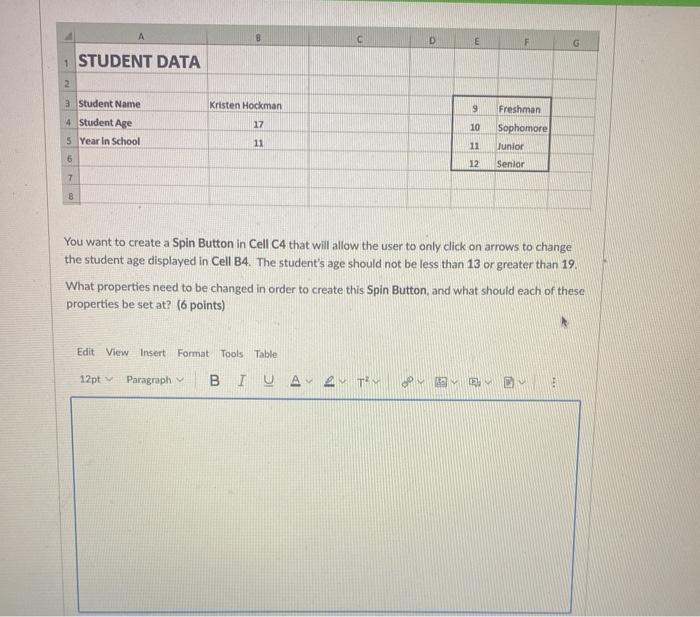
D E G STUDENT DATA 2 Kristen Hockman 9 3 Student Name 4 Student Age 5 Year in School 17 10 Freshman Sophomore Junior Senior 11 11 6 12 7 8 You want to create a Combo Box in Cell C5 that will allow the user to choose from a drop-down menu what year the student is in school, and then the number associated with that year in school will be displayed in Cell B5 (for example, if the student chooses Junior from the drop-down menu, then 11 will be displayed in Cell B5). Assume the range E3:F6 has been named Year. You want the drop-down menu to show the number and name for the year in school. In other words, you want both columns of data from the Year range to be displayed in the drop-down menu. What properties need to be changed in order to create this Combo Box, and what should each of these properties be set at? (8 points) Edit View Insert Format Tools Table 12ptParagraph BIU. 19 TY 1 D E F G 1 STUDENT DATA 2 Kristen Hockman Freshman 3 Student Name 4 Student Age 5 Year in School 9 10 17 Sophomore Junior 11 11 6 12 Senior 7 8 You want to create a Spin Button in Cell C4 that will allow the user to only click on arrows to change the student age displayed in Cell B4. The student's age should not be less than 13 or greater than 19 What properties need to be changed in order to create this Spin Button and what should each of these properties be set at? (6 points) Edit View Insert Format Tools Table 12pt Paragraph 2TM D E G STUDENT DATA 2 Kristen Hockman 9 3 Student Name 4 Student Age 5 Year in School 17 10 Freshman Sophomore Junior Senior 11 11 6 12 7 8 You want to create a Combo Box in Cell C5 that will allow the user to choose from a drop-down menu what year the student is in school, and then the number associated with that year in school will be displayed in Cell B5 (for example, if the student chooses Junior from the drop-down menu, then 11 will be displayed in Cell B5). Assume the range E3:F6 has been named Year. You want the drop-down menu to show the number and name for the year in school. In other words, you want both columns of data from the Year range to be displayed in the drop-down menu. What properties need to be changed in order to create this Combo Box, and what should each of these properties be set at? (8 points) Edit View Insert Format Tools Table 12ptParagraph BIU. 19 TY 1 D E F G 1 STUDENT DATA 2 Kristen Hockman Freshman 3 Student Name 4 Student Age 5 Year in School 9 10 17 Sophomore Junior 11 11 6 12 Senior 7 8 You want to create a Spin Button in Cell C4 that will allow the user to only click on arrows to change the student age displayed in Cell B4. The student's age should not be less than 13 or greater than 19 What properties need to be changed in order to create this Spin Button and what should each of these properties be set at? (6 points) Edit View Insert Format Tools Table 12pt Paragraph 2TM
Step by Step Solution
There are 3 Steps involved in it

Get step-by-step solutions from verified subject matter experts
 Study Help