







Question: Datapath Simulation Formerly, install Java on your computer to perform your work. Fulfil the datapath simulation using ProcSim simulator. Open the simulator, 1. Choose and
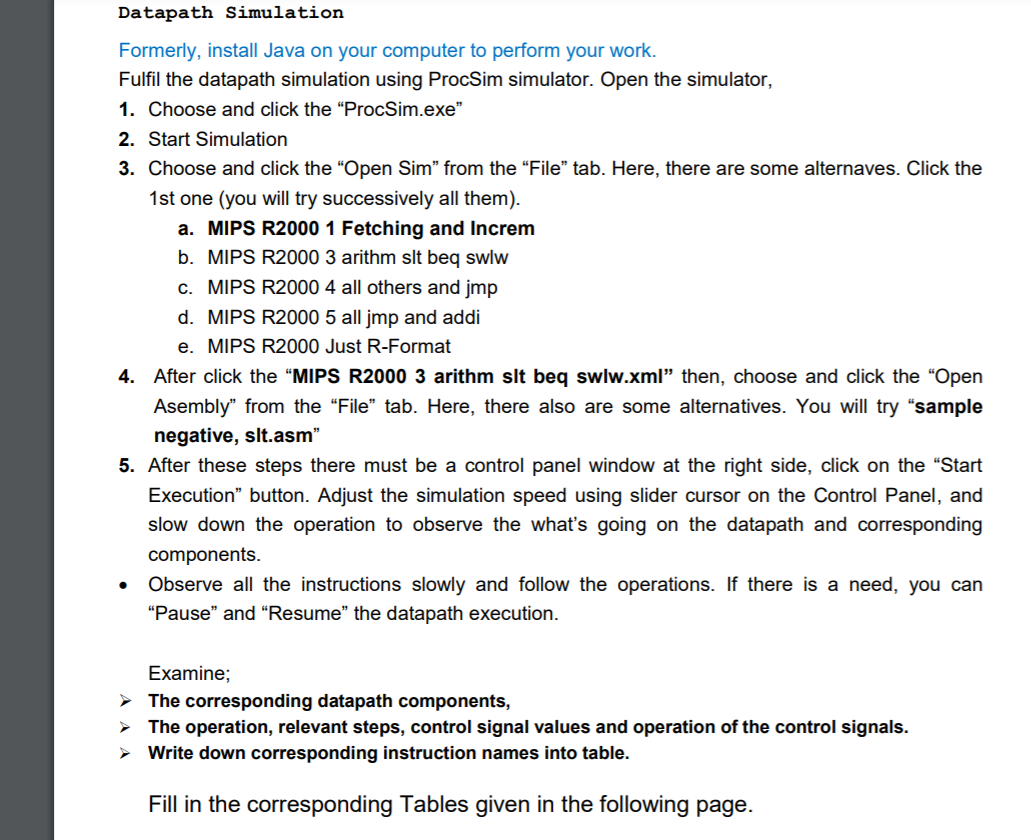
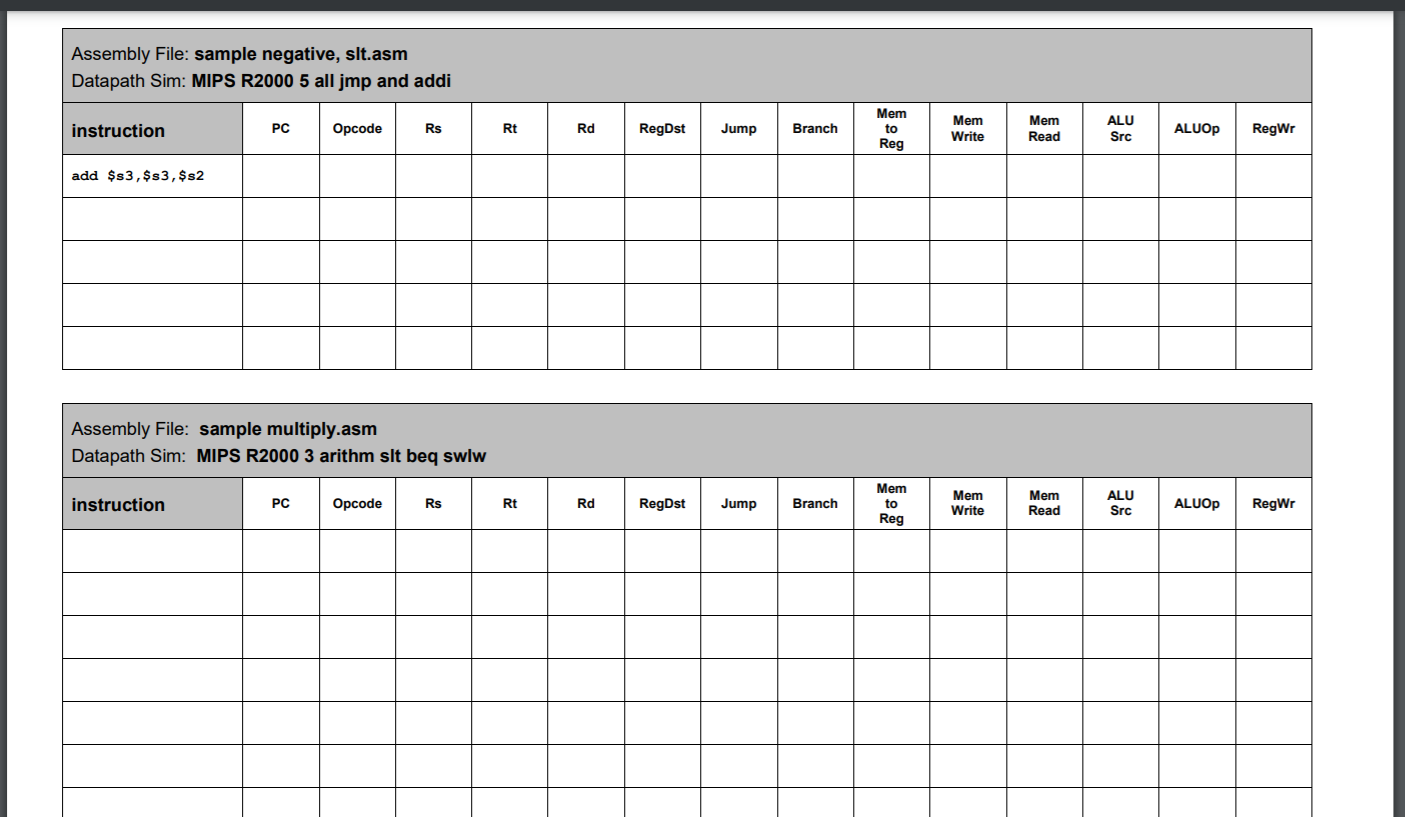
Datapath Simulation Formerly, install Java on your computer to perform your work. Fulfil the datapath simulation using ProcSim simulator. Open the simulator, 1. Choose and click the "ProcSim.exe" 2. Start Simulation 3. Choose and click the "Open Sim from the "File" tab. Here, there are some alternaves. Click the 1st one (you will try successively all them). a. MIPS R2000 1 Fetching and Increm b. MIPS R2000 3 arithm slt beq swlw C. MIPS R2000 4 all others and jmp d. MIPS R2000 5 all jmp and addi e. MIPS R2000 Just R-Format 4. After click the "MIPS R2000 3 arithm slt beq swlw.xml" then, choose and click the "Open Asembly" from the "File" tab. Here, there also are some alternatives. You will try "sample negative, slt.asm" 5. After these steps there must be a control panel window at the right side, click on the "Start Execution" button. Adjust the simulation speed using slider cursor on the Control Panel, and slow down the operation to observe the what's going on the datapath and corresponding components. Observe all the instructions slowly and follow the operations. If there is a need, you can "Pause and Resume the datapath execution. O Examine; The corresponding datapath components, The operation, relevant steps, control signal values and operation of the control signals. Write down corresponding instruction names into table. > Fill in the corresponding Tables given in the following page. Assembly File: sample negative, slt.asm Datapath Sim: MIPS R2000 5 all jmp and addi instruction PC Opcode Rs Rt Rd RegDst Jump Branch Mem to Reg Mem Write Mem Read ALU Src ALUOP RegWr add $s3, $s3, $s2 Assembly File: sample multiply.asm Datapath Sim: MIPS R2000 3 arithm slt beq swlw instruction PC Opcode Rs Rt Rd RegDst Jump Branch Mem to Reg Mem Write Mem Read ALU Src ALUOP RegWr Datapath Simulation Formerly, install Java on your computer to perform your work. Fulfil the datapath simulation using ProcSim simulator. Open the simulator, 1. Choose and click the "ProcSim.exe" 2. Start Simulation 3. Choose and click the "Open Sim from the "File" tab. Here, there are some alternaves. Click the 1st one (you will try successively all them). a. MIPS R2000 1 Fetching and Increm b. MIPS R2000 3 arithm slt beq swlw C. MIPS R2000 4 all others and jmp d. MIPS R2000 5 all jmp and addi e. MIPS R2000 Just R-Format 4. After click the "MIPS R2000 3 arithm slt beq swlw.xml" then, choose and click the "Open Asembly" from the "File" tab. Here, there also are some alternatives. You will try "sample negative, slt.asm" 5. After these steps there must be a control panel window at the right side, click on the "Start Execution" button. Adjust the simulation speed using slider cursor on the Control Panel, and slow down the operation to observe the what's going on the datapath and corresponding components. Observe all the instructions slowly and follow the operations. If there is a need, you can "Pause and Resume the datapath execution. O Examine; The corresponding datapath components, The operation, relevant steps, control signal values and operation of the control signals. Write down corresponding instruction names into table. > Fill in the corresponding Tables given in the following page. Assembly File: sample negative, slt.asm Datapath Sim: MIPS R2000 5 all jmp and addi instruction PC Opcode Rs Rt Rd RegDst Jump Branch Mem to Reg Mem Write Mem Read ALU Src ALUOP RegWr add $s3, $s3, $s2 Assembly File: sample multiply.asm Datapath Sim: MIPS R2000 3 arithm slt beq swlw instruction PC Opcode Rs Rt Rd RegDst Jump Branch Mem to Reg Mem Write Mem Read ALU Src ALUOP RegWr
Step by Step Solution
There are 3 Steps involved in it

Get step-by-step solutions from verified subject matter experts
 Study Help