







Question: Debugger ( gdb ) Goals How to write more efficient code Where to look when hard - to - find bugs arise. Note: You may
Debugger gdb
Goals
How to write more efficient code
Where to look when hardtofind bugs arise.
Note: You may use the supplied crash.cpp in any Linux environment compile using g switch to experiment with all the commands that are available in gdb alternatively, you may use your own sample code to experiment and should use NetBeans or higher builtin gdb debugger. Here are the operations you should try:
Try setting and removing breakpoints
Step linebyline in a method may be the main and observe changes in a variable
Try navigating the stack frames in the debugger observe how the call stack looks
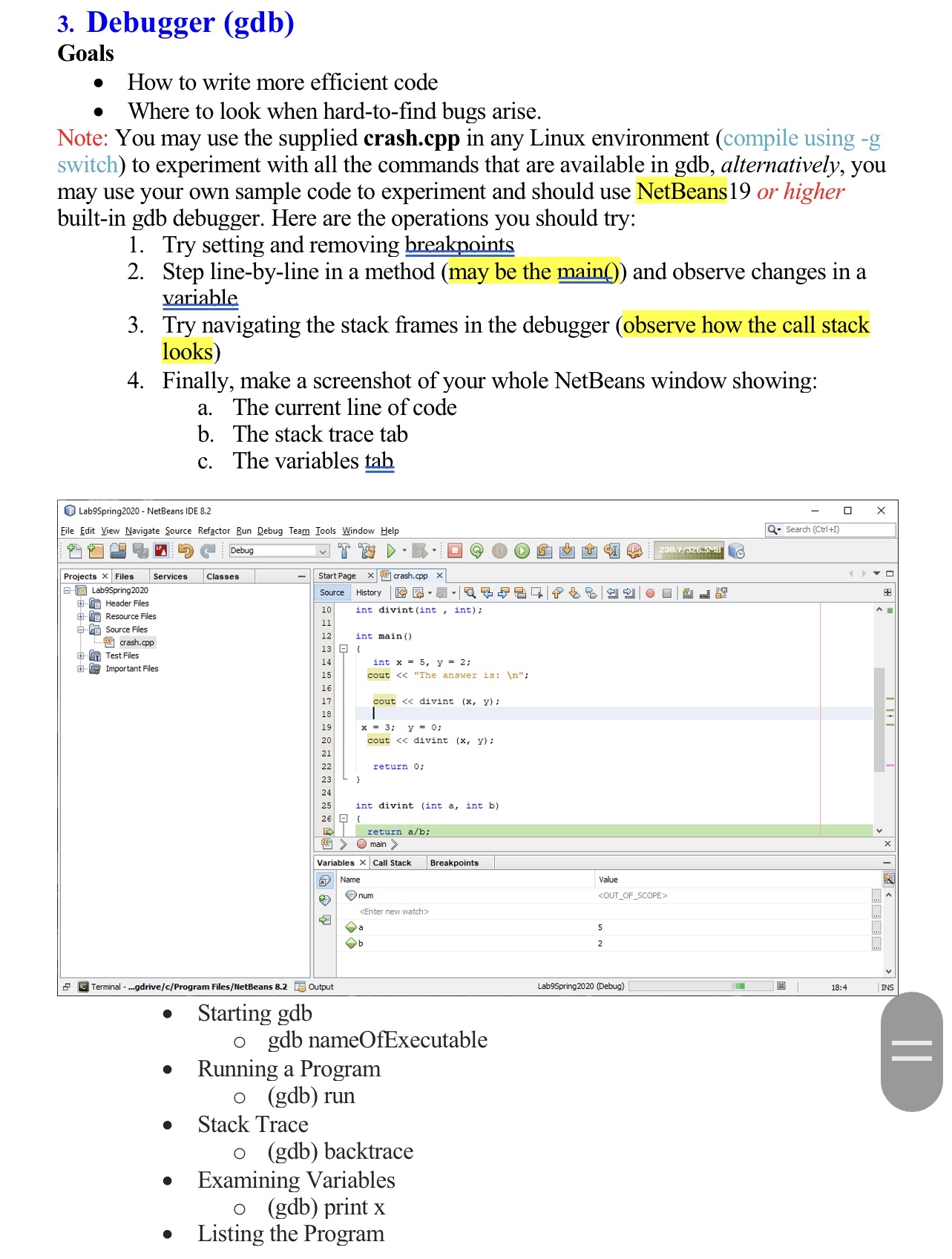
Finally, make a screenshot of your whole NetBeans window showing:
a The current line of code
b The stack trace tab
c The variables
Step by Step Solution
There are 3 Steps involved in it
1 Expert Approved Answer
Step: 1 Unlock

Question Has Been Solved by an Expert!
Get step-by-step solutions from verified subject matter experts
Step: 2 Unlock
Step: 3 Unlock
 Study Help