







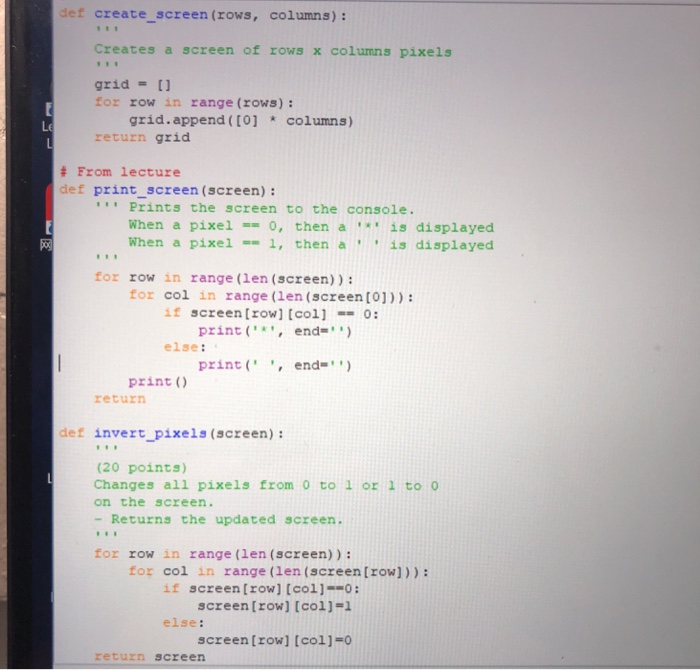
Question: def create screen (rows, columns): Creates a screen of rows x columns pixels grid = [ ] for row in range (rows): grid.append ([0] columns)
![columns pixels grid = [ ] for row in range (rows): grid.append](https://dsd5zvtm8ll6.cloudfront.net/si.experts.images/questions/2024/09/66f4564f79f5f_91066f4564eeedfc.jpg)
![([0] columns) return grid # From lecture def print screen (screen): Prints](https://dsd5zvtm8ll6.cloudfront.net/si.experts.images/questions/2024/09/66f456503ecfd_91166f4564fb248b.jpg)
def create screen (rows, columns): Creates a screen of rows x columns pixels grid = [ ] for row in range (rows): grid.append ([0] columns) return grid # From lecture def print screen (screen): Prints the screen to the console. When a pixel 0, then a is displayed When a pixel 1, then ais displayed for row in range (len (screen)) : for col in range (len (screen [0)) : if screen [row] [col]0: print('end- else: print ("', end-" print () return def invert pixels (screen): (20 points) Changes all pixels from 0 to 1 or 1 to o on the screen. - Returns the updated screen. for row in range (len (screen)): for col in range (len (screen [row])): screen[row] [col1-1 screen[row] [col]-0 if screen [row)[col]--o: else: return screen def create screen (rows, columns): Creates a screen of rows x columns pixels grid = [ ] for row in range (rows): grid.append ([0] columns) return grid # From lecture def print screen (screen): Prints the screen to the console. When a pixel 0, then a is displayed When a pixel 1, then ais displayed for row in range (len (screen)) : for col in range (len (screen [0)) : if screen [row] [col]0: print('end- else: print ("', end-" print () return def invert pixels (screen): (20 points) Changes all pixels from 0 to 1 or 1 to o on the screen. - Returns the updated screen. for row in range (len (screen)): for col in range (len (screen [row])): screen[row] [col1-1 screen[row] [col]-0 if screen [row)[col]--o: else: return screen
Step by Step Solution
There are 3 Steps involved in it

Get step-by-step solutions from verified subject matter experts
 Study Help