







Question: def summation(f, lower, upper): ' This function accepts arguments that include a function, lower bound, and upper bound. It then sums the values from the
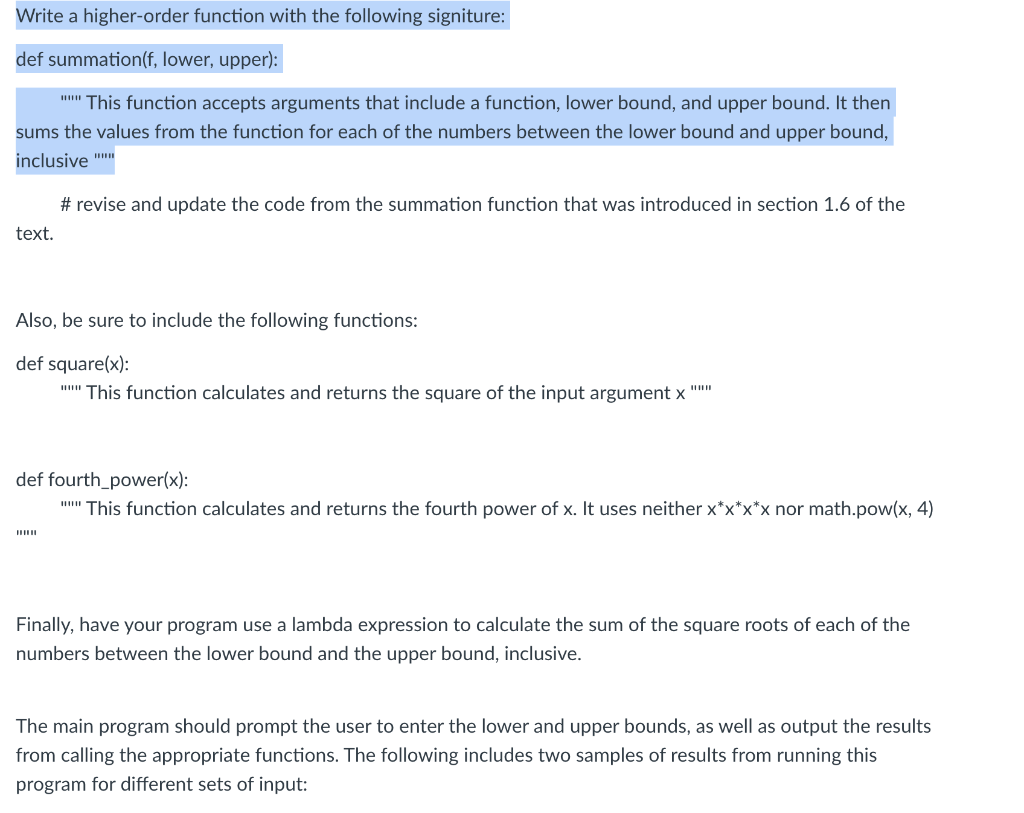
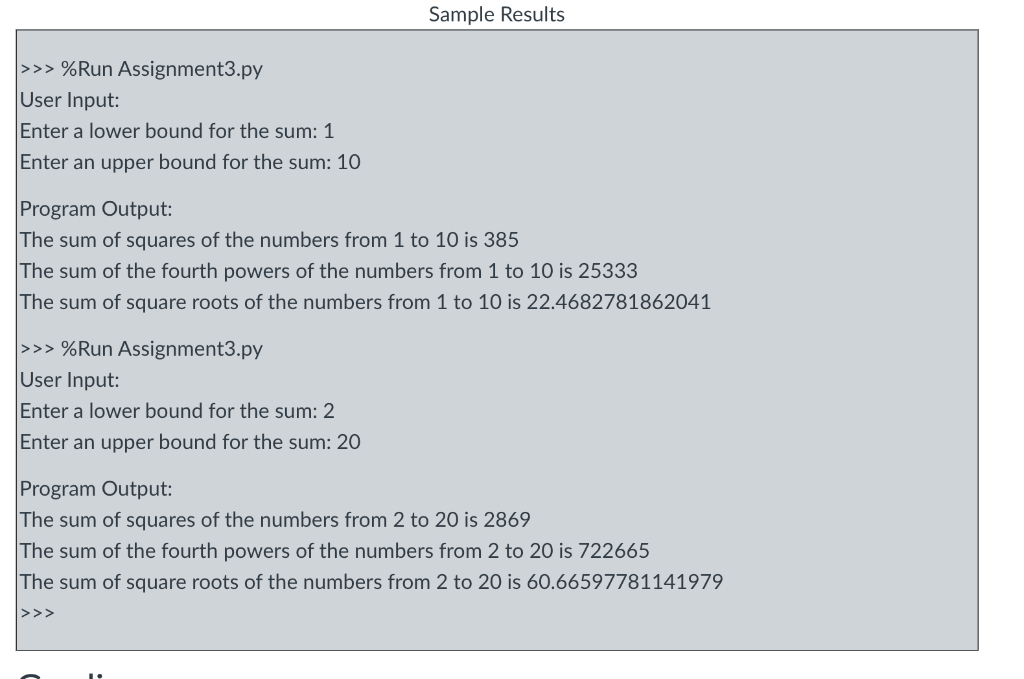
def summation(f, lower, upper): "'"" This function accepts arguments that include a function, lower bound, and upper bound. It then sums the values from the function for each of the numbers between the lower bound and upper bound, inclusive "'" \# revise and update the code from the summation function that was introduced in section 1.6 of the text. Also, be sure to include the following functions: def square(x): """ This function calculates and returns the square of the input argument x """ def fourth_power(x): ""'" This function calculates and returns the fourth power of x. It uses neither xxxx nor math.pow (x,4) "!" Finally, have your program use a lambda expression to calculate the sum of the square roots of each of the numbers between the lower bound and the upper bound, inclusive. The main program should prompt the user to enter the lower and upper bounds, as well as output the results from calling the appropriate functions. The following includes two samples of results from running this program for different sets of input: >>> \%Run Assignment3.py User Input: Enter a lower bound for the sum: 1 Enter an upper bound for the sum: 10 Program Output: The sum of squares of the numbers from 1 to 10 is 385 The sum of the fourth powers of the numbers from 1 to 10 is 25333 The sum of square roots of the numbers from 1 to 10 is 22.4682781862041 >> \%Run Assignment3.py User Input: Enter a lower bound for the sum: 2 Enter an upper bound for the sum: 20 Program Output: The sum of squares of the numbers from 2 to 20 is 2869 The sum of the fourth powers of the numbers from 2 to 20 is 722665 The sum of square roots of the numbers from 2 to 20 is 60.66597781141979
Step by Step Solution
There are 3 Steps involved in it

Get step-by-step solutions from verified subject matter experts
 Study Help