







Question: Defining and Using Macro Variables for Numeric Substitution a . Save the customer _ dim dataset to the Homework folder on your computer. Create a
Defining and Using Macro Variables for Numeric Substitution
a Save the customerdim dataset to the Homework folder on your computer. Create a libref that points to that location.
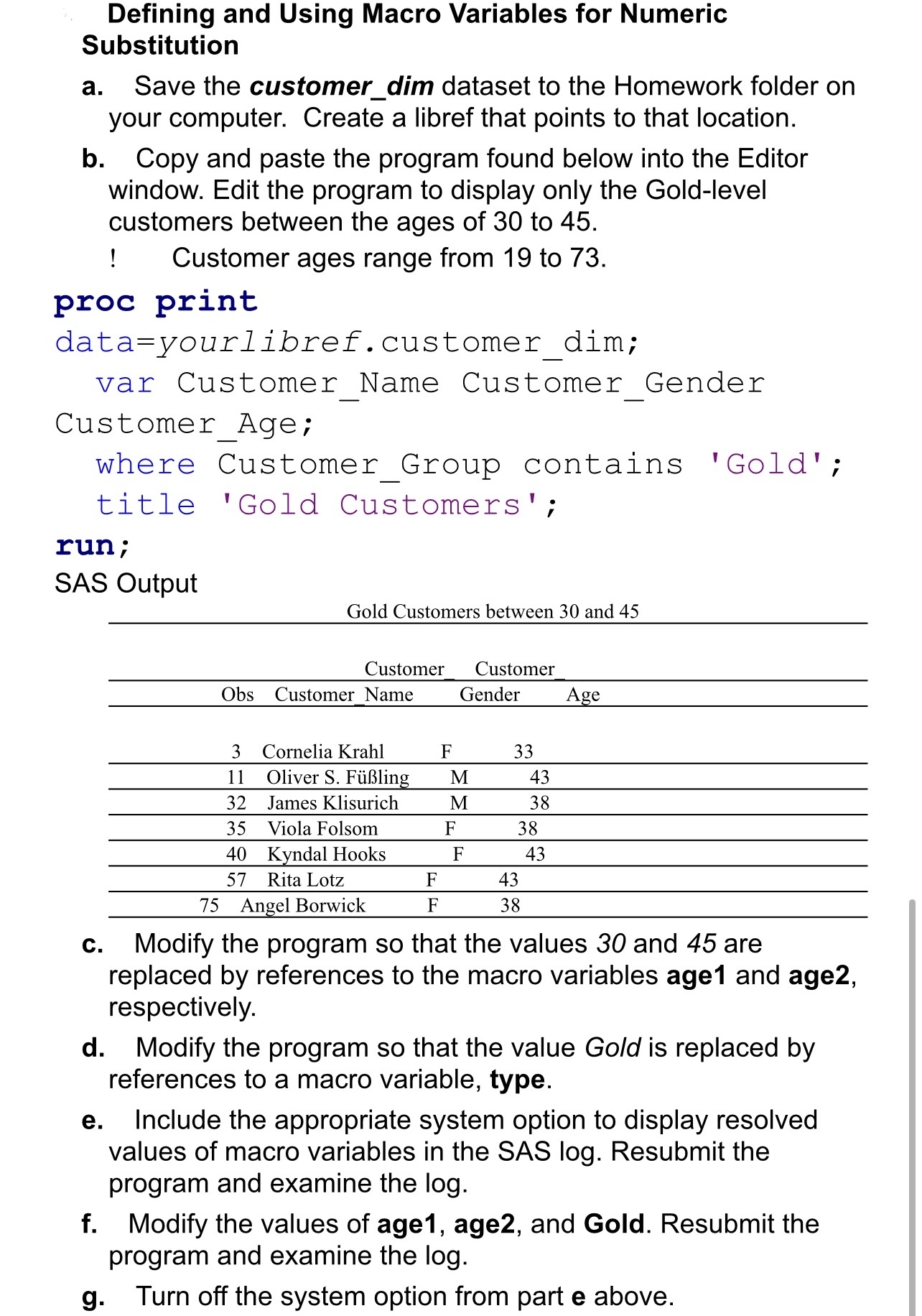
b Copy and paste the program found below into the Editor window. Edit the program to display only the Goldlevel customers between the ages of to
Customer ages range from to
proc print
datayourlibref.customerdim;
var CustomerName CustomerGender
CustomerAge;
where CustomerGroup contains 'Gold';
title 'Gold Customers';
run;
SAS Output
Gold Customers between and
tableCustomerCustomerObsCustomerName,Gender,Age,Cornelia Krahl,FOliver S FlingMJames Klisurich,MViola Folsom,FKyndal Hooks,FRita Lotz,FAngel Borwick,F
c Modify the program so that the values and are replaced by references to the macro variables age and age respectively.
d Modify the program so that the value Gold is replaced by references to a macro variable, type.
e Include the appropriate system option to display resolved values of macro variables in the SAS log Resubmit the program and examine the log
f Modify the values of age age and Gold. Resubmit the program and examine the log
g Turn off the system option from part e above.
Step by Step Solution
There are 3 Steps involved in it
1 Expert Approved Answer
Step: 1 Unlock

Question Has Been Solved by an Expert!
Get step-by-step solutions from verified subject matter experts
Step: 2 Unlock
Step: 3 Unlock
 Study Help