







Question: Demo: https://www.youtube.com/watch?v=KV1dEeG0qU0 1) Write a class Oval that implements the Drawable interface (much like the Rectangle class). If you don't know about the Drawable interface,
Demo: https://www.youtube.com/watch?v=KV1dEeG0qU0
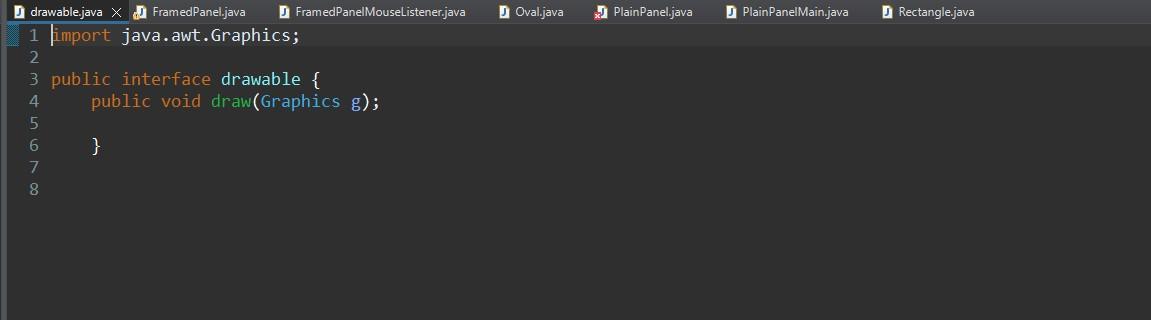
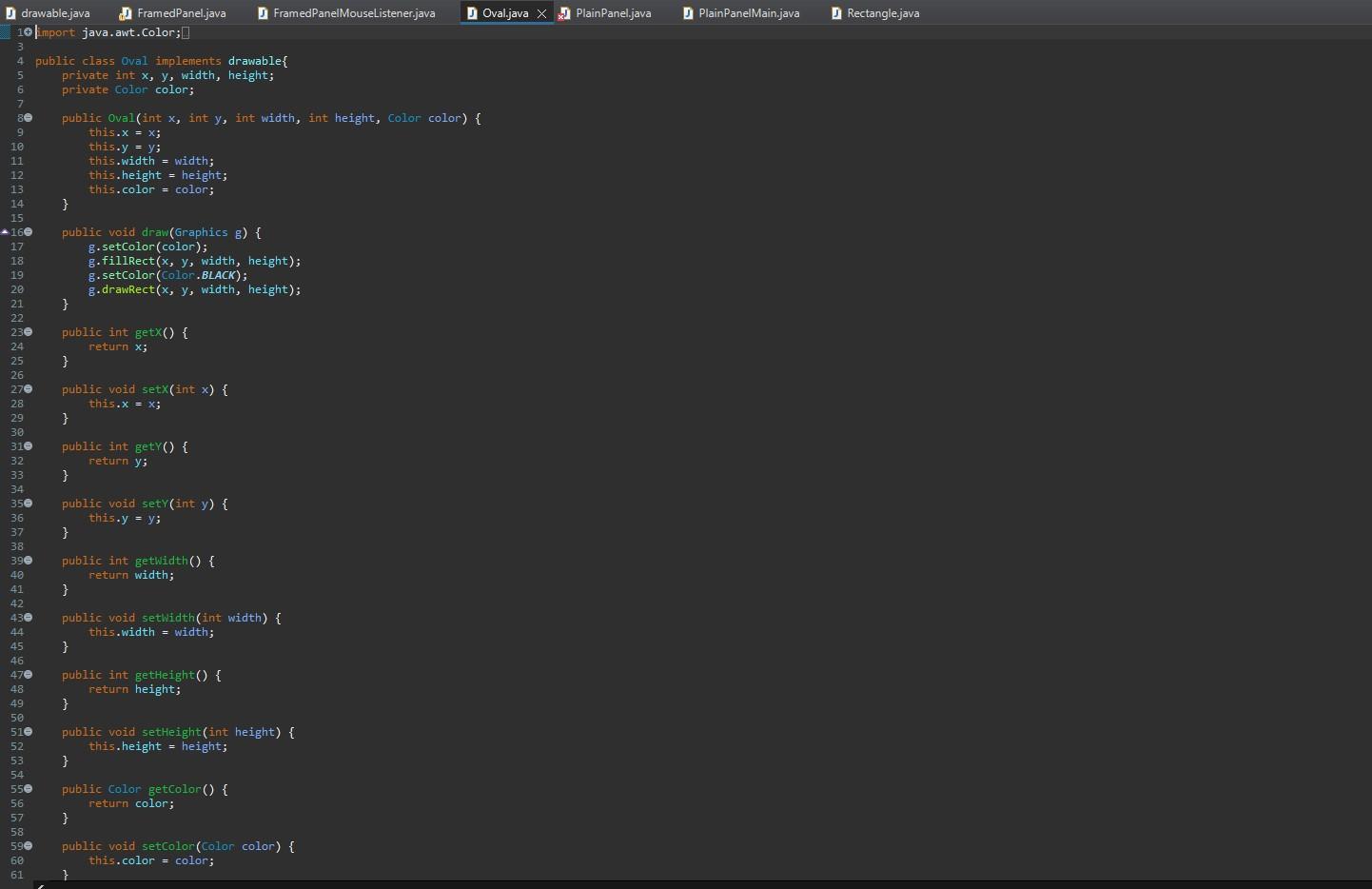
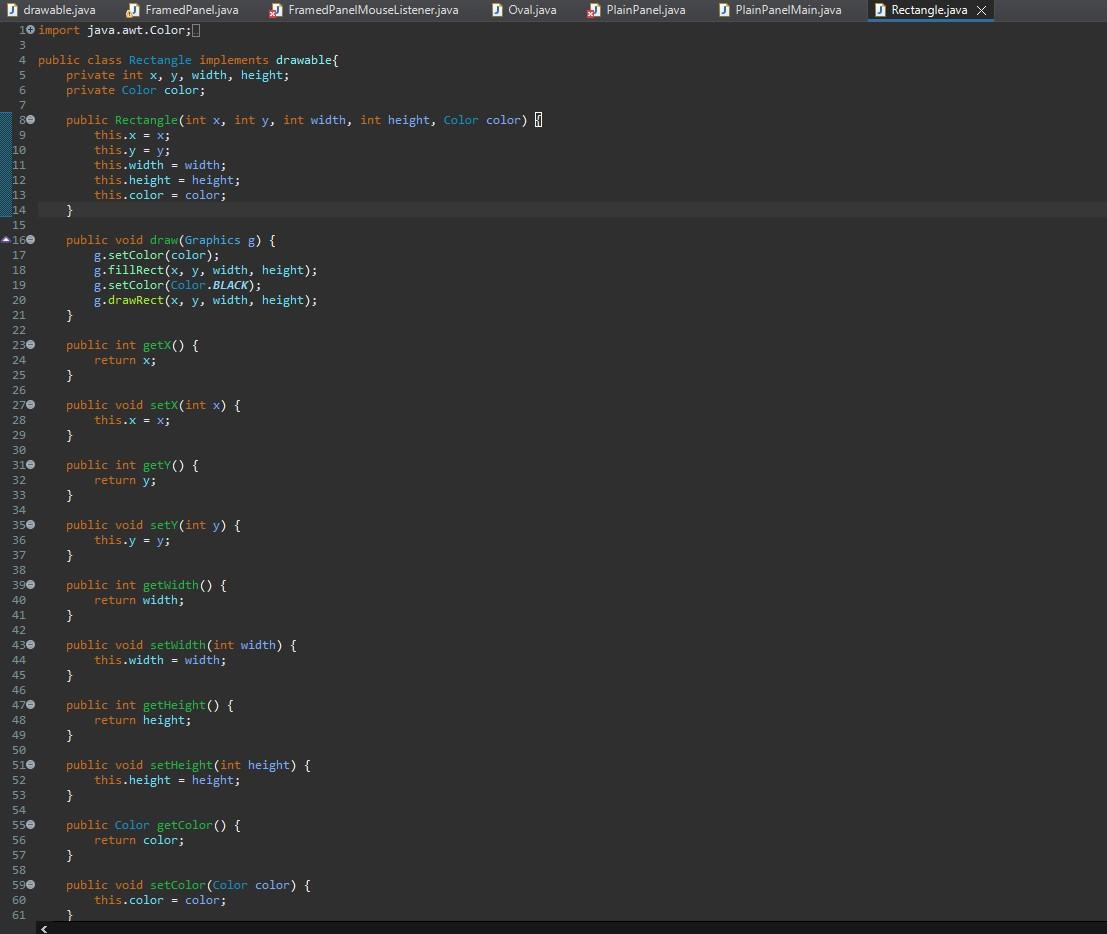
1) Write a class Oval that implements the Drawable interface (much like the Rectangle class). If you don't know about the Drawable interface, this was towards the end of the previous Extended Classwork!
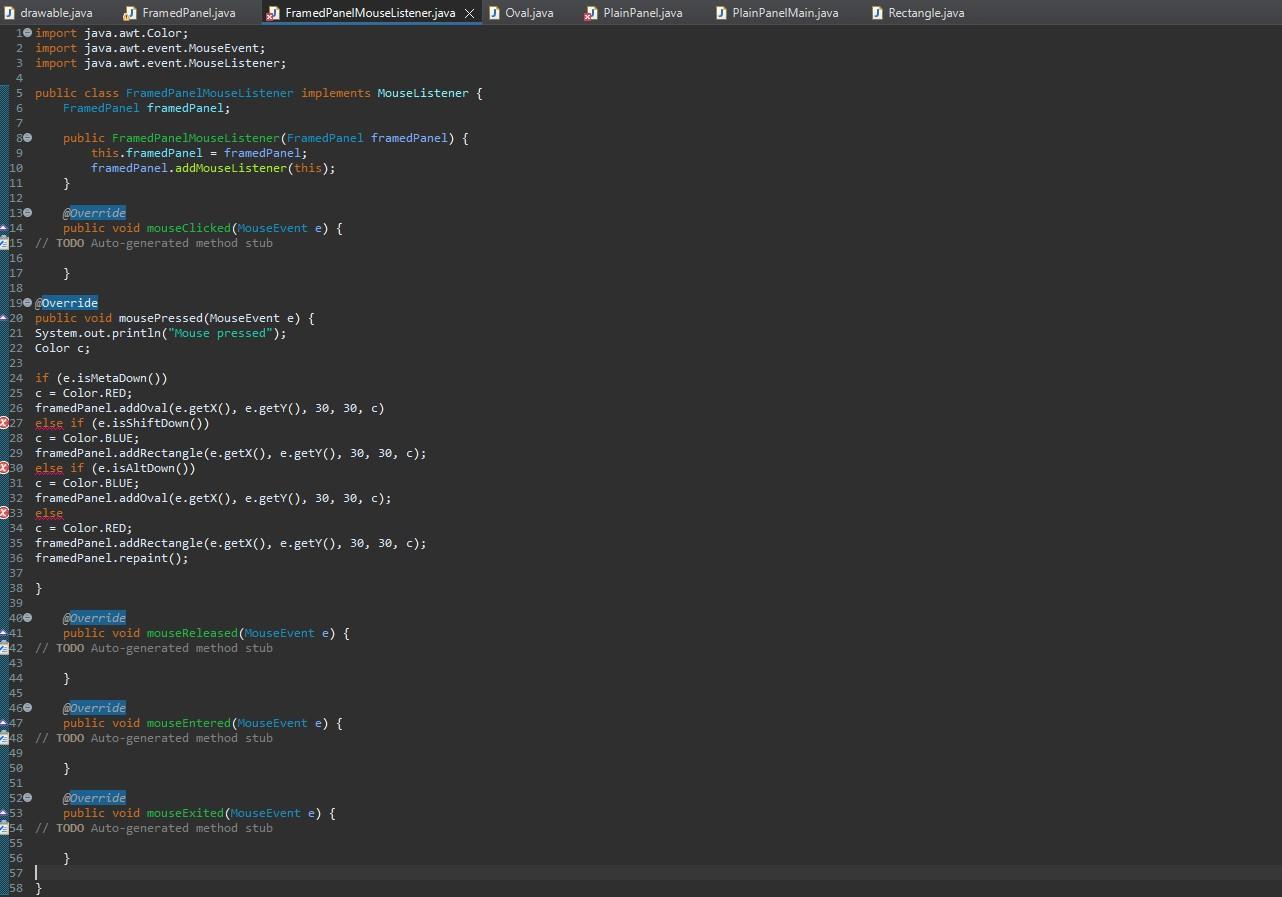
2) Write a class called FramedPanelMouseListener (let's make it a separate, non-nested class. Also note that we aren't turning FramedPanel itself into a listener...so note that this is the 3rd method for registering listeners we discussed). Write FramedPanelMouseListener so that it: a) Implements the MouseListener interface.
b) Has a member variable of type FramedPanel named framedPanel (necessary to save reference to component b/c it's non-nested)
c) Has a constructor that takes a parameter of type FramedPanel and sets the member variable to be equal to that parameter. The constructor should also have a line with the syntax: "component.addMouseListener(listener)" to add itself as a listener.
d) Implements a mousePressed method that adds a Drawable object to the framedPanel whenever someone clicks on the framedPanel. The Drawable object should be added at the location of the click (using x, y as the upper left is fine) - A normal click should add a red Rectangle with width & height = 30. - A right (meta) click should add a red Oval with width & height = 30. // Try to implement right-click, but some machines won't do this properly. If this is you, just ignore this one part. - A shift-click should add a blue Rectangle with width & height = 30 - An alt-click should add a blue Oval with width & height = 30. - A control-click should clear all the Drawable shapes
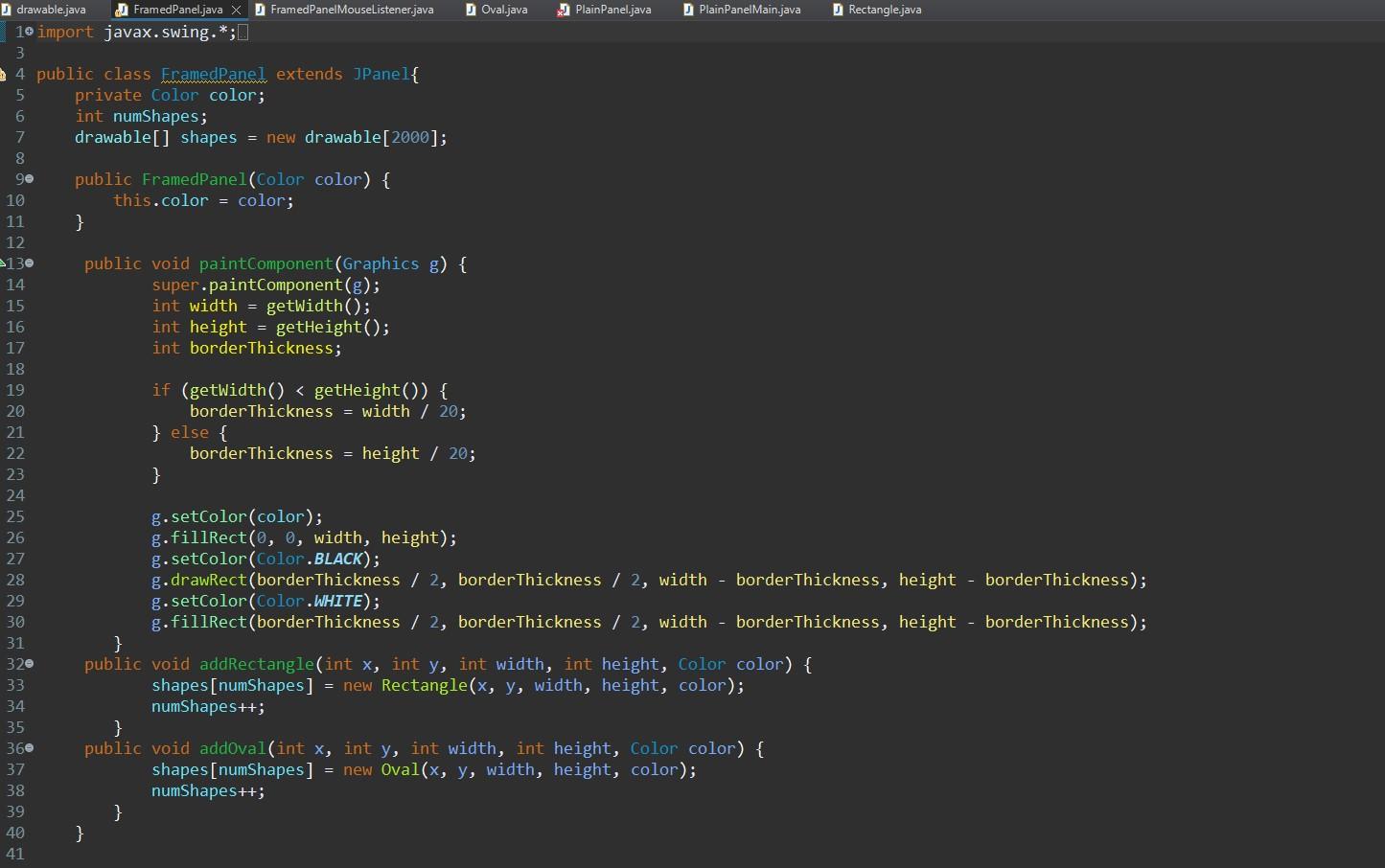
Remember, mousePressed should merely be setting the STATE for paintComponent() to do all the drawings. Since mousePressed is in a separate file, you can also add methods to FramedPanel to be called to accomplish what you need.
Make sure to call framedPanel.repaint() at the end of this method so that the panel will be repainted with the new object added.
ALL CODE ARE IN JAVA
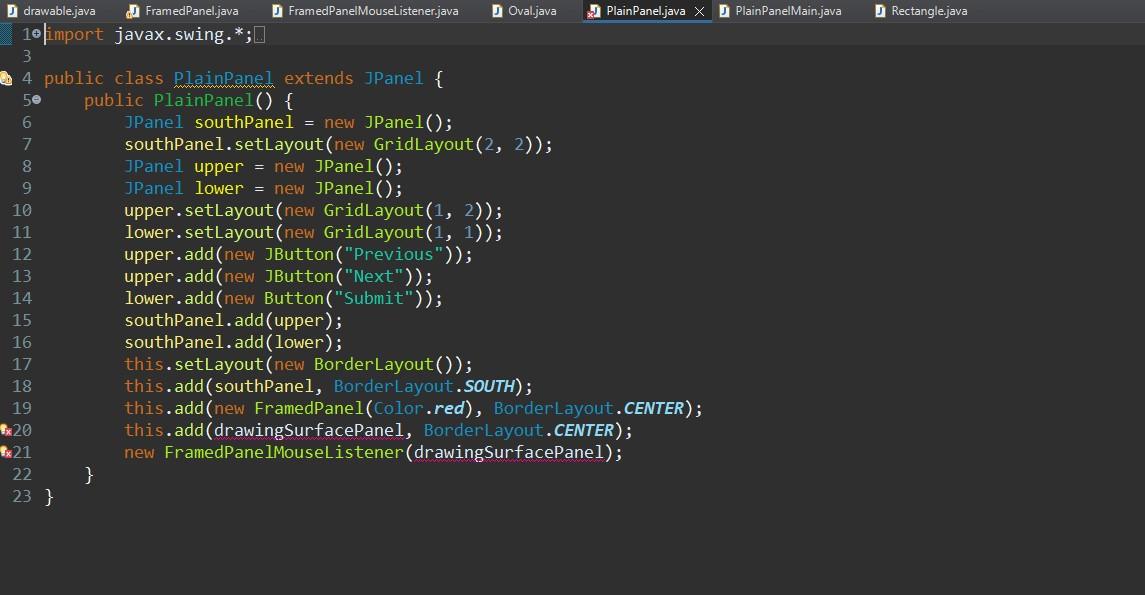
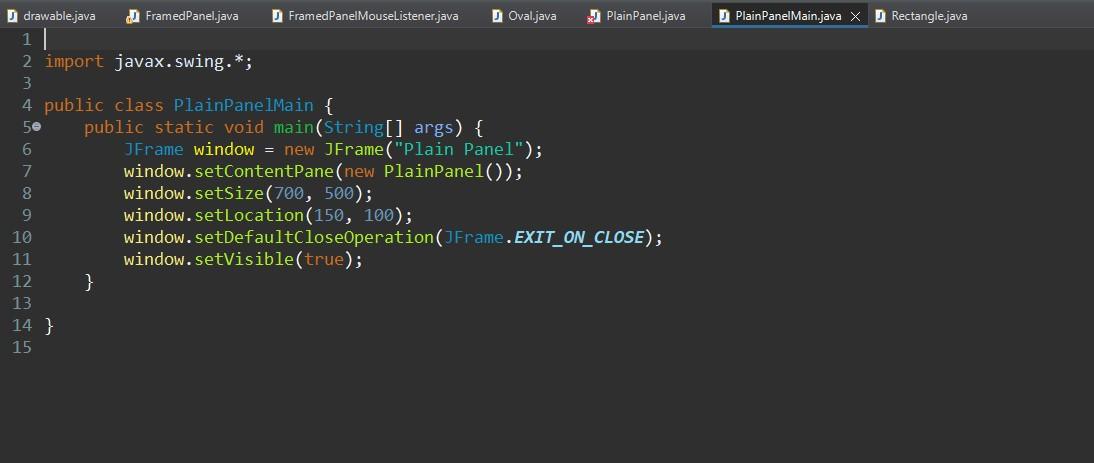
My main issue right now is in my FramedPanelMouseListener and i don't know how to implement a way to call it in plainPanel.
Step by Step Solution
There are 3 Steps involved in it

Get step-by-step solutions from verified subject matter experts
 Study Help