







Question: Description: Create a network diagram by using an online diagramming tool called Gliffy. Go to www . gliffy.com and create a free account, which allows
Description: Create a network diagram by using an online diagramming tool called Gliffy. Go to
wwwgliffy.com and create a
free account, which allows you to save five diagrams. Gliffy has templates for network diagrams, so you can choose from
several icons representing network devices. You're creating a diagram for a network that has a main office and a branch office,
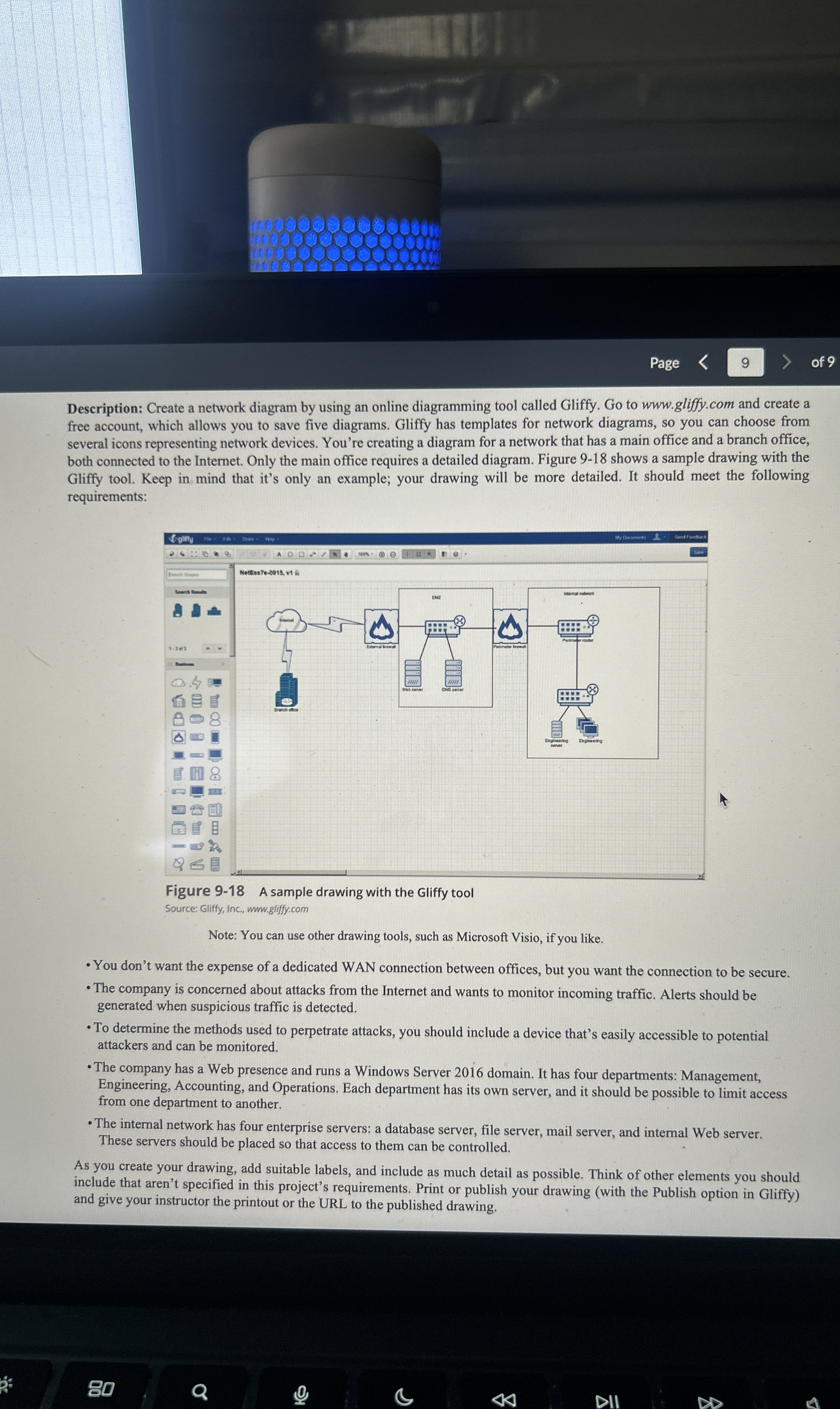
both connected to the Internet. Only the main office requires a detailed diagram. Figure shows a sample drawing with the
Gliffy tool. Keep in mind that it's only an example; your drawing will be more detailed. It should meet the following
requirements:
Figure A sample drawing with the Gliffy tool
Source: Gliffy, Inc.,
wwwgliffy.com
Note: You can use other drawing tools, such as Microsoft Visio, if you like.
You don't want the expense of a dedicated WAN connection between offices, but you want the connection to be secure
The company is concerned about attacks from the Internet and wants to monitor incoming traffic. Alerts should be
generated when suspicious traffic is detected.
To determine the methods used to perpetrate attacks, you should include a device that's easily accessible to potential
attackers and can be monitored.
The company has a Web presence and runs a Windows Server domain. It has four departments: Management,
Engineering, Accounting, and Operations. Each department has its own server, and it should be possible to limit access
from one department to another.
The internal network has four enterprise servers: a database server, file server, mail server, and internal Web server.
These servers should be placed so that access to them can be controlled.
As you create your drawing, add suitable labels, and include as much detail as possible. Think of other elements you should
include that aren't specified in this project's requirements. Print or publish your drawing with the Publish option in Gliffy
and give your instructor the printout or the URL to the published drawing.
Step by Step Solution
There are 3 Steps involved in it
1 Expert Approved Answer
Step: 1 Unlock

Question Has Been Solved by an Expert!
Get step-by-step solutions from verified subject matter experts
Step: 2 Unlock
Step: 3 Unlock
 Study Help