







Question: Description: This program is part 1 of a larger program. Eventually, it will have a variety of encryptions that can be applied to contents of
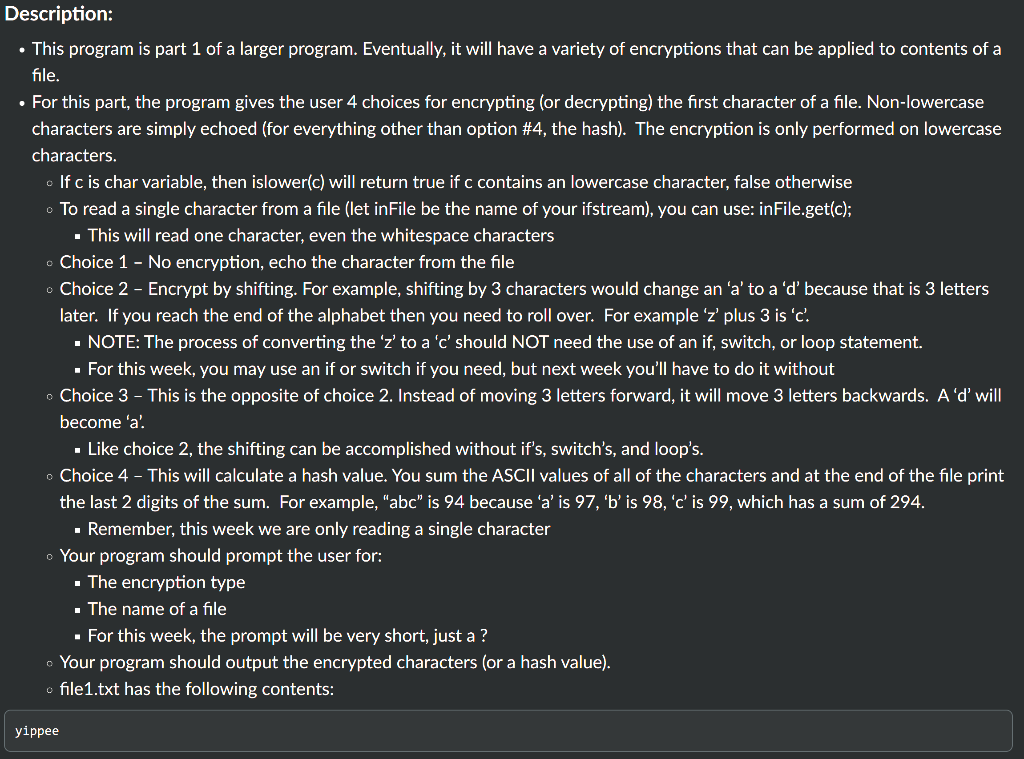
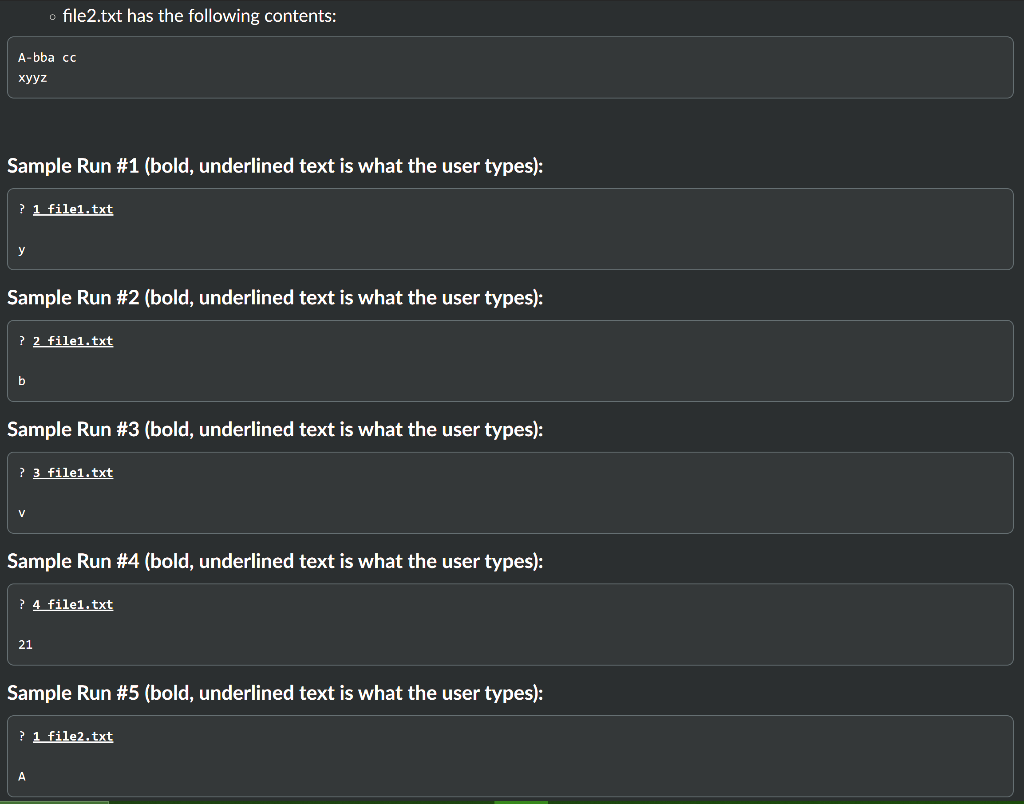
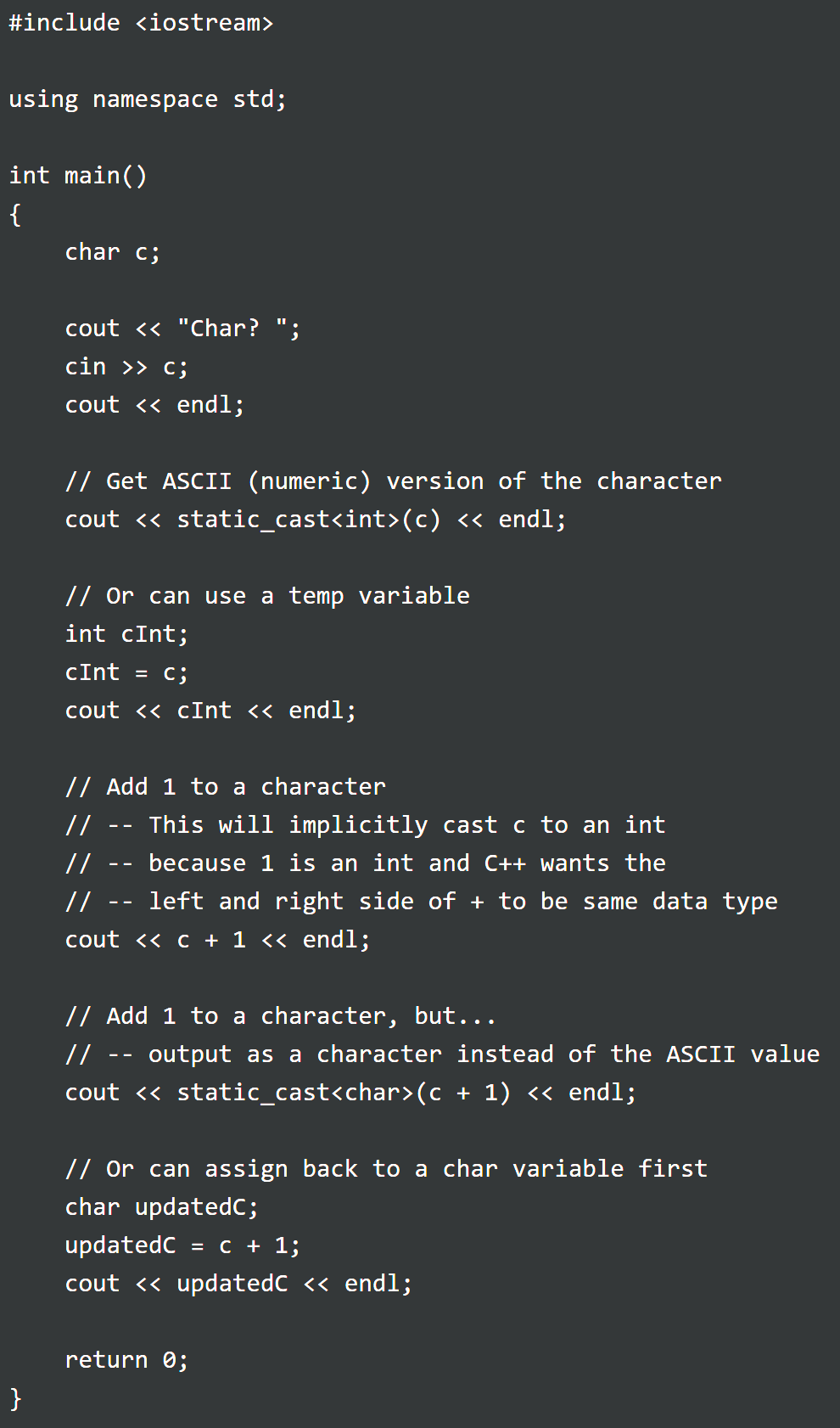
Description: This program is part 1 of a larger program. Eventually, it will have a variety of encryptions that can be applied to contents of a file. For this part, the program gives the user 4 choices for encrypting (or decrypting) the first character of a file. Non-lowercase characters are simply echoed (for everything other than option #4, the hash). The encryption is only performed on lowercase characters. . If c is char variable, then islower(c) will return true if c contains an lowercase character, false otherwise . To read a single character from a file (let inFile be the name of your ifstream), you can use: inFile.get(c); . This will read one character, even the whitespace characters Choice 1 - No encryption, echo the character from the file Choice 2 - Encrypt by shifting. For example, shifting by 3 characters would change an 'a' to a'd' because that is 3 letters later. If you reach the end of the alphabet then you need to roll over. For example 'z' plus 3 is 'c. - NOTE: The process of converting the 'z' to a 'c' should NOT need the use of an if, switch, or loop statement. . For this week, you may use an if or switch if you need, but next week you'll have to do it without Choice 3 - This is the opposite of choice 2. Instead of moving 3 letters forward, it will move 3 letters backwards. A'd' will become 'a' Like choice 2, the shifting can be accomplished without if's, switch's, and loop's. Choice 4 - This will calculate a hash value. You sum the ASCII values of all of the characters and at the end of the file print the last 2 digits of the sum. For example, "abc" is 94 because 'a' is 97, 'B' is 98, 'c' is 99, which has a sum of 294. . Remember, this week we are only reading a single character Your program should prompt the user for: . The encryption type . The name of a file - For this week, the prompt will be very short, just a ? Your program should output the encrypted characters (or a hash value). file1.txt has the following contents: yippee file2.txt has the following contents: A-bba cc xyyz Sample Run #1 (bold, underlined text is what the user types): ? 1 file1.txt Sample Run #2 (bold, underlined text is what the user types): ? 2 file1.txt b Sample Run #3 (bold, underlined text is what the user types): ? 3 file1.txt V Sample Run #4 (bold, underlined text is what the user types): ? 4 file1.txt 21 Sample Run #5 (bold, underlined text is what the user types): ? 1 file2.txt A #include
Step by Step Solution
There are 3 Steps involved in it

Get step-by-step solutions from verified subject matter experts
 Study Help