







Question: Description This project is to develop a client - server application with a Graphical User Interface ( GUI ) front - end that allows for
Description
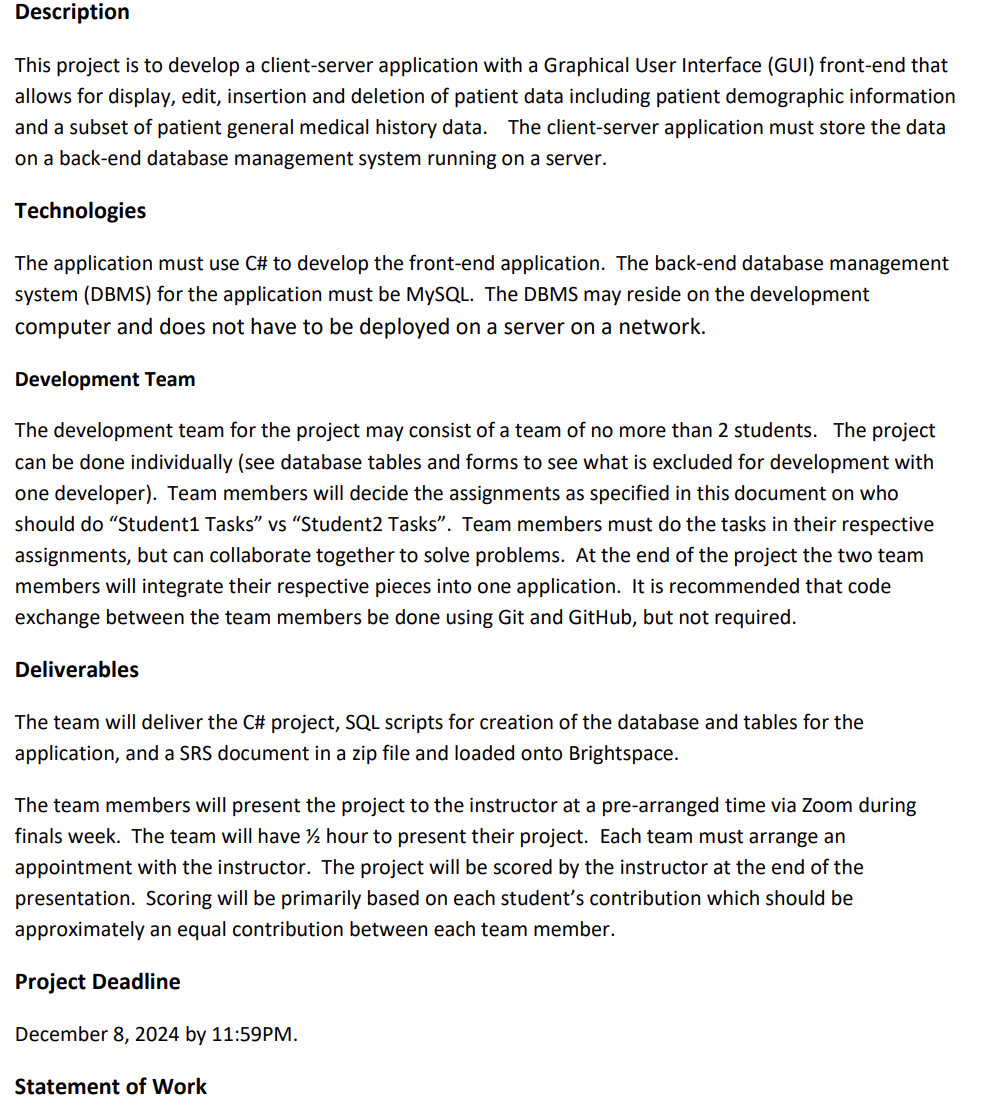
This project is to develop a clientserver application with a Graphical User Interface GUI frontend that
allows for display, edit, insertion and deletion of patient data including patient demographic information
and a subset of patient general medical history data. The clientserver application must store the data
on a backend database management system running on a server.
Technologies
The application must use C# to develop the frontend application. The backend database management
system DBMS for the application must be MySQL The DBMS may reside on the development
computer and does not have to be deployed on a server on a network.
Development Team
The development team for the project may consist of a team of no more than students. The project
can be done individually see database tables and forms to see what is excluded for development with
one developer Team members will decide the assignments as specified in this document on who
should do "Student Tasks" vs "Student Tasks". Team members must do the tasks in their respective
assignments, but can collaborate together to solve problems. At the end of the project the two team
members will integrate their respective pieces into one application. It is recommended that code
exchange between the team members be done using Git and GitHub, but not required.
Deliverables
The team will deliver the C# project, SQL scripts for creation of the database and tables for the
application, and a SRS document in a zip file and loaded onto Brightspace.
The team members will present the project to the instructor at a prearranged time via Zoom during
finals week. The team will have hour to present their project. Each team must arrange an
appointment with the instructor. The project will be scored by the instructor at the end of the
presentation. Scoring will be primarily based on each student's contribution which should be
approximately an equal contribution between each team member.
Project Deadline
December by :PM
Statement of Work
GUI Requirements:
a General Form Requirements
i Each GUI form in the frontend, except for the "Select Patient" form must have
record operations buttons to add, modify, save, undo and delete a record of data
that is displayed on the form.
The add and modify button must allow for insertion of a new record or
modification of an existing record.
The save button must save the data to the appropriate database table.
The undo button must undo any changes to the form when it is clicked prior
to saving data.
The delete button must mark the record as deleted do not actually DELETE
the record
ii Each GUI form must have navigation buttons to go to all the other forms.
iii. All forms, except the main form, must have "mode" states.
When the form loads it should be in "View" mode where textboxes are
locked and background is a light grey color.is initially viewed.
When the Add or Modify buttons are clicked, the form must unlock the
entry controls and the background should change to white.
On Save button click, the form must go back to "View" mode.
iv Each form must display the patient name and age at the top of the form in a bold,
large font, with a bright colored background that highlights whose information
you are viewing on the form.
v Use a blue background color for every form ex Light blue
vi You must be able to select a patient from any form.
b Specific Form Requirements
i There must be a main "Select Patient" form that is the first form that comes up
when the application starts.
The form must have a selection control where an existing patient can be
selected. New patients should be entered from the "Patient Demographics"
form.
The selection control must display the patient firstname, lastname and
phone number in the rows of the control.
The source for this control must come from the PatientDemographics table.
Upon selection of a patient, the patientID primary key in the
PatientDemographics table must be returned from the control.
The system must have a button to navigate to a patient demographics form.
This form must have a search function where a patient can be searched by
either PatientID or Lastname.
ii There must be a "Patient Demographics" form.
The patient demographics form must display the demographic information
for the selected patient after it loads.
The patient demographics information must come from a
"PatientDemographics" table as described in the database portion of this
document.
Provide some validation of information that is entered prior to saving
updates or inserting a new record. At a minimum provide validation of
firstname and lastname to check for unallowable characters. Also, make
sure the date of birth is entered in a standard format of your choice.
iii. There must be a "General Medical History" table.
Refer to the database table for general medical history for the content that
must be included in the form.
iv There must be a "Allergy History" form.
The Allergy History form must have a control that lists all the allergies by
Alle
Step by Step Solution
There are 3 Steps involved in it
1 Expert Approved Answer
Step: 1 Unlock

Question Has Been Solved by an Expert!
Get step-by-step solutions from verified subject matter experts
Step: 2 Unlock
Step: 3 Unlock
 Study Help