







Question: Design and implement android app using Kotlin language I hope for a solution as soon as possible Design and implement the following android app (Lite
 Design and implement android app using Kotlin language I hope for a solution as soon as possible
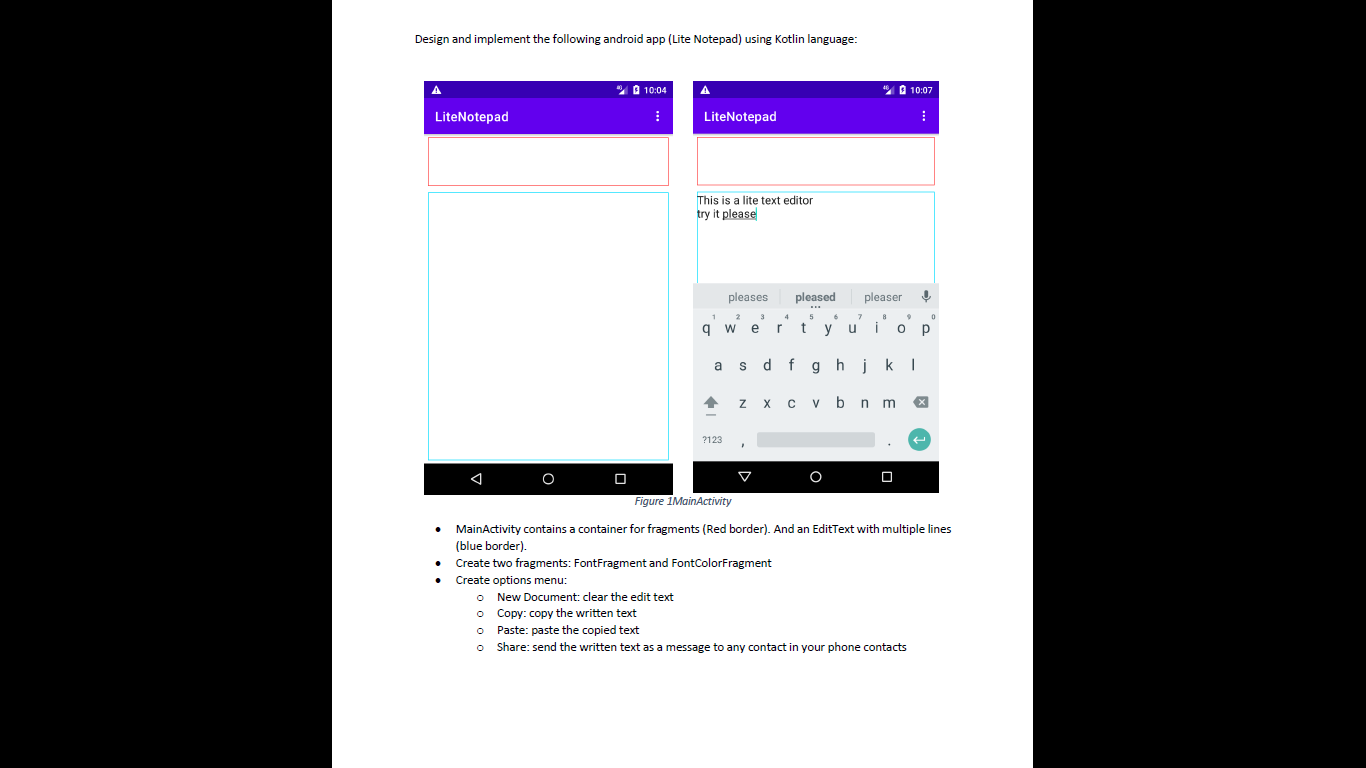
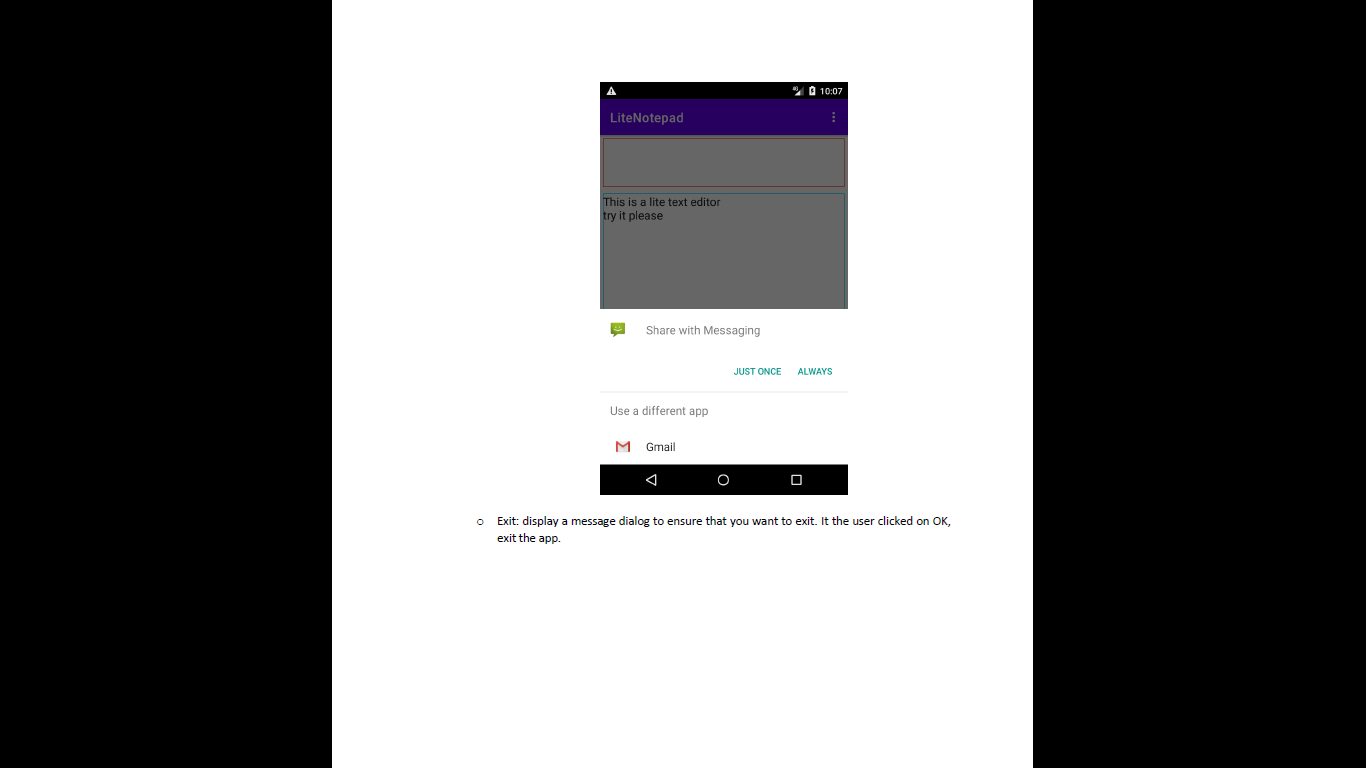
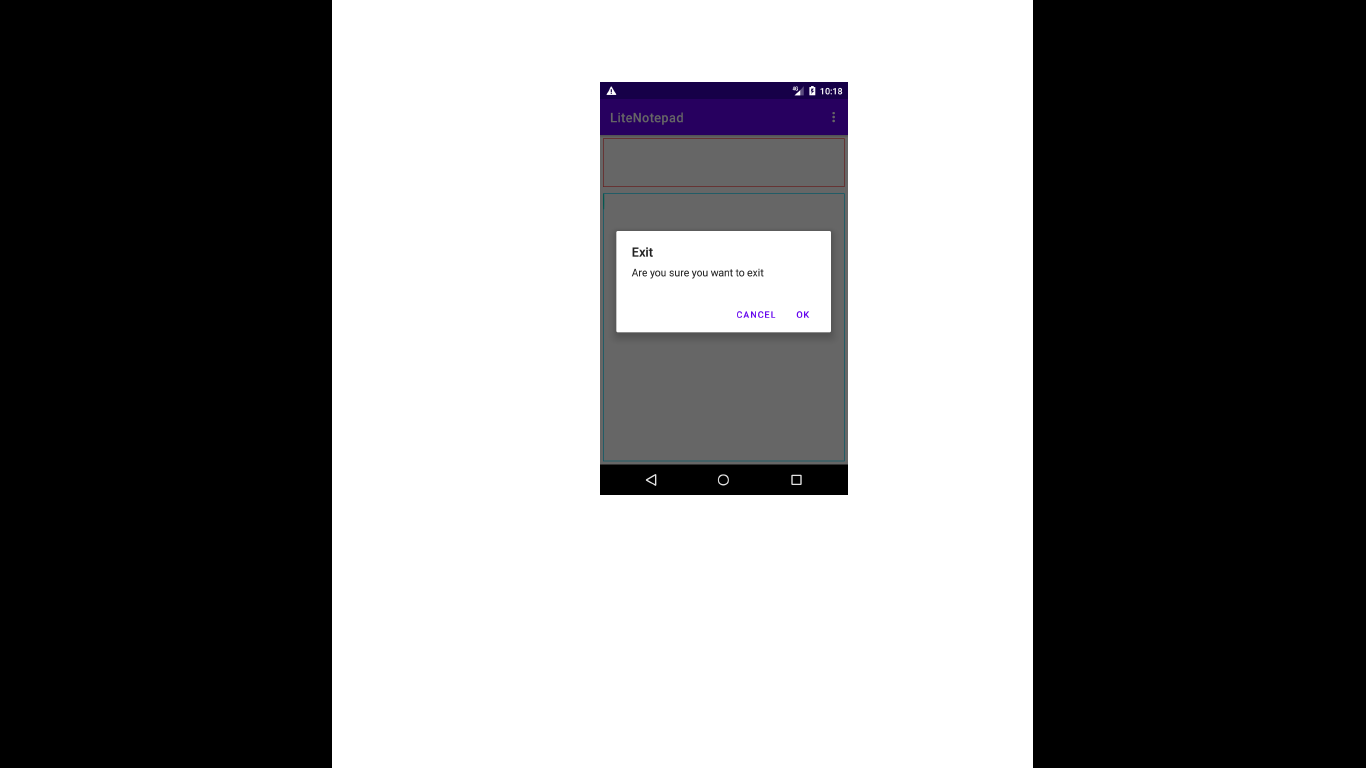
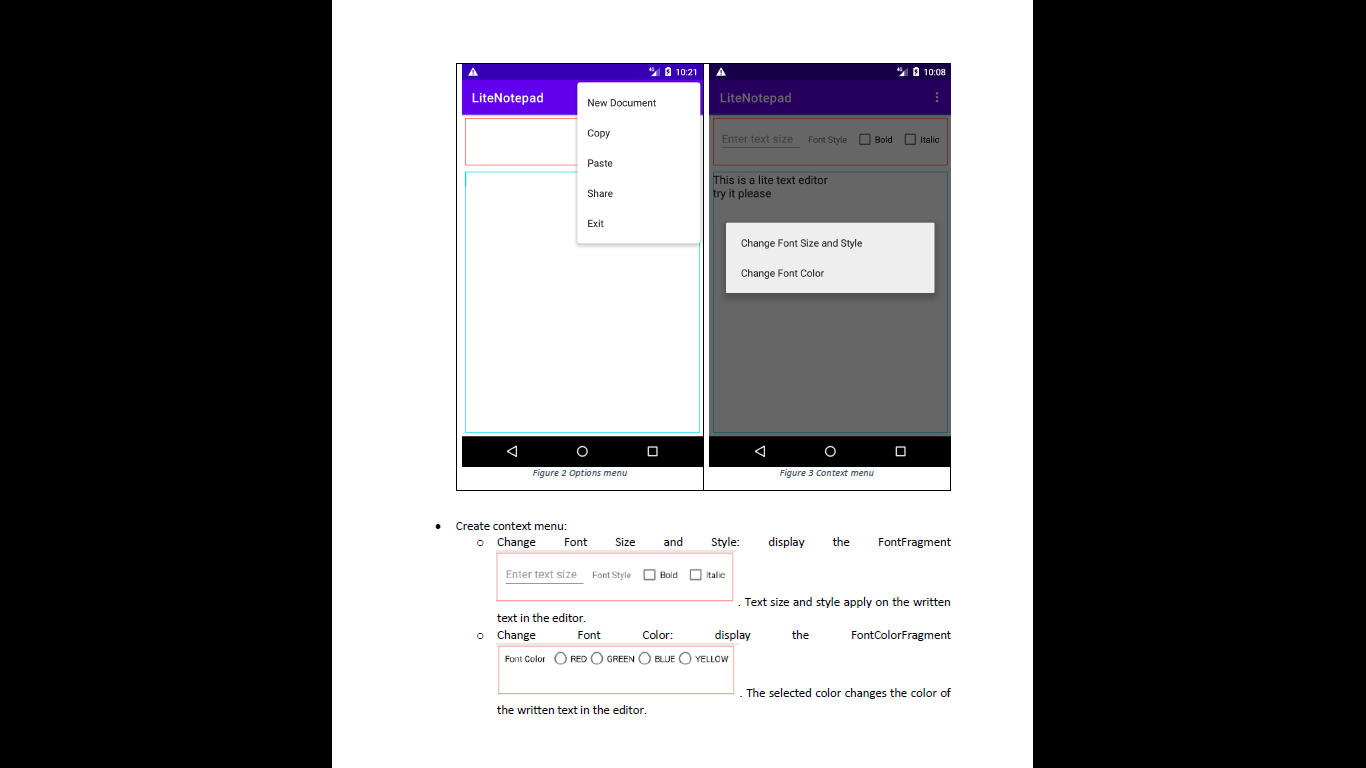
Design and implement the following android app (Lite Notepad) using Kotlin language: 10:04 % 10:07 LiteNotepad LiteNotepad This is a lite text editor try it please pleases pleaser pleased 5 ty 3 W r u i a S dfg hj k Z X V bnm ?123 Figure 1 MainActivity MainActivity contains a container for fragments (Red border). And an EditText with multiple lines (blue border). Create two fragments: FontFragment and FontColorFragment Create options menu: o New Document: clear the edit text o Copy: Copy the written text o Paste: paste the copied text o Share: send the written text as a message to any contact in your phone contacts 10:07 LiteNotepad This is a lite text editor try it please Share with Messaging JUST ONCE ALWAYS Use a different app Gmail O Exit: display a message dialog to ensure that you want to exit. It the user clicked on OK, exit the app. 10:18 LiteNotepad Exit Are you sure you want to exit CANCEL OK O " 10:21 10:08 LiteNotepad New Document LiteNotepad Copy Enter text size Font Style Bold Italic Paste Share This is a lite text editor try it please Exit Change Font Size and Style Change Font Color Figure 2 Options menu Figure 3 Context menu Create context menu: o Change Font Size and Style: display the FontFragment Enter text size Font Style Bold Italic Text size and style apply on the written text in the editor. o Change Font Color: display the FontColorFragment Font Color O RED O GREEN BLUE YELLOW The selected color changes the color of the written text in the editor. Design and implement the following android app (Lite Notepad) using Kotlin language: 10:04 % 10:07 LiteNotepad LiteNotepad This is a lite text editor try it please pleases pleaser pleased 5 ty 3 W r u i a S dfg hj k Z X V bnm ?123 Figure 1 MainActivity MainActivity contains a container for fragments (Red border). And an EditText with multiple lines (blue border). Create two fragments: FontFragment and FontColorFragment Create options menu: o New Document: clear the edit text o Copy: Copy the written text o Paste: paste the copied text o Share: send the written text as a message to any contact in your phone contacts 10:07 LiteNotepad This is a lite text editor try it please Share with Messaging JUST ONCE ALWAYS Use a different app Gmail O Exit: display a message dialog to ensure that you want to exit. It the user clicked on OK, exit the app. 10:18 LiteNotepad Exit Are you sure you want to exit CANCEL OK O " 10:21 10:08 LiteNotepad New Document LiteNotepad Copy Enter text size Font Style Bold Italic Paste Share This is a lite text editor try it please Exit Change Font Size and Style Change Font Color Figure 2 Options menu Figure 3 Context menu Create context menu: o Change Font Size and Style: display the FontFragment Enter text size Font Style Bold Italic Text size and style apply on the written text in the editor. o Change Font Color: display the FontColorFragment Font Color O RED O GREEN BLUE YELLOW The selected color changes the color of the written text in the editor
Step by Step Solution
There are 3 Steps involved in it

Get step-by-step solutions from verified subject matter experts
 Study Help