



Question: Design simple Matlab App (advanced version of GUI) I need proper coding with output screen shots of each steps and Answer the questions also with
Design simple Matlab App (advanced version of GUI)
I need proper coding with output screen shots of each steps and Answer the questions also with each screen shots
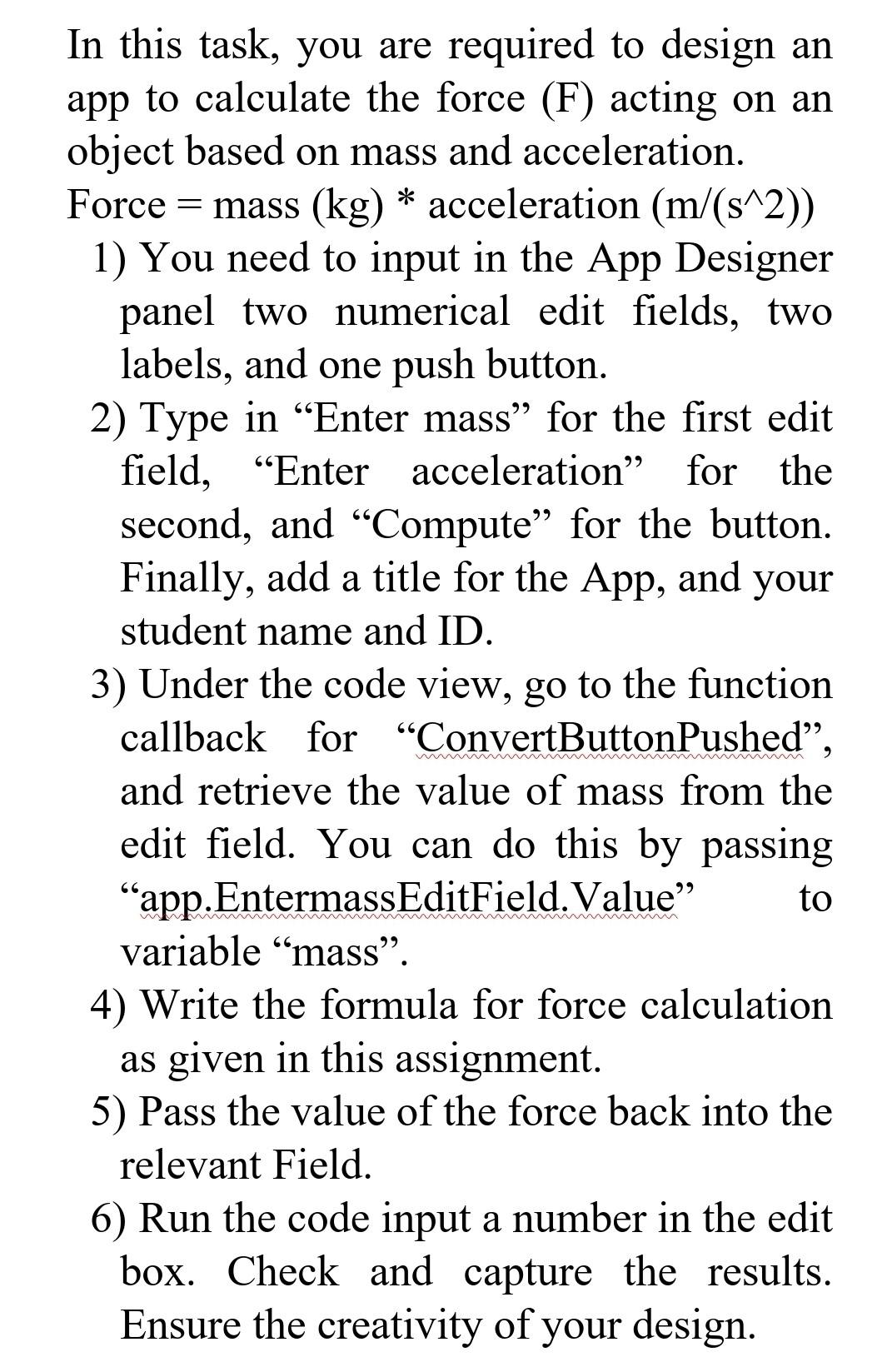
In this task, you are required to design an app to calculate the force (F) acting on an object based on mass and acceleration. Force =mass(kg) acceleration (m/(s2)) 1) You need to input in the App Designer panel two numerical edit fields, two labels, and one push button. 2) Type in "Enter mass" for the first edit field, "Enter acceleration" for the second, and "Compute" for the button. Finally, add a title for the App, and your student name and ID. 3) Under the code view, go to the function callback for "ConvertButtonPushed", and retrieve the value of mass from the edit field. You can do this by passing "app.EntermassEditField.Value" to variable "mass". 4) Write the formula for force calculation as given in this assignment. 5) Pass the value of the force back into the relevant Field. 6) Run the code input a number in the edit box. Check and capture the results. Ensure the creativity of your design. In this task, you are required to design an app to calculate the force (F) acting on an object based on mass and acceleration. Force =mass(kg) acceleration (m/(s2)) 1) You need to input in the App Designer panel two numerical edit fields, two labels, and one push button. 2) Type in "Enter mass" for the first edit field, "Enter acceleration" for the second, and "Compute" for the button. Finally, add a title for the App, and your student name and ID. 3) Under the code view, go to the function callback for "ConvertButtonPushed", and retrieve the value of mass from the edit field. You can do this by passing "app.EntermassEditField.Value" to variable "mass". 4) Write the formula for force calculation as given in this assignment. 5) Pass the value of the force back into the relevant Field. 6) Run the code input a number in the edit box. Check and capture the results. Ensure the creativity of your design
Step by Step Solution
There are 3 Steps involved in it

Get step-by-step solutions from verified subject matter experts