Question: Detect the following issues found in the forms all global variables need to be initalized total score should not be a double isValid is not
Detect the following issues found in the forms
"all global variables need to be initalized
total score should not be a double
isValid is not properly implemented
: upgrade grade is not supposed to return an int
Perfect score label does not get updated"
Form1
using System;
using System.Collections.Generic;
using System.ComponentModel;
using System.Data;
using System.Drawing;
using System.Linq;
using System.Text;
using System.Threading.Tasks;
using System.Windows.Forms;
namespace prob2
{
//prob2
public partial class Form1 : Form
{
private double totalscoreDouble; //The total scores all added up
private int aInt, perfectscoreInt, bInt; //The count for A and B grades
private int scorecountInt; //The total count of number of scores
public Form1()
{
InitializeComponent();
}
private void button1_Click( object sender, EventArgs e )
{
//Declarations
int scoreInt;
string outputstring;
bool isValidBool, isNotValidString;
//Inputs
scoreInt = int.Parse(textBox1.Text);
//Computations
isValidBool = IsValid(scoreInt);
scorecountInt = ComputeGradeCount(scoreInt);
//Outputs
Display(scoreInt.ToString());
textBox1.Clear();
textBox1.Focus();
}
private int ComputeGradeCount(int score)
{
int scorecount;
if (score == 100)
{
perfectscoreInt = perfectscoreInt + 1;
}
totalscoreDouble = totalscoreDouble + score;
if (score > 89)
{
aInt = aInt + 1;
scorecountInt = scorecountInt + 1;
}
else if (score > 69)
{
bInt = bInt + 1;
scorecountInt = scorecountInt + 1;
}
else if (score
{
scorecountInt = scorecountInt + 1;
}
return scorecountInt;
}
private void Display(string outputstring )
{
textBox2.AppendText(outputstring);
textBox2.AppendText(Environment.NewLine);
}
private void Display2 (string outputstring)
{
}
private void button2_Click( object sender, EventArgs e )
{
double averageDouble;
averageDouble = ComputeAvg();
if (scorecountInt == 0)
{
Display3("No Score Entered");
}
else
{
Display3("Average: " + averageDouble.ToString("N2"));
Display3("Count of Letter Grades");
Display3("A: " + aInt.ToString());
Display3("B: " + bInt.ToString());
}
}
private double ComputeAvg()
{
double avg = 0;
if (scorecountInt != 0)
{
avg = totalscoreDouble / scorecountInt;
}
return avg;
}
private void button3_Click( object sender, EventArgs e )
{
ResetData();
textBox1.Clear();
textBox2.Clear();
textBox3.Clear();
textBox1.Focus();
}
private void ResetData()
{
totalscoreDouble = 0;
aInt = 0;
bInt = 0;
scorecountInt = 0;
}
private void button4_Click( object sender, EventArgs e )
{
Application.Exit();
}
private void Display3( string outputString )
{
textBox3.AppendText(outputString);
textBox3.AppendText(Environment.NewLine);
}
private bool IsValid( int score)
{
bool IsValid;
if (score > 0 && score
{
IsValid = true;
}
else
{
IsValid = false;
}
return IsValid;
}
}
}
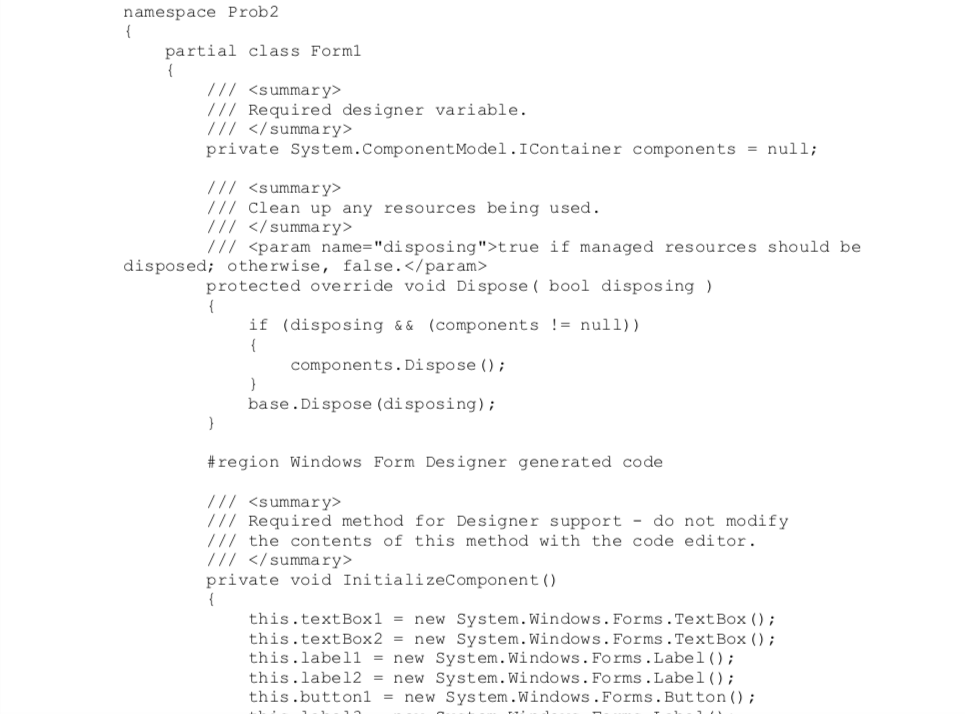
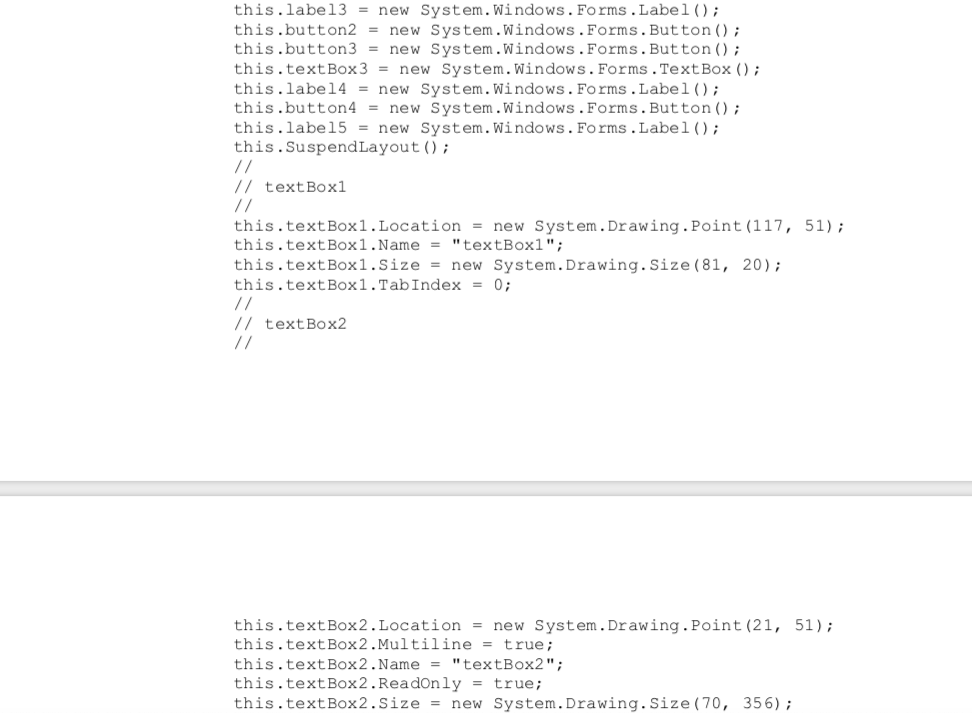
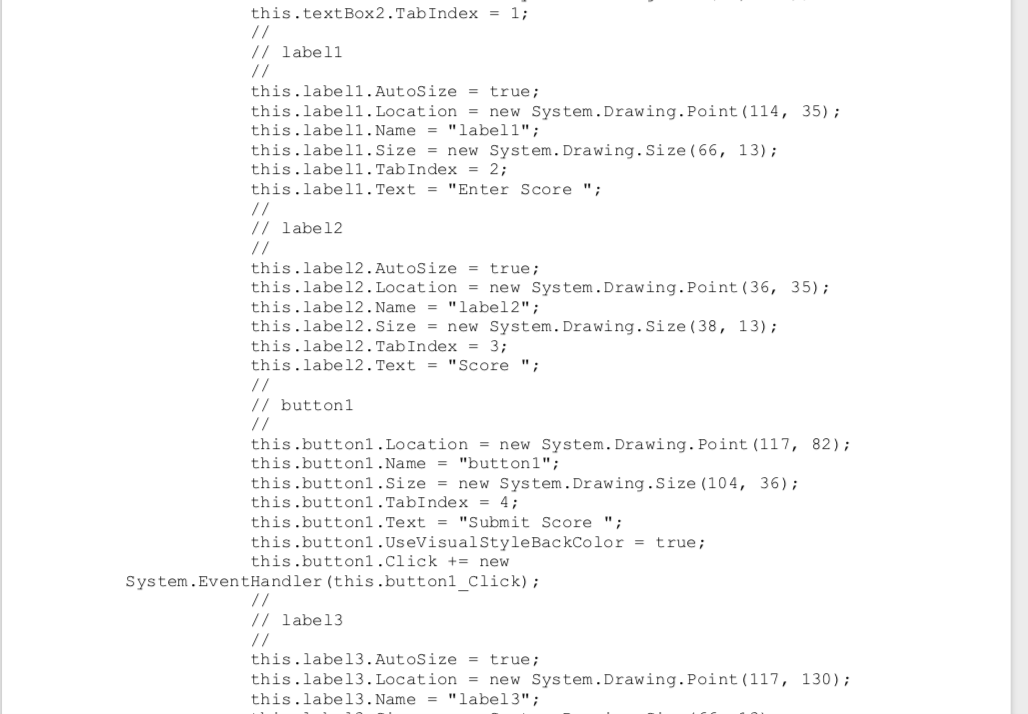
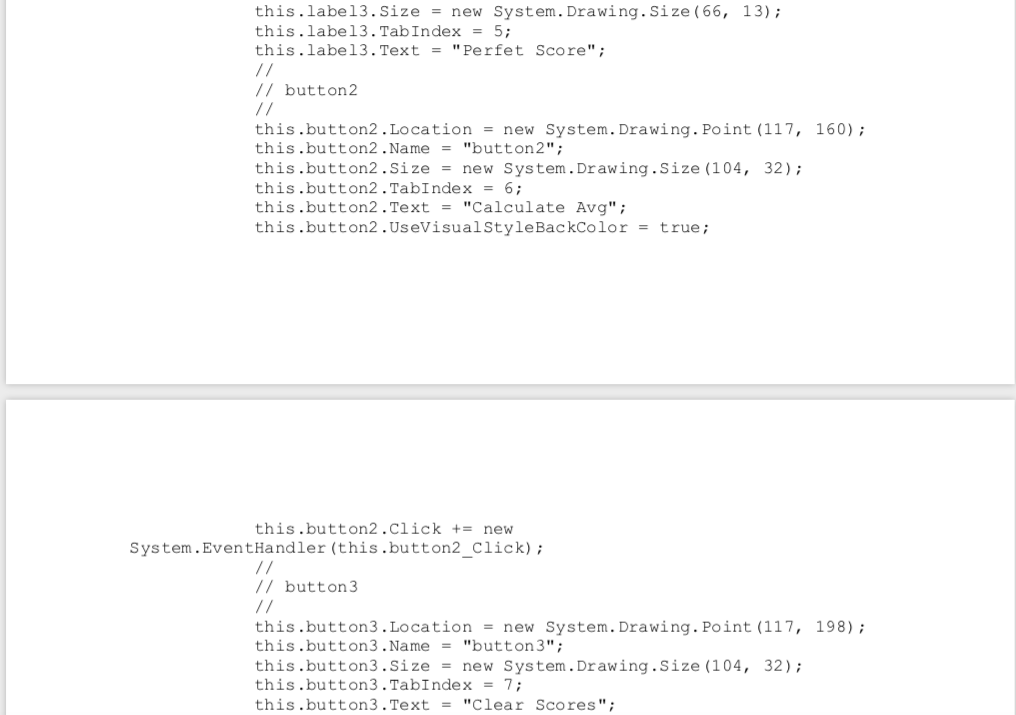
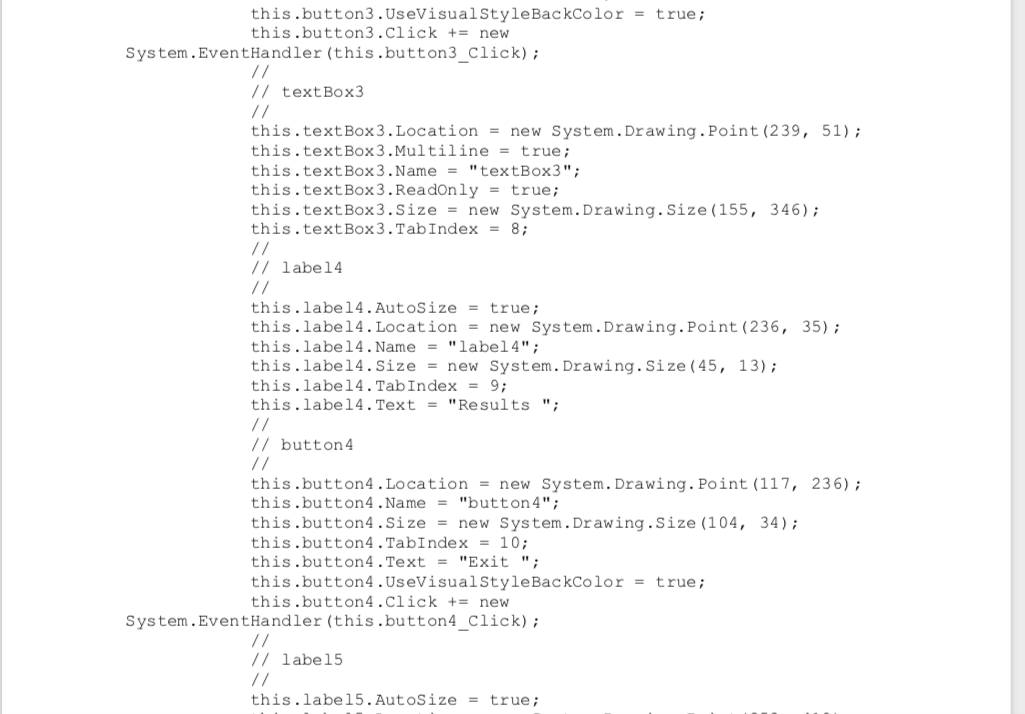
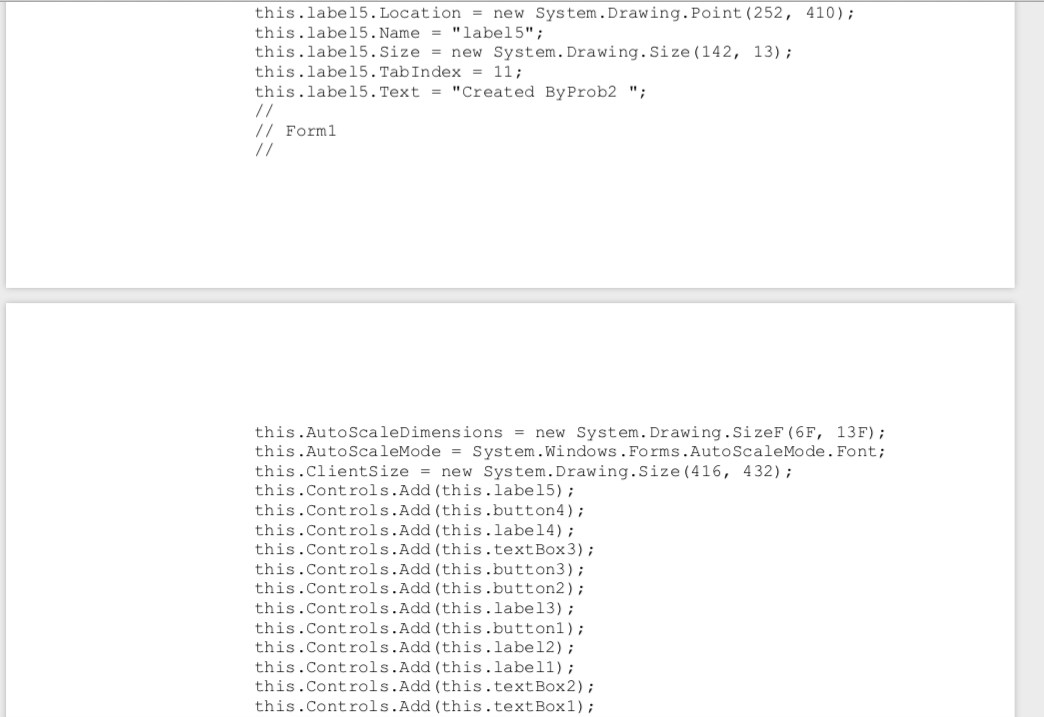
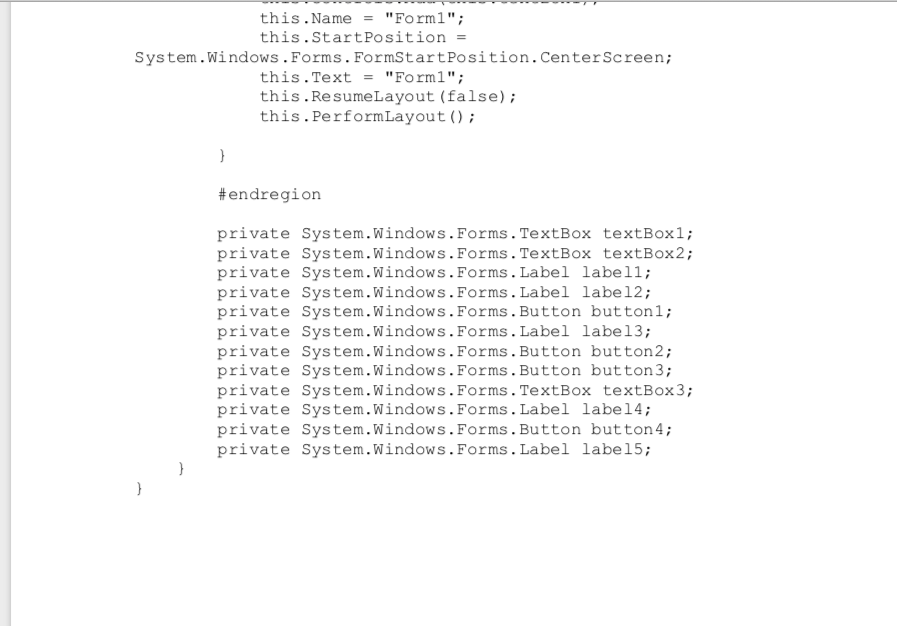
namespace Prob2 partial class Form1 /// /// Required designer variable. /// private System.ComponentModel. I Container components = null; /// /// clean up any resources being used. /// /// true if managed resources should be disposed; otherwise, false. protected override void Dispose( bool disposing ) if (disposing && (components != null)) components. Dispose(); base. Dispose (disposing); #region Windows Form Designer generated code /// /// Required method for Designer support - do not modify /// the contents of this method with the code editor. /// private void InitializeComponent() this.textBox1 = new System.Windows.Forms.TextBox(); this.textBox2 = new System.Windows.Forms.TextBox(); this. label1 = new System.Windows.Forms. Label(); this.label2 = new System.Windows.Forms. Label(); this.button1 = new System.Windows.Forms.Button(); this.label3 = new System.Windows.Forms. Label(); this.button2 = new System.Windows.Forms.Button(); this.button3 = new System.Windows.Forms.Button(); this.textBox3 = new System.Windows.Forms.TextBox(); this.label4 = new System.Windows.Forms. Label(); this.button4 = new System.Windows.Forms.Button(); this.label5 = new System.Windows.Forms. Label(); this. SuspendLayout(); // textBox1 this.textBox1.Location = new System.Drawing.Point(117, 51); this.textBox1.Name = "textBox1"; this.textBox1.Size = new System.Drawing.Size (81, 20); this.textBox1.TabIndex = 0; // text Box2 this.textBox2.Location = new System.Drawing.Point(21, 51); this.textBox2.Multiline = true; this.textBox2.Name = "textBox2"; this.textBox2.Readonly = true; this.textBox2.Size = new System.Drawing.Size(70, 356); this.textBox2.TabIndex = 1; // labell this.labell. AutoSize = true; this.labell. Location = new System.Drawing.Point (114, 35); this.label1.Name = "labell"; this.label1.Size = new System.Drawing.Size (66, 13); this.labell.TabIndex = 2; this.label1.Text = "Enter Score "; // label2 // this.label2. AutoSize = true; this.labe 12. Location = new System.Drawing.Point(36, 35); this.label2.Name = "label2"; this.label2.Size = new System.Drawing.Size (38, 13); this.label2.TabIndex = 3; this.labe12. Text = "Score"; // button1 this.button1. Location = new System.Drawing.Point (117, 82); this.button1.Name = "button1"; this.button1.Size = new System.Drawing.Size (104, 36); this.buttoni.TabIndex = 4; this.button1.Text = "Submit Score"; this.button1.UseVisual Style BackColor = true; this.button1.click += new System.EventHandler (this.button1 click); // labe13 this.label3. AutoSize = true; this.labe13. Location = new System.Drawing.Point(117, 130); this.labe13. Name = "label3"; this.label3.Size = new System.Drawing.Size (66, 13); this.label3.TabIndex = 5; this.labe13. Text = "Perfet Score"; // button2 this.button2.Location = new System.Drawing.Point (117, 160); this.button2.Name = "button2"; this.button2.Size = new System.Drawing.Size (104, 32); this.button2 .TabIndex = 6; this.button2.Text = "Calculate Avg"; this.button2.UseVisual Style BackColor = true; this.button2.click += new System.EventHandler (this.button2_Click); // button3 this.button3. Location = new System.Drawing.Point (117, 198); this.button3.Name = "button3"; this.button3.Size = new System.Drawing.Size (104, 32); this.button3.TabIndex = 7; this.button3.Text = "Clear Scores"; this.button3.UseVisual Style BackColor = true; this.button3.click += new System.EventHandler (this.button3 Click); // textBox3 this.textBox3.Location = new System.Drawing.Point (239, 51); this.textBox3.Multiline = true; this.textBox3.Name = "textBox3"; this.textBox3.Readonly = true; this.textBox3.Size = new System.Drawing.Size(155, 346); this.textBox3.TabIndex = 8; // label4 this.label4. AutoSize = true; this.labe 14. Location = new System.Drawing.Point (236, 35); this.label4.Name = "label4"; this.label4.Size = new System.Drawing.Size (45, 13); this.label4.TabIndex = 9; this.label4.Text = "Results"; // button 4 this.button4. Location = new System.Drawing.Point (117, 236); this.button4.Name = "button4"; this.button4.Size = new System.Drawing.Size (104, 34); this.button4.TabIndex = 10; this.button4.Text = "Exit"; this.button4. UseVisual Style BackColor = true; this.button4.Click += new System.EventHandler (this.button4 Click); // label5 this.label5. AutoSize = true; this.label5. Location = new System.Drawing.Point (252, 410); this.label5.Name = "label5"; this.label5.Size = new System.Drawing.Size (142, 13); this.label5.TabIndex = 11; this.label5. Text = "Created By Prob2"; // Form1 this.AutoScaleDimensions = new System.Drawing.SizeF(6F, 13F); this.AutoScaleMode = System.Windows.Forms.AutoScaleMode. Font; this.clientSize = new System.Drawing.Size(416, 432); this.Controls.Add(this.label5); this.Controls.Add(this.button4); this.Controls.Add(this.label 4); this.Controls.Add(this.textBox 3); this.Controls.Add(this.button3); this.Controls.Add(this.button2); this.Controls.Add(this.labe13); this.Controls.Add(this.buttonl); this.Controls.Add(this.label2); this.Controls.Add(this.labell); this.Controls.Add(this.textBox2); this.Controls.Add(this.textBox1); this.Name = "Forml"; this.Start Position = System.Windows.Forms. FormStart Position. Center Screen; this.Text = "Form1"; this. Resume Layout (false); this. Perform Layout(); #endregion private System.Windows.Forms. TextBox textBox1; private System.Windows.Forms.TextBox textBox2; private System.Windows.Forms. Label labell; private System.Windows.Forms. Label label2; private System.Windows.Forms.Button buttonl; private System.Windows.Forms. Label labe13; private System.Windows.Forms.Button button2; private System.Windows.Forms.Button button3; private System.Windows.Forms.TextBox textBox 3; private System.Windows.Forms. Label label4; private System.Windows.Forms.Button button4; private System.Windows.Forms. Label label5









 Study Help