







Question: Determine the Packaging and Loading costs in cell packlist!F3, o Write an Excel formula to determine the packaging and loading costs for this item based
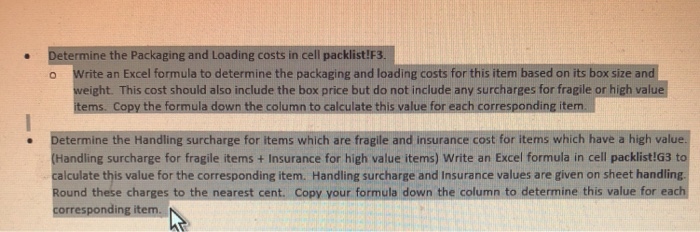
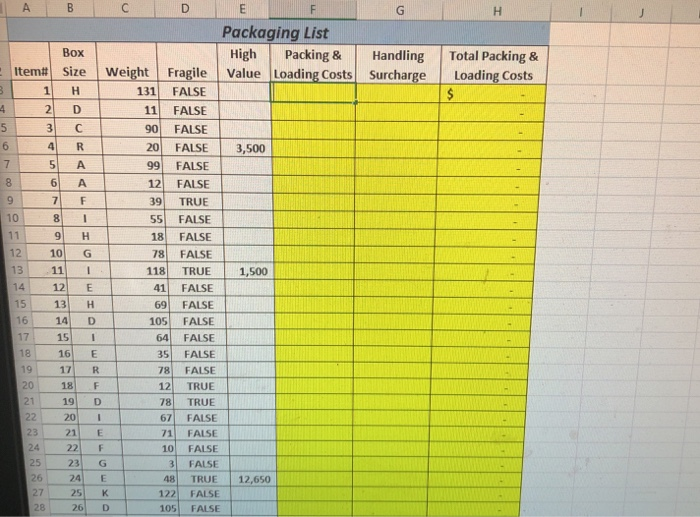
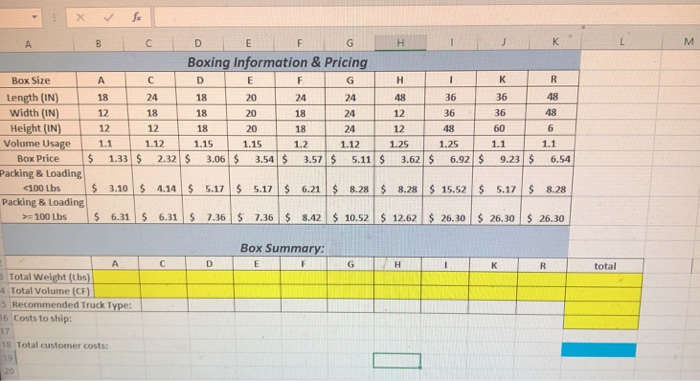
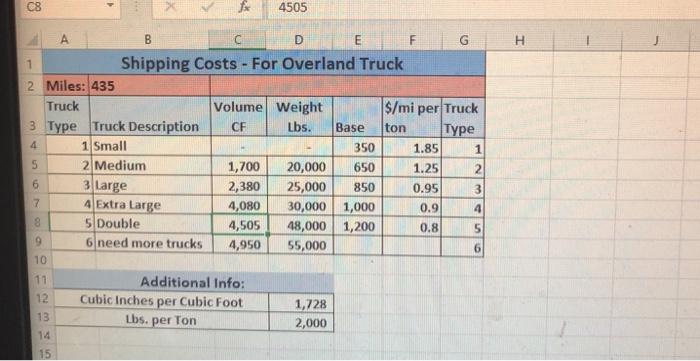
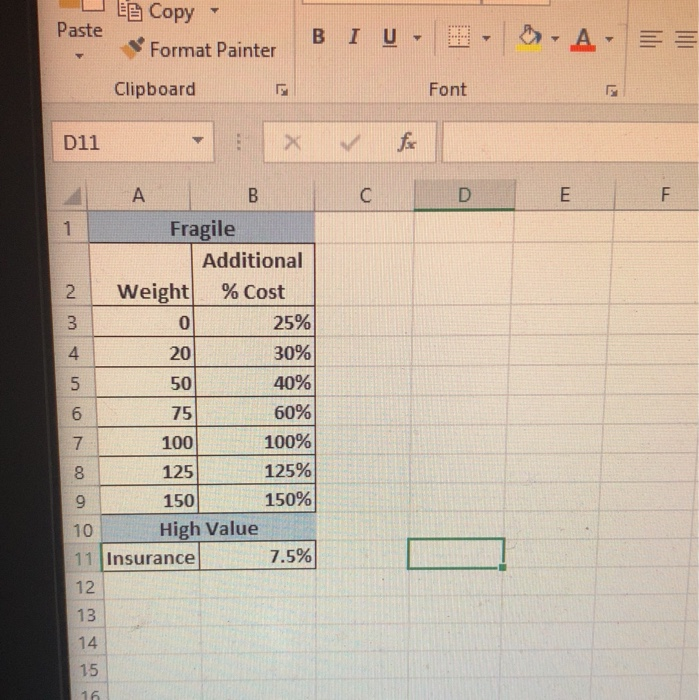
Determine the Packaging and Loading costs in cell packlist!F3, o Write an Excel formula to determine the packaging and loading costs for this item based on its box size and weight. This cost should also include the box price but do not include any surcharges for fragile or high value ems. lumn to calculate this value for each corresponding item. Determine the Handling surcharge for items which are fragile and insurance cost for items which have a high value. (Handling surcharge for fragile items + Insurance for high value items) Write an Excel formula in cell packlist!G3 to calculate this value for the corresponding item. Handling surcharge and Insurance values are given on sheet handling Round these charges to the nearest cent. Copy your formula down the column to determine this value for each orresponding item. Determine the Packaging and Loading costs in cell packlist!F3, o Write an Excel formula to determine the packaging and loading costs for this item based on its box size and weight. This cost should also include the box price but do not include any surcharges for fragile or high value ems. lumn to calculate this value for each corresponding item. Determine the Handling surcharge for items which are fragile and insurance cost for items which have a high value. (Handling surcharge for fragile items + Insurance for high value items) Write an Excel formula in cell packlist!G3 to calculate this value for the corresponding item. Handling surcharge and Insurance values are given on sheet handling Round these charges to the nearest cent. Copy your formula down the column to determine this value for each orresponding item
Step by Step Solution
There are 3 Steps involved in it

Get step-by-step solutions from verified subject matter experts
 Study Help