







Question: Determine whether IP addresses are on same network. You are configuring two PCs for your network. PC-A is given an IP address of 192.168.1.18, and
Determine whether IP addresses are on same network.
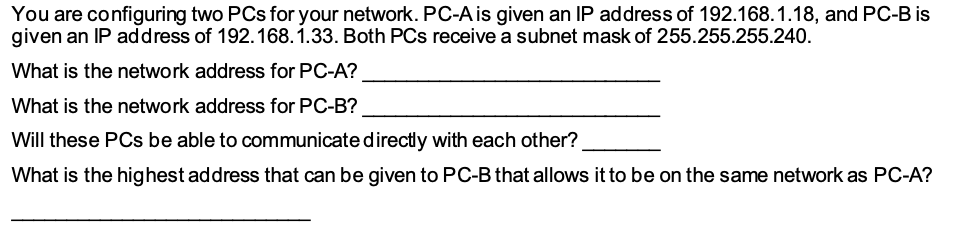

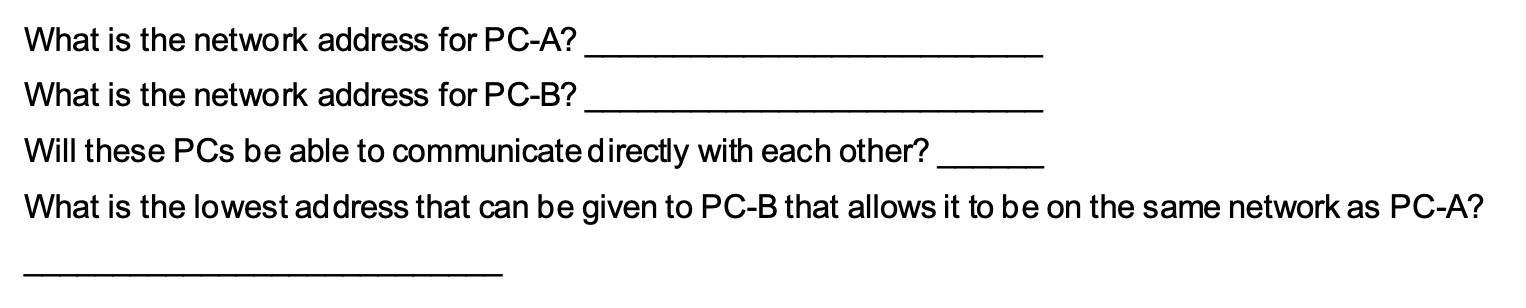
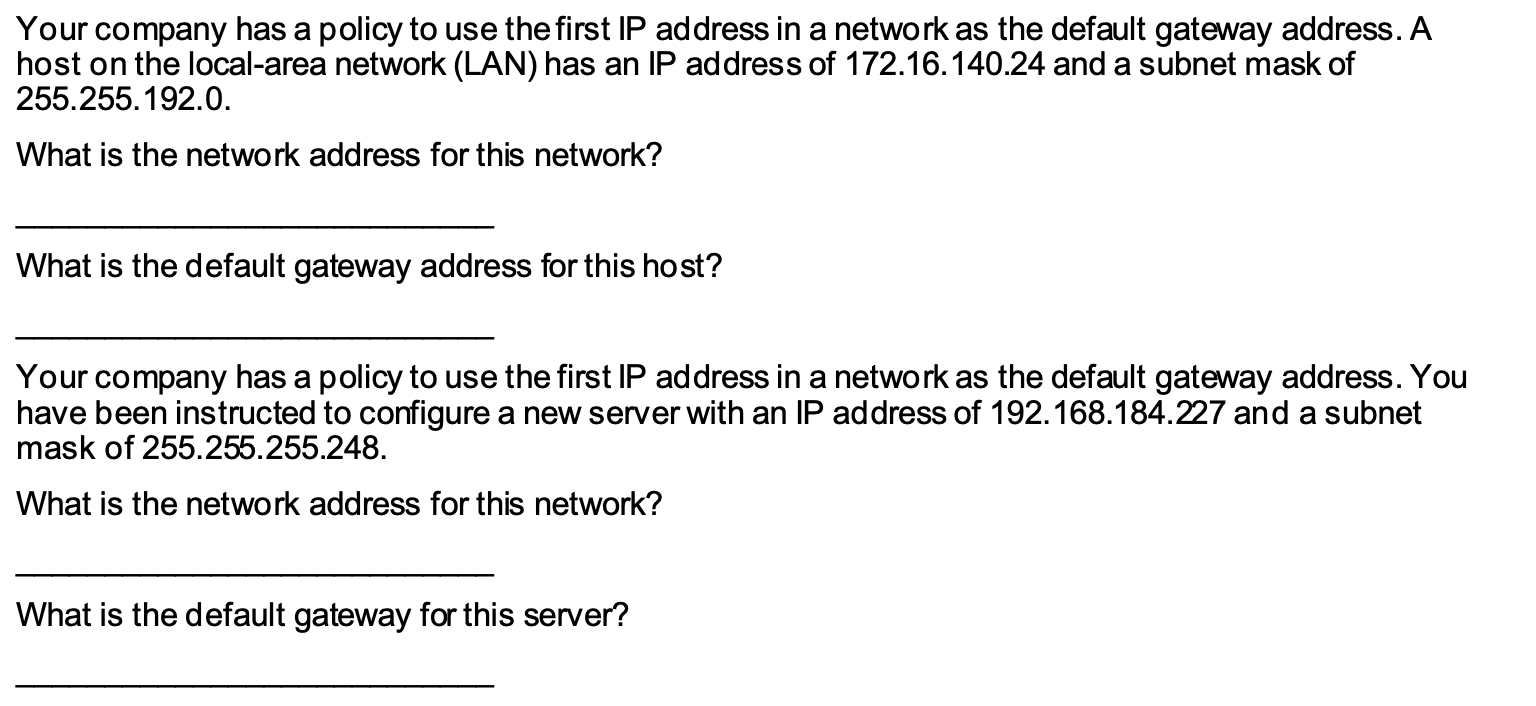
You are configuring two PCs for your network. PC-A is given an IP address of 192.168.1.18, and PC-B is given an IP address of 192.168.1.33. Both PCs receive a subnet mask of 255.255.255.240. What is the network address for PC-A? What is the network address for PC-B? Will these PCs be able to communicate directly with each other? What is the highest address that can be given to PC-B that allows it to be on the same network as PC-A? You are configuring two PCs for your network. PC-A is given an IP address of 10.0.0.16, and PC-B is given an IP address of 10.1.14.68. Both PCs receive a subnet mask of 255.254.0.0. What is the network address for PC-A? What is the network address for PC-B? Will these PCs be able to communicate directly with each other? What is the lowest address that can be given to PC-B that allows it to be on the same network as PC-A? Your company has a policy to use the first IP address in a network as the default gateway address. A host on the local-area network (LAN) has an IP address of 172.16.140.24 and a subnet mask of 255.255.192.0. What is the network address for this network? What is the default gateway address for this host? Your company has a policy to use the first IP address in a network as the default gateway address. You have been instructed to configure a new server with an IP address of 192.168.184.227 and a subnet mask of 255.255.255.248. What is the network address for this network? What is the default gateway for this server
Step by Step Solution
There are 3 Steps involved in it

Get step-by-step solutions from verified subject matter experts
 Study Help