







Question: Digital image processing (math lab) Description Histogram counts can be used to describe data distribution and can be used to represent the data. This concept
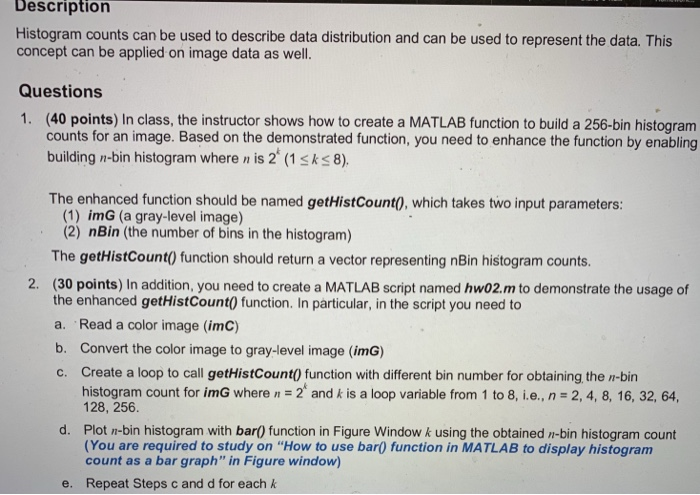

Description Histogram counts can be used to describe data distribution and can be used to represent the data. This concept can be applied on image data as well. Questions 1. (40 points) In class, the instructor shows how to create a MATLAB function to build a 256-bin histogram counts for an image. Based on the demonstrated function, you need to enhance the function by enabling building n-bin histogram where n is 2 (1sks8) The enhanced function should be named getHistCount), which takes two input parameters: (1) imG (a gray-level image) (2) nBin (the number of bins in the histogram) The getHistCount) function should return a vector representing nBin histogram counts. 2. (30 points) In addition, you need to create a MATLAB script named hw02m to demonstrate the usage of the enhanced getHistCount0 function. In particular, in the script you need to a. Read a color image (imC) b. Convert the color image to gray-level image (imG) c. Create a loop to call getHistCount(0 function with different bin number for obtaining the n-bin histogram count for imG where n 2 and k is a loop variable from 1 to 8, i.e., n 2, 4, 8, 16, 32, 64, 128, 256. Plot n-bin histogram with bar) function in Figure Window k using the obtained n-bin histogram count (You are required to study on "How to use bar0 function in MATLAB to display histogram count as a bar graph" in Figure window) Repeat Steps c and d for each k d. e. 3. (20 points) Prepare a 3-minute demo to show your work in class on the due day. A color image named peppers.png is provided as a build-in image in MATLAB to test the effectiveness of your script and the enhanced function. Before demonstrating your work in class, you should change the file name of the color image in your script (Step a). (10 points) on-time submission on blackboard. Please follow the instructions below to submit your works. 4
Step by Step Solution
There are 3 Steps involved in it

Get step-by-step solutions from verified subject matter experts
 Study Help