







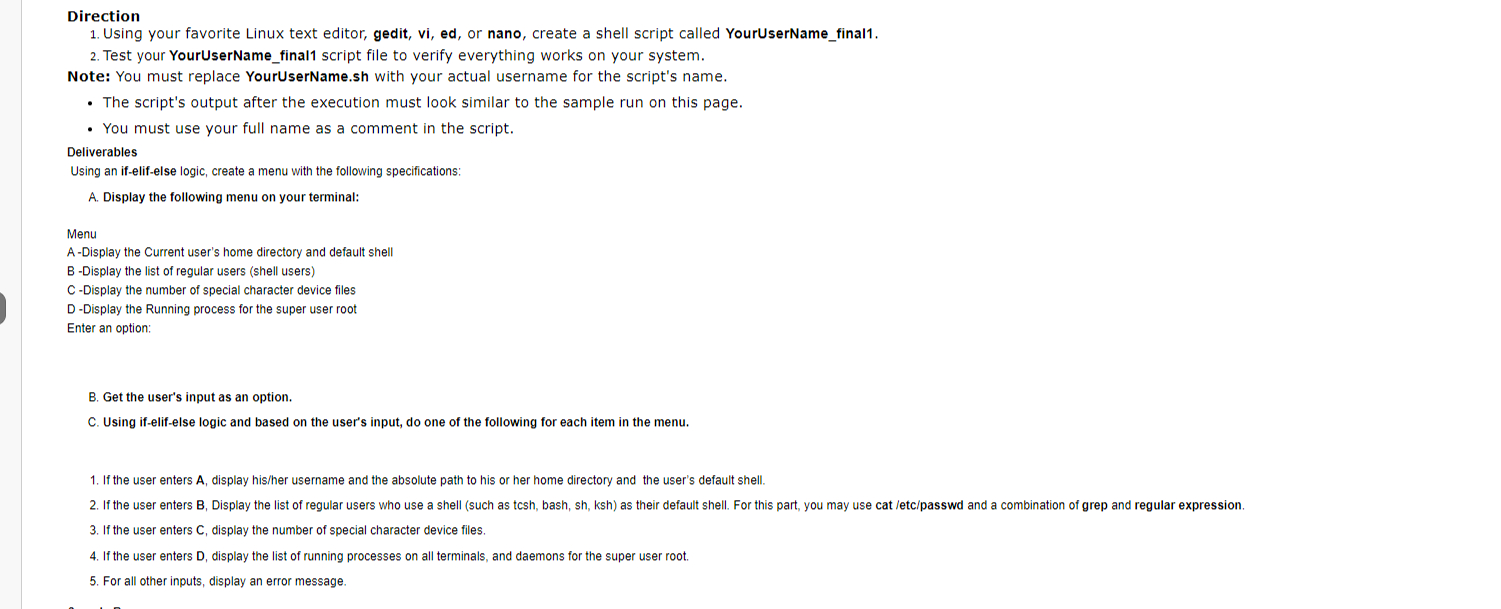
Question: Direction Using your favorite Linux text editor, gedit, vi , ed , or nano, create a shell script called YourUserName _ final 1 . Test
Direction
Using your favorite Linux text editor, gedit, vi ed or nano, create a shell script called YourUserNamefinal
Test your YourUserNamefinal script file to verify everything works on your system.
Note: You must replace
YourUserName.sh with your actual username for the script's name.
The script's output after the execution must look similar to the sample run on this page.
You must use your full name as a comment in the script.
Deliverables
Using an ifelifelse logic, create a menu with the following specifications:
A Display the following menu on your terminal:
Menu
A Display the Current user's home directory and default shell
B Display the list of regular users shell users
CDisplay the number of special character device files
D Display the Running process for the super user root
Enter an option:
B Get the user's input as an option.
C Using ifelifelse logic and based on the user's input, do one of the following for each item in the menu.
If the user enters display hisher username and the absolute path to his or her home directory and the user's default shell.
If the user enters B Display the list of regular users who use a shell such as tcsh bash, sh ksh as their default shell. For this part, you may use cat etcpasswd and a combination of grep and regular expression.
If the user enters C display the number of special character device files.
If the user enters D display the list of running processes on all terminals, and daemons for the super user root.
For all other inputs, display an error message.
Step by Step Solution
There are 3 Steps involved in it
1 Expert Approved Answer
Step: 1 Unlock

Question Has Been Solved by an Expert!
Get step-by-step solutions from verified subject matter experts
Step: 2 Unlock
Step: 3 Unlock
 Study Help