







Question: Directions: Don't forget to add your Java oc comments for your classes, constructor and meth ods in this activity. For this assignment, you will need
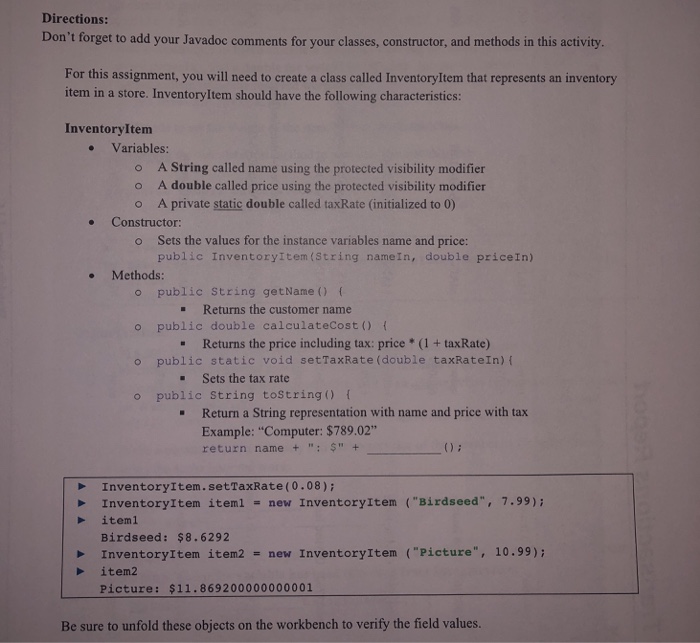
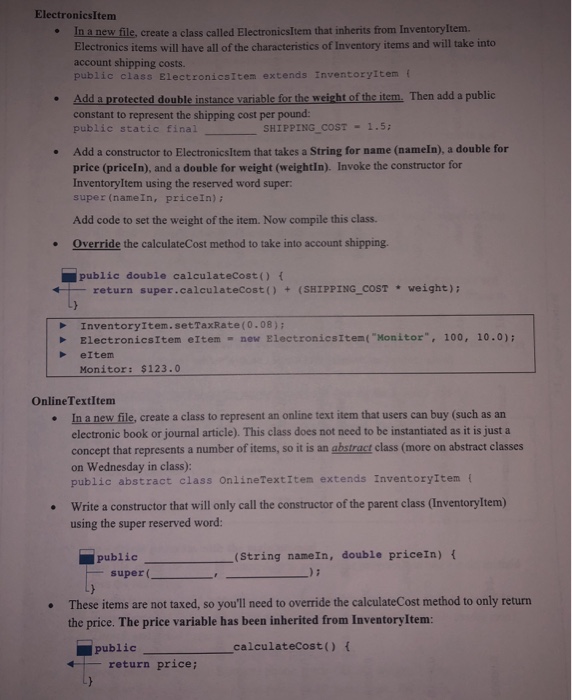
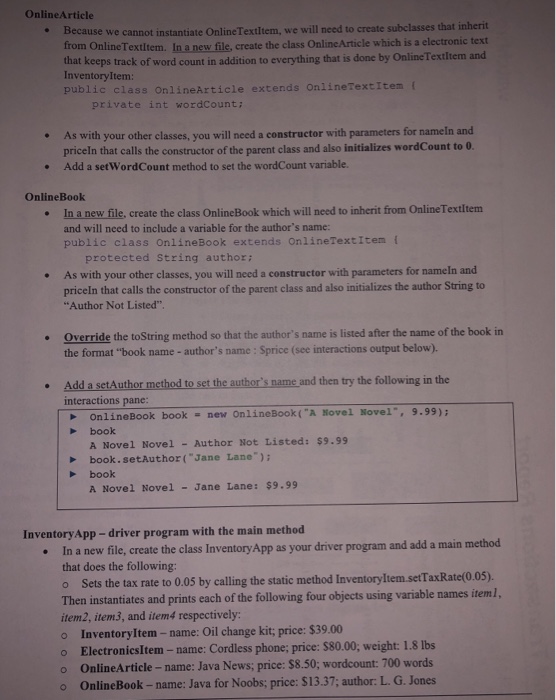
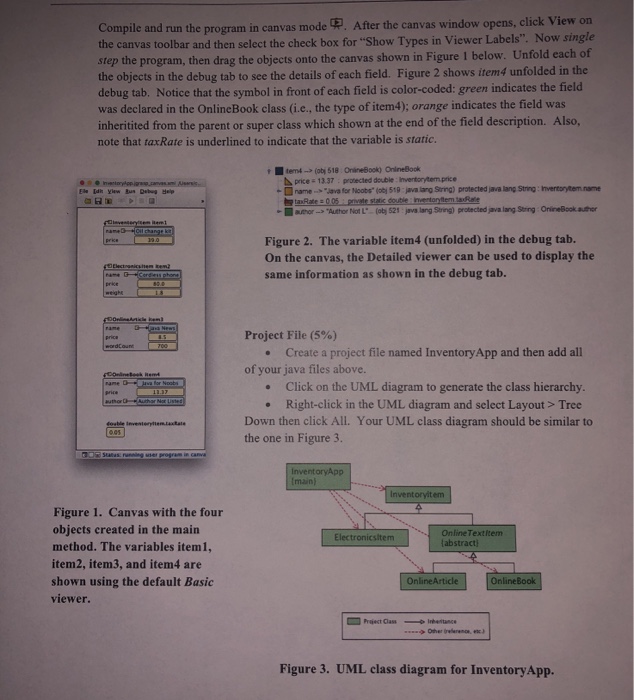
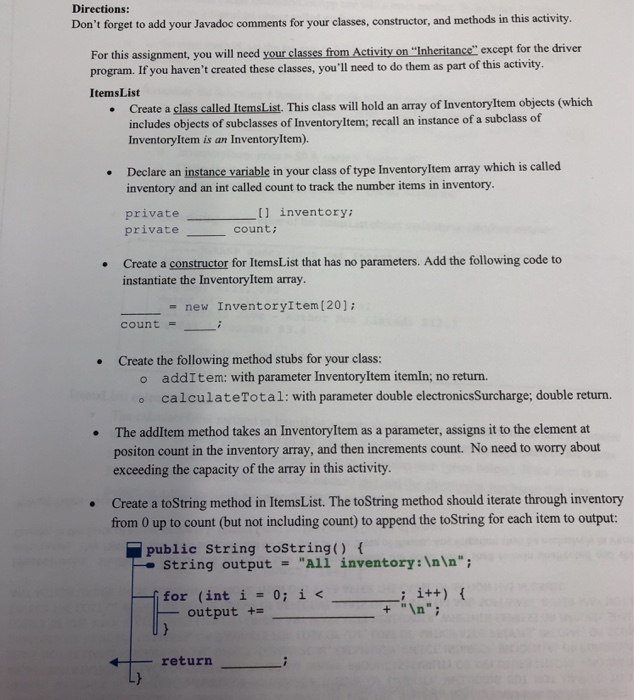
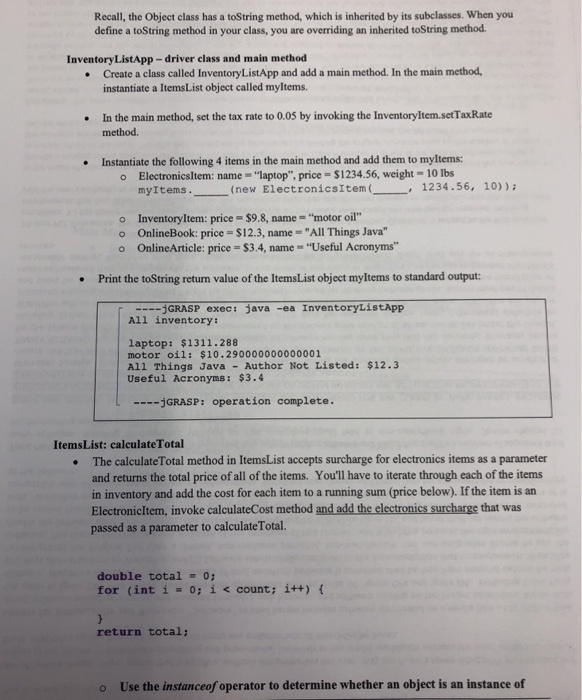
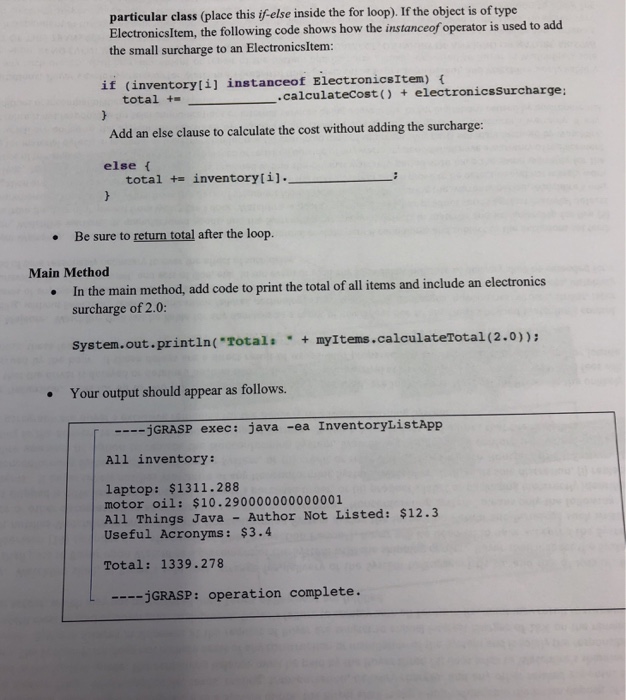
Directions: Don't forget to add your Java oc comments for your classes, constructor and meth ods in this activity. For this assignment, you will need to create a class called Inventoryltem that represents an inventory item in a store. InventoryItem should have the following characteristics: Inventoryltem Variables: o A String called name using the protected visibility modifier o A double called price using the protected visibility modifier o A private static double called taxRate (initialized to 0) . Constructor o Sets the values for the instance variables name and price: public Inventoryitem (String nameIn, double priceIn) o public string getName) f o public double calculateCost) f o public static void setTaxRate (double taxRateIn) f Methods: - Returns the customer name - Returns the price including tax: price *(1+ taxRate - Sets the tax rate . Return a String representation with name and price with tax o public String toString) Example: "Computer: $789.02" return name+"+ InventoryItem.setTaxRate (0.08)i InventoryItem item1 - new InventoryItem ("Birdseed", 7.99): Birdseed: $8.6292 iteml InventoryItem item2 new InventoryItem ("Picture", 10.99): item2 Picture: $11.869200000000001 Be sure to unfold these objects on the workbench to verify the field values
Step by Step Solution
There are 3 Steps involved in it

Get step-by-step solutions from verified subject matter experts
 Study Help