







Question: Do in c Render four objects in four viewports of a single display window. (An example is provided at the end.) Set the display window
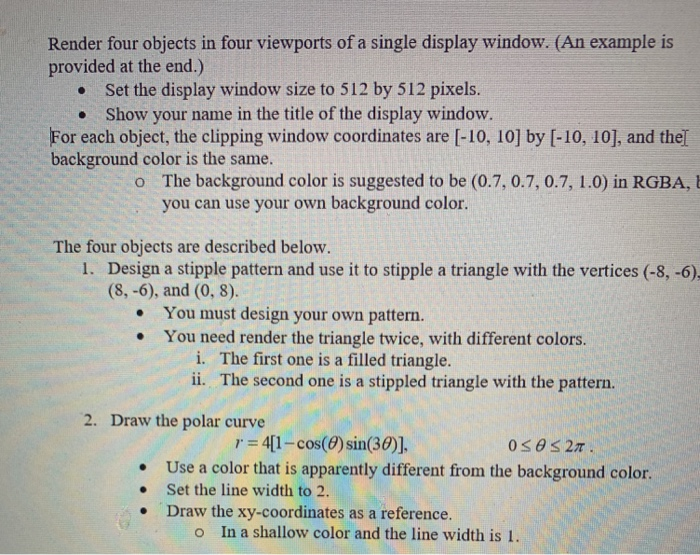
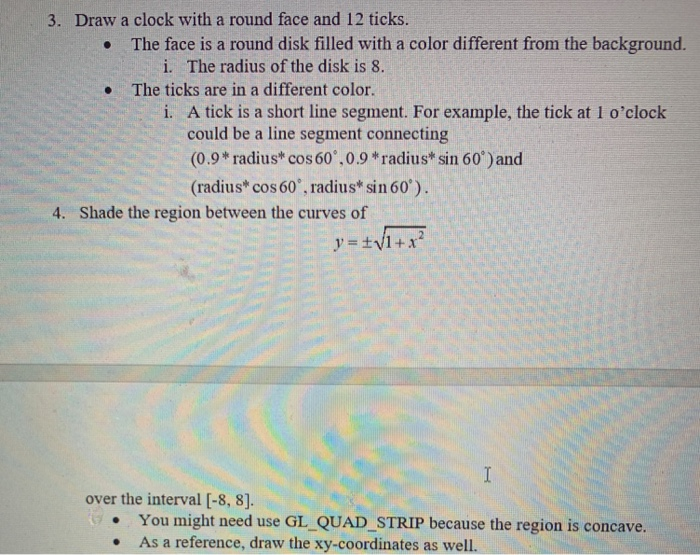
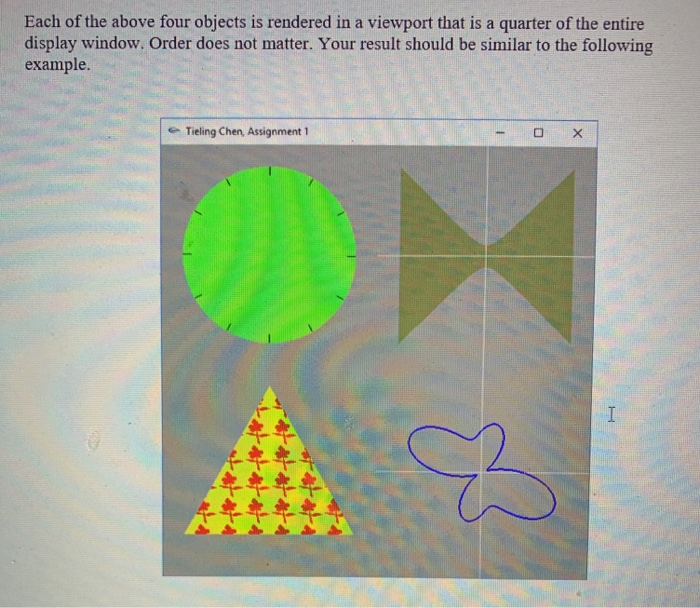
Render four objects in four viewports of a single display window. (An example is provided at the end.) Set the display window size to 512 by 512 pixels. Show your name in the title of the display window. . . For each object, the clipping window coordinates are [-10, 10] by [-10, 10], and the[ background color is the same. The background color is suggested to be (0.7, 0.7, 0.7, 1.0) in RGBA,b you can use your own background color o The four objects are described below 1. Design a stipple pattern and use it to stipple a triangle with the vertices (-8, -6), (8, -6), and (0, 8). You must design your own pattern. You need render the triangle twice, with different colors. . i. The first one is a filled triangle. ii. The second one is a stippled triangle with the pattern. 2. Draw the polar curve r41-cos(0) sin(30)]. Use a color that is apparently different from the background color. . Set the line width to 2 Draw the xy-coordinates as a reference. o In a shallow color and the line width is I. 3. Draw a clock with a round face and 12 ticks. The face is a round disk filled with a color different from the background i. The radius of the disk is 8. . The ticks are in a different color. i. A tick is a short line segment. For example, the tick at 1 o'clock could be a line segment connecting (0.9 radius* cos60,0.9*radius* sin 60) and (radiust cos60', radiust sin 601). 4. Shade the region between the curves of over the interval [-8, 8]. .You might need use GL_QUAD_STRIP because the region is concave As a reference, draw the xy-coordinates as well. Each of the above four objects is rendered in a viewport that is a quarter of the entire display window. Order does not matter. Your result should be similar to the following example. Tieling Chen, Assignment 1 Render four objects in four viewports of a single display window. (An example is provided at the end.) Set the display window size to 512 by 512 pixels. Show your name in the title of the display window. . . For each object, the clipping window coordinates are [-10, 10] by [-10, 10], and the[ background color is the same. The background color is suggested to be (0.7, 0.7, 0.7, 1.0) in RGBA,b you can use your own background color o The four objects are described below 1. Design a stipple pattern and use it to stipple a triangle with the vertices (-8, -6), (8, -6), and (0, 8). You must design your own pattern. You need render the triangle twice, with different colors. . i. The first one is a filled triangle. ii. The second one is a stippled triangle with the pattern. 2. Draw the polar curve r41-cos(0) sin(30)]. Use a color that is apparently different from the background color. . Set the line width to 2 Draw the xy-coordinates as a reference. o In a shallow color and the line width is I. 3. Draw a clock with a round face and 12 ticks. The face is a round disk filled with a color different from the background i. The radius of the disk is 8. . The ticks are in a different color. i. A tick is a short line segment. For example, the tick at 1 o'clock could be a line segment connecting (0.9 radius* cos60,0.9*radius* sin 60) and (radiust cos60', radiust sin 601). 4. Shade the region between the curves of over the interval [-8, 8]. .You might need use GL_QUAD_STRIP because the region is concave As a reference, draw the xy-coordinates as well. Each of the above four objects is rendered in a viewport that is a quarter of the entire display window. Order does not matter. Your result should be similar to the following example. Tieling Chen, Assignment 1
Step by Step Solution
There are 3 Steps involved in it

Get step-by-step solutions from verified subject matter experts
 Study Help