







Question: DO ONLY 6-10 PER CHEG RULES! CLEAR ANSWERS WITH PACKET TRACER EXAMPLE THANK U Pan Configure the Network The tice laptop and the printer will
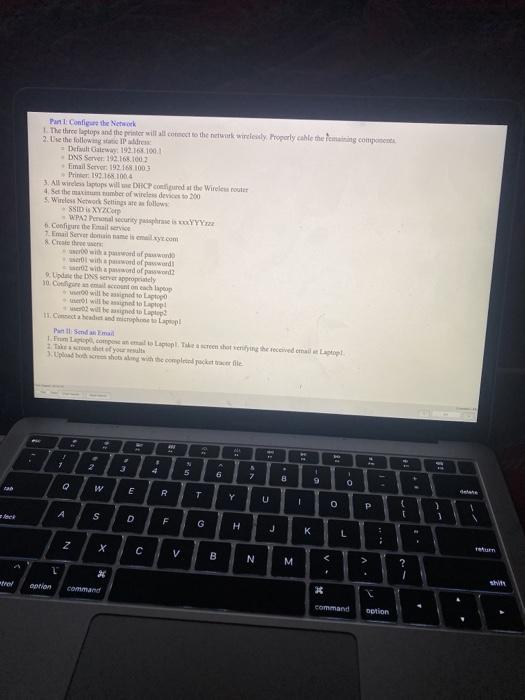
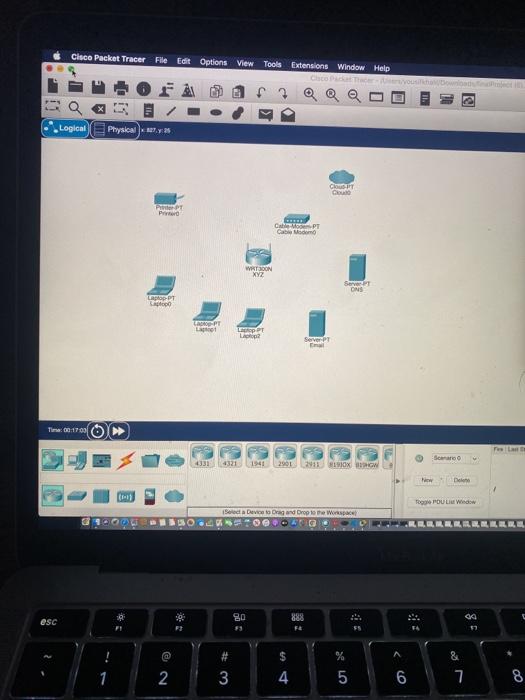
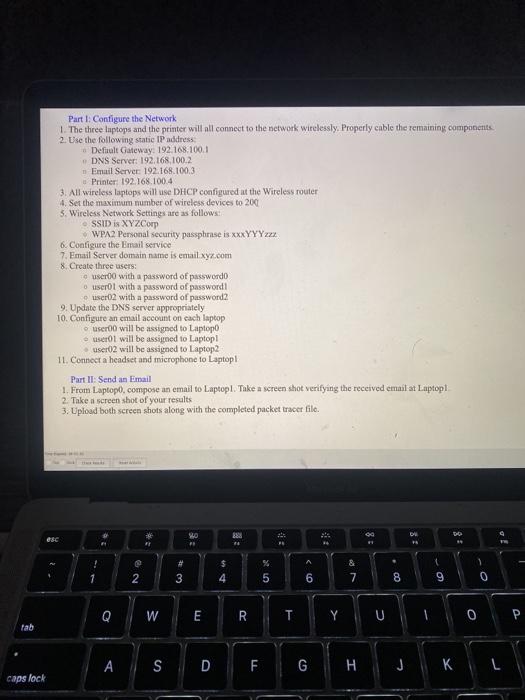
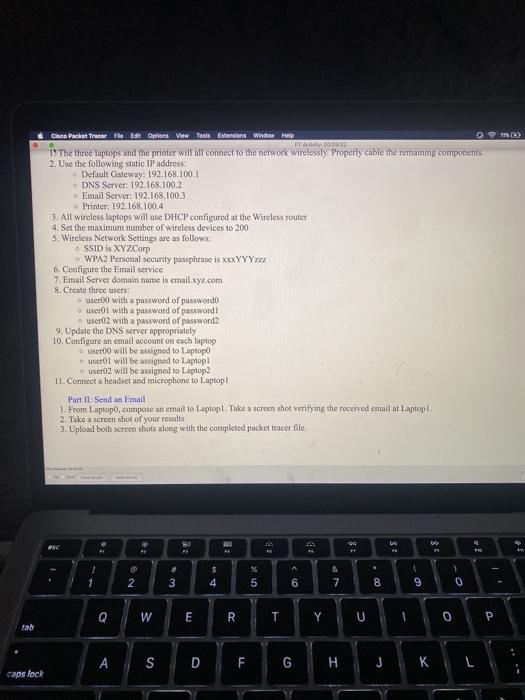
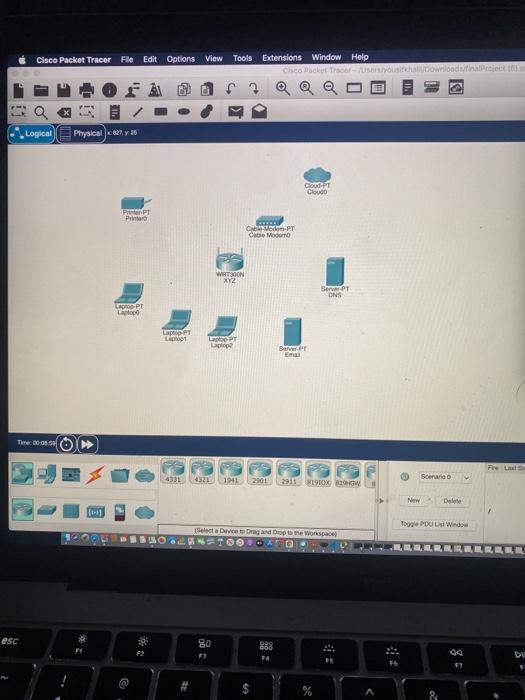
Pan Configure the Network The tice laptop and the printer will all come to the network wiely Properly cable the main componente 2. Use the following = Det Galewwy: 192.168.100.1 DNS Server 192.168.100 Email Server: 192.168.1003 Primer: 192.168.1004 3. All winds laptops will compared at the Wireless router 4. Set the maximumber of wireless devices to 200 Wireless Netwock Settings are follow SSID XYZ.Com WAP security is a YYYzza Configure the service Email Server de mes como Creath window with word of power with powd of Update the DNS server appropriately 10. Costa who will be to Lao will be mort we will be used to La Pinil Sedan marocopee La Tehotel Ich your . 3 10 4 5 6 7 - 8 9 2 W E R Y O > 1 A S t D F G H J L Z X C Un V B N M V ? I 2 ered sh comand command beton Cisco Packet Tracer File Edit Options View Tools Extensions Window Help Vous Logical Physical 25 COIT Cloud PPT PO CP Com WATSOON XYZ Server ONS PODT LOPE Lot Lap PT Lp Server Time: 00:17:03 Seman 4331 4331191290 2911 1910 W w Deine TOPOUL Window Soda Device to Dragon Drop to the space HOOT Qe 90 888 esc F 99 57 @ # & 2 3 4 6 7 8 Part 1: Configure the Network 1. The three luptops and the printer will all connect to the network wirelessly. Properly cable the remaining components 2. Use the following static IP address Definult Gateway: 192.168.100.1 DNS Server: 192.168.100.2 Email Server 192.168.100.3 Printer: 192.168.100.4 3. All wireless laptops will use DHCP configured at the Wireless router 4. Set the maximum number of wireless devices to 200 5. Wireless Network Settings are as follows: SSID is XYZCorp WPA2 Personal security passphrase is xxxYYYzxx 6. Configure the Email service 7. Email Server domain name is email.xyz.com 8 Create three users: user with a password of password userot with a password of password o user02 with a password of password? 9. Update the DNS server appropriately 10. Configute an email account on each laptop o user will be assigned to Laptop ser01 will be assigned to Laptop user02 will be assigned to Laptop2 11. Connect a headset and microphone to Laptop Part II: Send an email 1. From Laptop, compose an email to Laptop. Take a screen shot verifying the received email at Laptop 2. Take a screen shot of your results 3. Upload both screen shots along with the completed packet tracer file. 10 81 1 A U 20 & 7 2 3 4 6 8 9 0 Q W E R Y U OP tab ASD F F G H J KL caps lock TND Clace Packet Tracer Edit Options View Tools Extensions Window Help FTA. 1 The three laptops and the printer will all connect to the network wirelessly. Properly cable the remaining components 2. Use the following static IP address Default Gateway: 192.168.100.1 DNS Server: 192.168.100.2 Email Server: 192.168.100.3 Printer: 192.168.100.4 3. All wireless Laptops will use DHCP configured at the Wireless router 4. Set the maximum number of wireless devices to 200 5. Wireless Network Settings are as follows: SSID is XYZCorp WPA2 Personal security passphrase is xxxYYYxxx 6. Configure the Email service 7. Email Server domain name is email.xyz.com 8. Create three users: user with a password of password scrol with a password of password user02 with a password of password 9. Update the DNS server appropriately 10. Configure an email account on cach laptop user will be assigned to Laptop users will be assigned to Laptop! - user02 will be assigned to Laptop2 11. Connect a headset and microphone to Laptop Part II: Send an email 1. From Laptop, compose an email to Laptop. Take a screen shot verifying the received email at Laptop 2. Take a screen shot of your results 3. Upload both screen shots along with the completed packet tracer file How go UR 1 - # 3 $ 4 % 5 & 7 1 2 6 8 9 0 Q W E R T YUL 0 SDF G H caps lock Cisco Packet Tracer File Edit Options View Tools Extensions Window Help Cisco Macket trace 0 a Logical Physical 127,30 DUT Cloud PPT P Cibon-PT Cabe Moon WAT390N XYZ Server PT DNS COOPT pop FT Light Epp PT Barver PT Ema Time 008. Fre La 4331 1941 29012915 1910X BW Sonario New De 109 POUL Window Select a Device Dragando bore Workspace O esc 0 999 090 DU @ $ Pan Configure the Network The tice laptop and the printer will all come to the network wiely Properly cable the main componente 2. Use the following = Det Galewwy: 192.168.100.1 DNS Server 192.168.100 Email Server: 192.168.1003 Primer: 192.168.1004 3. All winds laptops will compared at the Wireless router 4. Set the maximumber of wireless devices to 200 Wireless Netwock Settings are follow SSID XYZ.Com WAP security is a YYYzza Configure the service Email Server de mes como Creath window with word of power with powd of Update the DNS server appropriately 10. Costa who will be to Lao will be mort we will be used to La Pinil Sedan marocopee La Tehotel Ich your . 3 10 4 5 6 7 - 8 9 2 W E R Y O > 1 A S t D F G H J L Z X C Un V B N M V ? I 2 ered sh comand command beton Cisco Packet Tracer File Edit Options View Tools Extensions Window Help Vous Logical Physical 25 COIT Cloud PPT PO CP Com WATSOON XYZ Server ONS PODT LOPE Lot Lap PT Lp Server Time: 00:17:03 Seman 4331 4331191290 2911 1910 W w Deine TOPOUL Window Soda Device to Dragon Drop to the space HOOT Qe 90 888 esc F 99 57 @ # & 2 3 4 6 7 8 Part 1: Configure the Network 1. The three luptops and the printer will all connect to the network wirelessly. Properly cable the remaining components 2. Use the following static IP address Definult Gateway: 192.168.100.1 DNS Server: 192.168.100.2 Email Server 192.168.100.3 Printer: 192.168.100.4 3. All wireless laptops will use DHCP configured at the Wireless router 4. Set the maximum number of wireless devices to 200 5. Wireless Network Settings are as follows: SSID is XYZCorp WPA2 Personal security passphrase is xxxYYYzxx 6. Configure the Email service 7. Email Server domain name is email.xyz.com 8 Create three users: user with a password of password userot with a password of password o user02 with a password of password? 9. Update the DNS server appropriately 10. Configute an email account on each laptop o user will be assigned to Laptop ser01 will be assigned to Laptop user02 will be assigned to Laptop2 11. Connect a headset and microphone to Laptop Part II: Send an email 1. From Laptop, compose an email to Laptop. Take a screen shot verifying the received email at Laptop 2. Take a screen shot of your results 3. Upload both screen shots along with the completed packet tracer file. 10 81 1 A U 20 & 7 2 3 4 6 8 9 0 Q W E R Y U OP tab ASD F F G H J KL caps lock TND Clace Packet Tracer Edit Options View Tools Extensions Window Help FTA. 1 The three laptops and the printer will all connect to the network wirelessly. Properly cable the remaining components 2. Use the following static IP address Default Gateway: 192.168.100.1 DNS Server: 192.168.100.2 Email Server: 192.168.100.3 Printer: 192.168.100.4 3. All wireless Laptops will use DHCP configured at the Wireless router 4. Set the maximum number of wireless devices to 200 5. Wireless Network Settings are as follows: SSID is XYZCorp WPA2 Personal security passphrase is xxxYYYxxx 6. Configure the Email service 7. Email Server domain name is email.xyz.com 8. Create three users: user with a password of password scrol with a password of password user02 with a password of password 9. Update the DNS server appropriately 10. Configure an email account on cach laptop user will be assigned to Laptop users will be assigned to Laptop! - user02 will be assigned to Laptop2 11. Connect a headset and microphone to Laptop Part II: Send an email 1. From Laptop, compose an email to Laptop. Take a screen shot verifying the received email at Laptop 2. Take a screen shot of your results 3. Upload both screen shots along with the completed packet tracer file How go UR 1 - # 3 $ 4 % 5 & 7 1 2 6 8 9 0 Q W E R T YUL 0 SDF G H caps lock Cisco Packet Tracer File Edit Options View Tools Extensions Window Help Cisco Macket trace 0 a Logical Physical 127,30 DUT Cloud PPT P Cibon-PT Cabe Moon WAT390N XYZ Server PT DNS COOPT pop FT Light Epp PT Barver PT Ema Time 008. Fre La 4331 1941 29012915 1910X BW Sonario New De 109 POUL Window Select a Device Dragando bore Workspace O esc 0 999 090 DU @ $
Step by Step Solution
There are 3 Steps involved in it

Get step-by-step solutions from verified subject matter experts
 Study Help