







Question: dog.java below Driver.java below Rescue animal below monkey.java is created from scratch please create that and modify Driver.java class for a thumbs up thank you
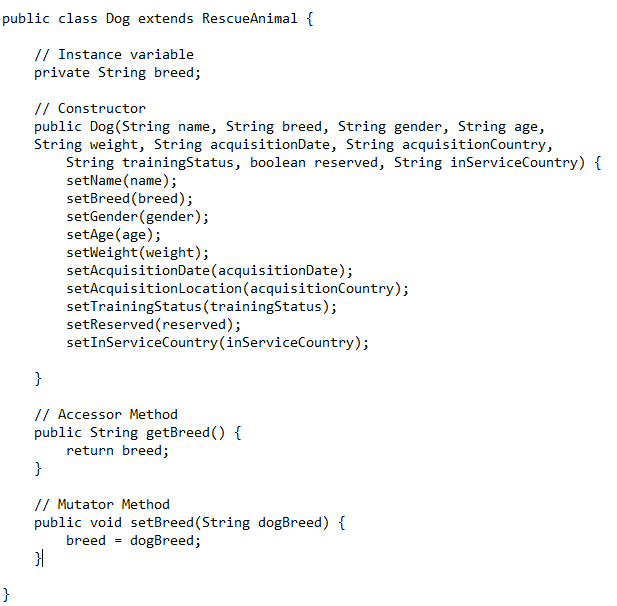
dog.java below
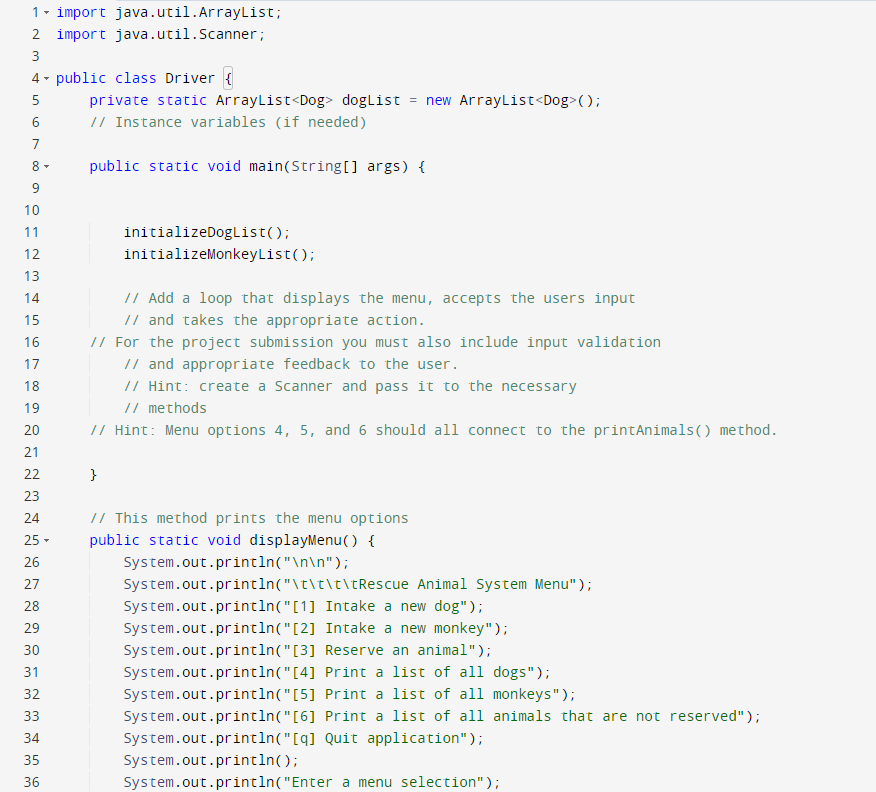
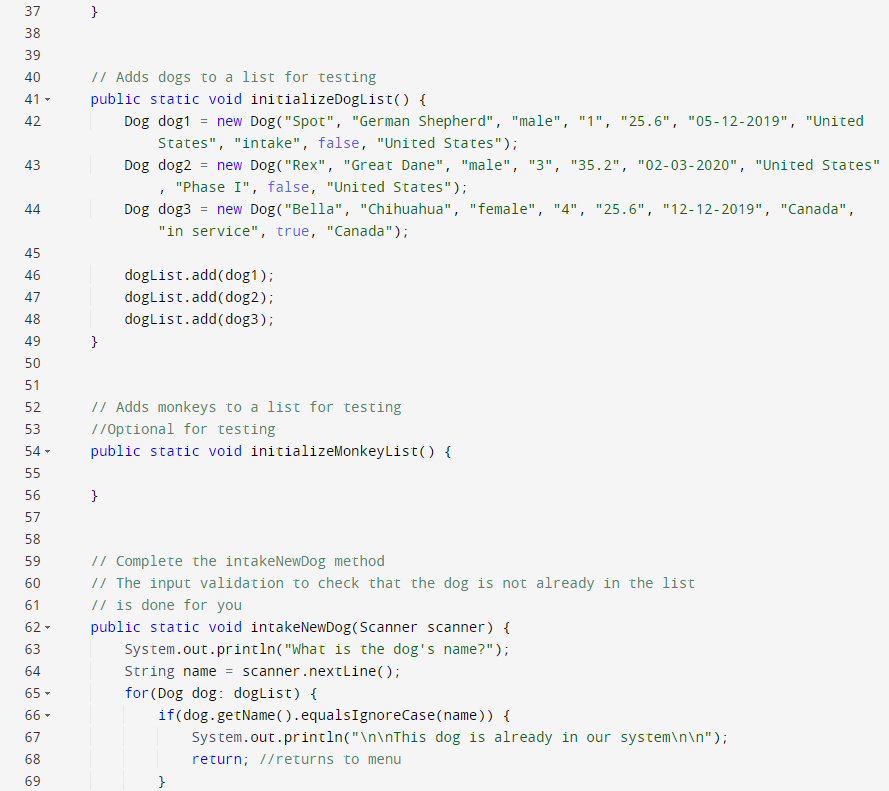
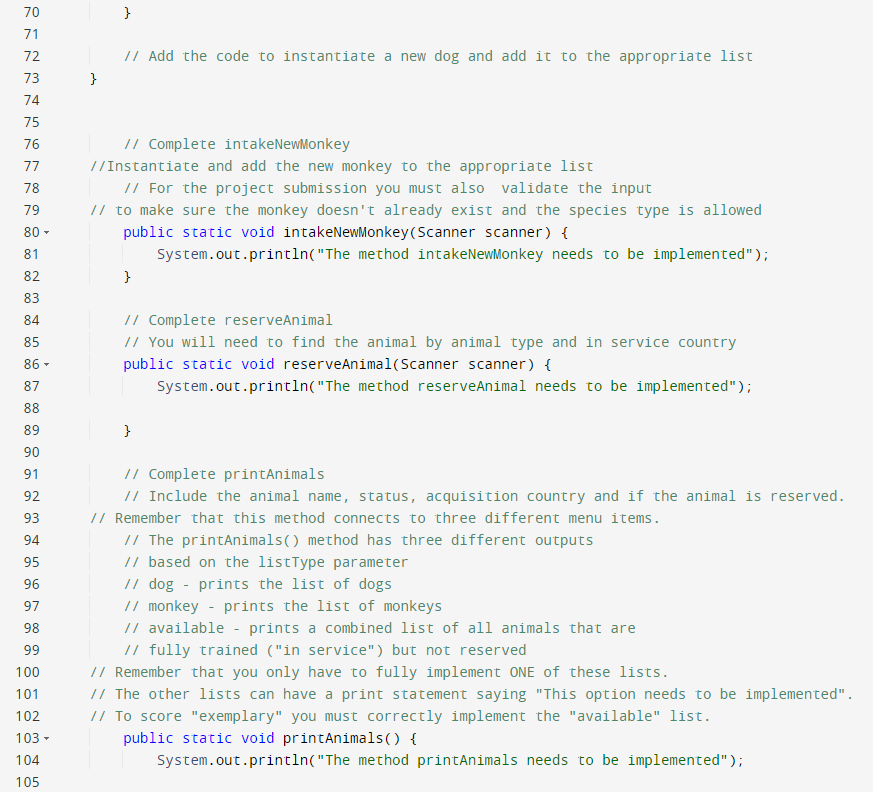
Driver.java below

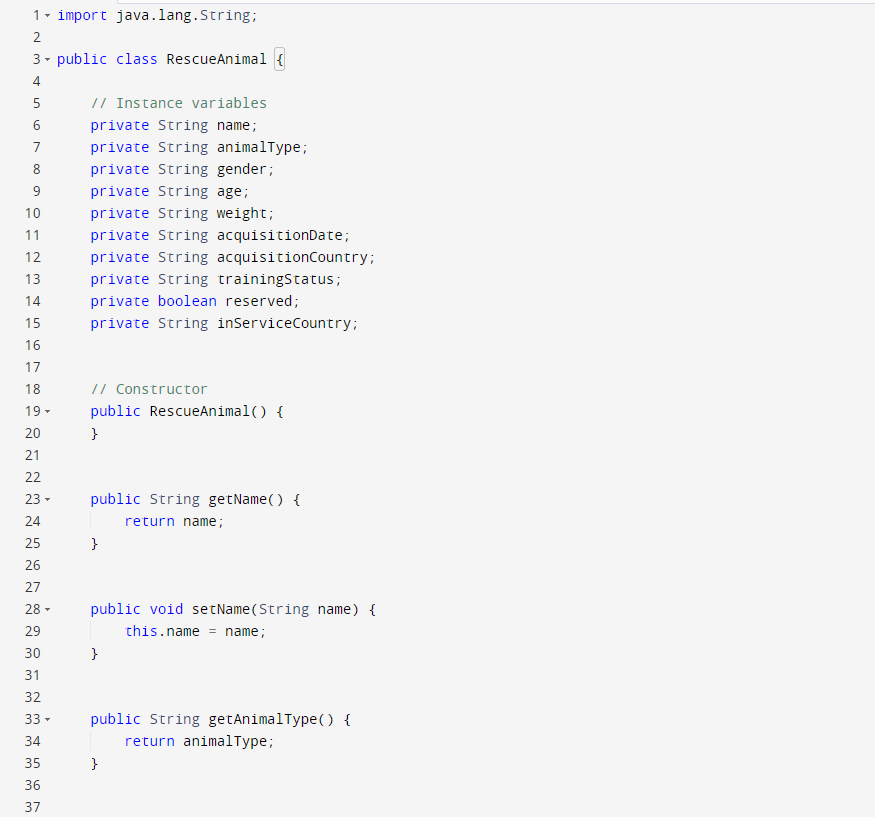
Rescue animal below
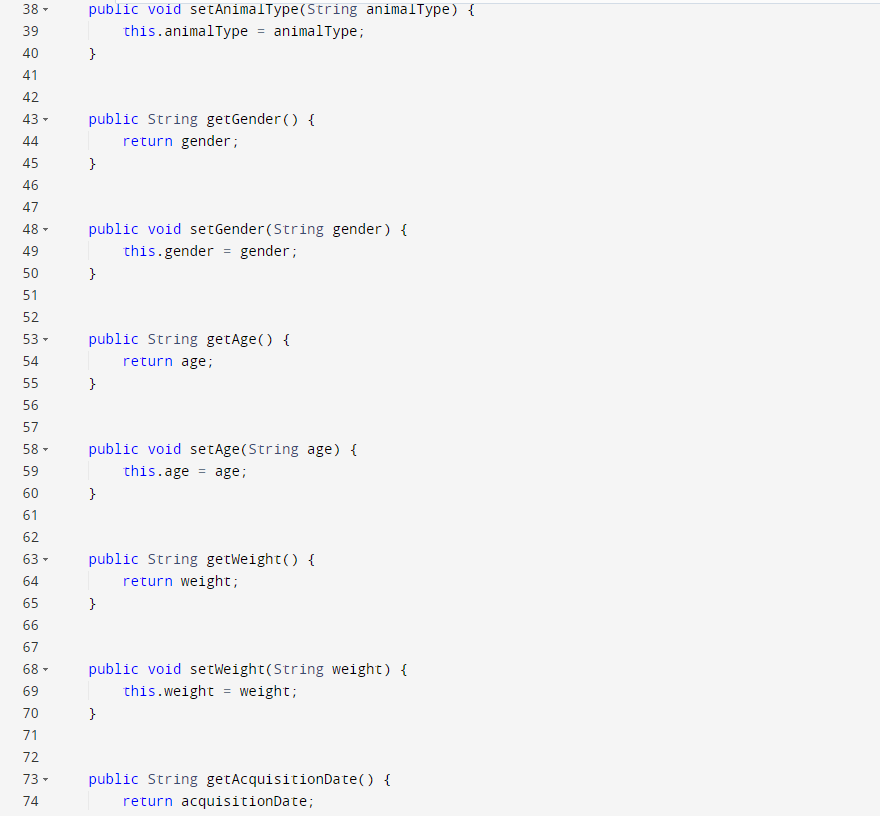
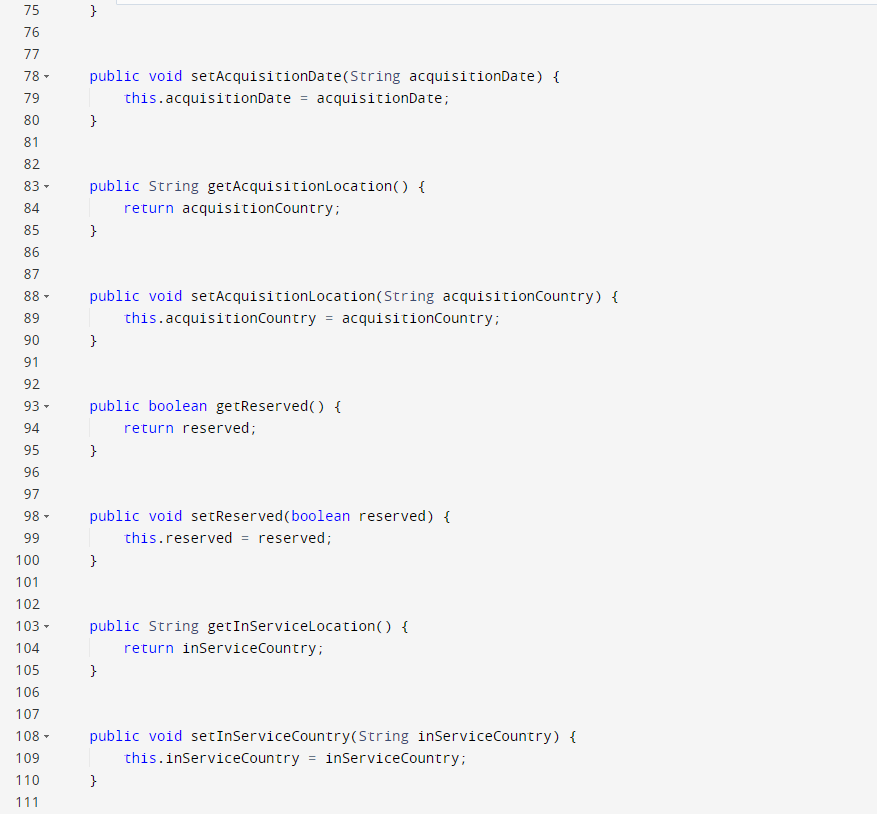
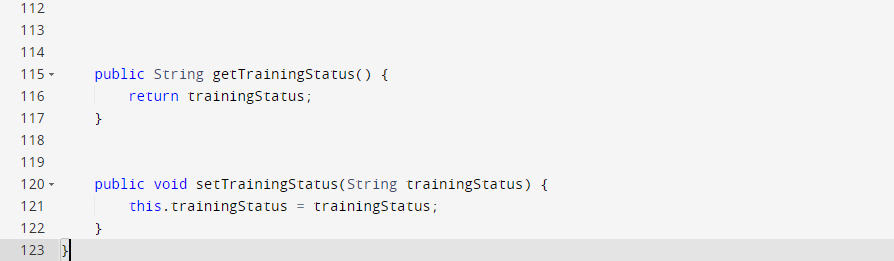
monkey.java is created from scratch please create that and modify Driver.java class for a thumbs up thank you (please make code neatly presented)
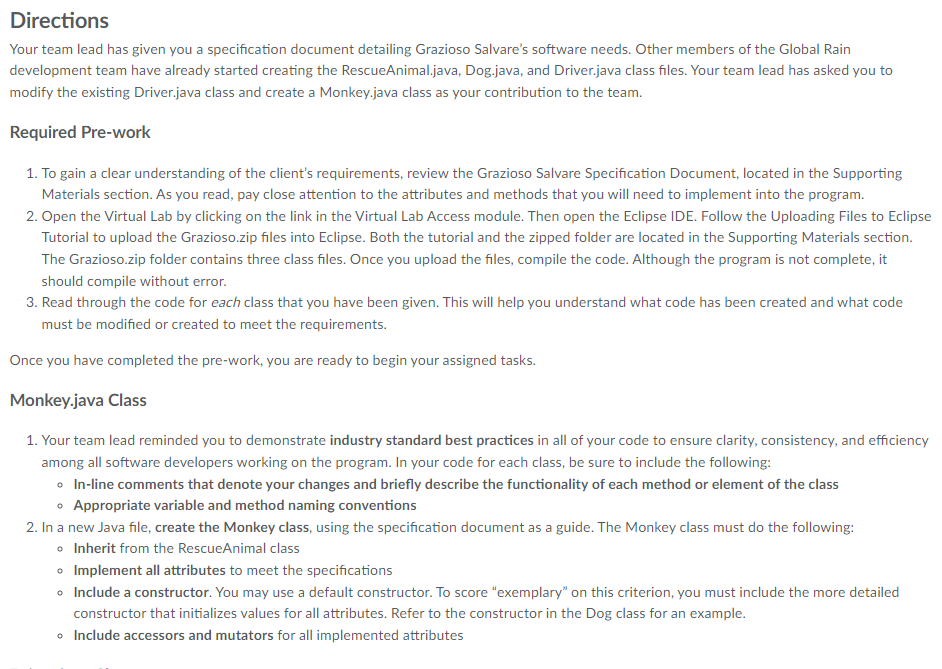
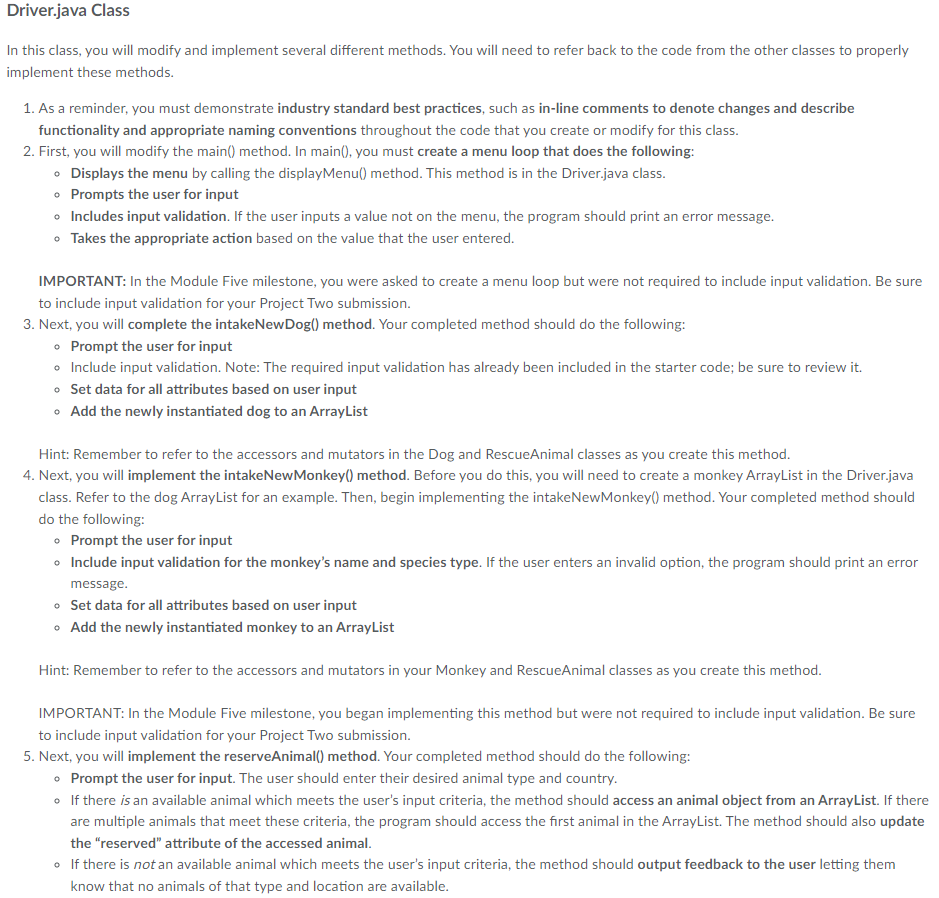
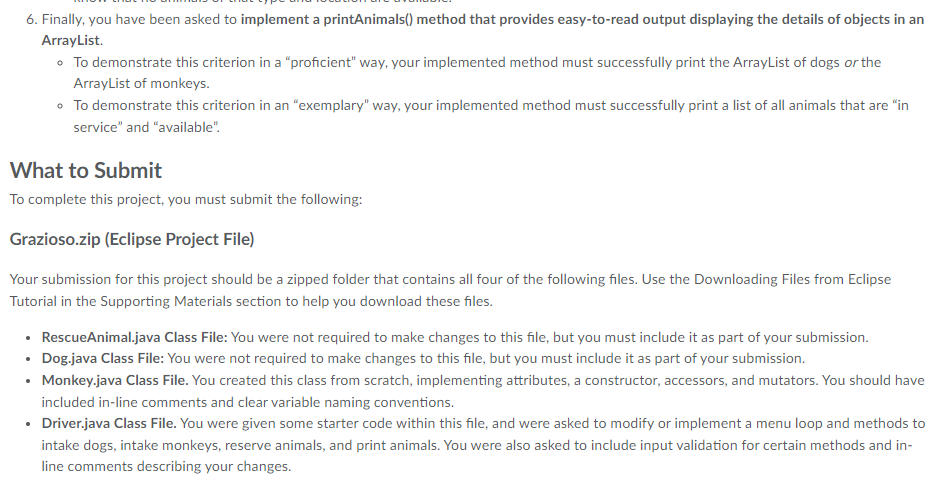
Your team lead has given you a specification document detailing Grazioso Salvare's software needs. Other members of the Global Rain development team have already started creating the RescueAnimal.java, Dog.java, and Driver.java class files. Your team lead has asked you to modify the existing Driver.java class and create a Monkey.java class as your contribution to the team. Required Pre-work 1. To gain a clear understanding of the client's requirements, review the Grazioso Salvare Specification Document, located in the Supporting Materials section. As you read, pay close attention to the attributes and methods that you will need to implement into the program. 2. Open the Virtual Lab by clicking on the link in the Virtual Lab Access module. Then open the Eclipse IDE. Follow the Uploading Files to Eclips Tutorial to upload the Grazioso.zip files into Eclipse. Both the tutorial and the zipped folder are located in the Supporting Materials section. The Grazioso.zip folder contains three class files. Once you upload the files, compile the code. Although the program is not complete, it should compile without error. 3. Read through the code for each class that you have been given. This will help you understand what code has been created and what code must be modified or created to meet the requirements. Once you have completed the pre-work, you are ready to begin your assigned tasks. Monkey.java Class 1. Your team lead reminded you to demonstrate industry standard best practices in all of your code to ensure clarity, consistency, and efficienc among all software developers working on the program. In your code for each class, be sure to include the following: - In-line comments that denote your changes and briefly describe the functionality of each method or element of the class - Appropriate variable and method naming conventions 2. In a new Java file, create the Monkey class, using the specification document as a guide. The Monkey class must do the following: - Inherit from the RescueAnimal class - Implement all attributes to meet the specifications - Include a constructor. You may use a default constructor. To score "exemplary" on this criterion, you must include the more detailed constructor that initializes values for all attributes. Refer to the constructor in the Dog class for an example. - Include accessors and mutators for all implemented attributes Driver.java Class In this class, you will modify and implement several different methods. You will need to refer back to the code from the other classes to properly implement these methods. 1. As a reminder, you must demonstrate industry standard best practices, such as in-line comments to denote changes and describe functionality and appropriate naming conventions throughout the code that you create or modify for this class. 2. First, you will modify the main() method. In main(), you must create a menu loop that does the following: - Displays the menu by calling the displayMenu() method. This method is in the Driver.java class. - Prompts the user for input - Includes input validation. If the user inputs a value not on the menu, the program should print an error message. - Takes the appropriate action based on the value that the user entered. IMPORTANT: In the Module Five milestone, you were asked to create a menu loop but were not required to include input validation. Be sure to include input validation for your Project Two submission. 3. Next, you will complete the intakeNewDog() method. Your completed method should do the following: - Prompt the user for input - Include input validation. Note: The required input validation has already been included in the starter code; be sure to review it. - Set data for all attributes based on user input - Add the newly instantiated dog to an ArrayList Hint: Remember to refer to the accessors and mutators in the Dog and RescueAnimal classes as you create this method. 4. Next, you will implement the intakeNewMonkey() method. Before you do this, you will need to create a monkey ArrayList in the Driver.java class. Refer to the dog ArrayList for an example. Then, begin implementing the intakeNewMonkey() method. Your completed method should do the following: - Prompt the user for input - Include input validation for the monkey's name and species type. If the user enters an invalid option, the program should print an error message. - Set data for all attributes based on user input - Add the newly instantiated monkey to an ArrayList Hint: Remember to refer to the accessors and mutators in your Monkey and RescueAnimal classes as you create this method. IMPORTANT: In the Module Five milestone, you began implementing this method but were not required to include input validation. Be sure to include input validation for your Project Two submission. 5. Next, you will implement the reserveAnimal() method. Your completed method should do the following: - Prompt the user for input. The user should enter their desired animal type and country. - If there is an available animal which meets the user's input criteria, the method should access an animal object from an ArrayList. If there are multiple animals that meet these criteria, the program should access the first animal in the ArrayList. The method should also update the "reserved" attribute of the accessed animal. - If there is not an available animal which meets the user's input criteria, the method should output feedback to the user letting them know that no animals of that type and location are available. 6. Finally, you have been asked to implement a printAnimals() method that provides easy-to-read output displaying the details of objects in an ArrayList. - To demonstrate this criterion in a "proficient" way, your implemented method must successfully print the ArrayList of dogs or the ArrayList of monkeys. - To demonstrate this criterion in an "exemplary" way, your implemented method must successfully print a list of all animals that are "in service" and "available". What to Submit To complete this project, you must submit the following: Grazioso.zip (Eclipse Project File) Your submission for this project should be a zipped folder that contains all four of the following files. Use the Downloading Files from Eclipse Tutorial in the Supporting Materials section to help you download these files. - RescueAnimal.java Class File: You were not required to make changes to this file, but you must include it as part of your submission. - Dog.java Class File: You were not required to make changes to this file, but you must include it as part of your submission. - Monkey.java Class File. You created this class from scratch, implementing attributes, a constructor, accessors, and mutators. You should have included in-line comments and clear variable naming conventions. - Driver.java Class File. You were given some starter code within this file, and were asked to modify or implement a menu loop and methods to intake dogs, intake monkeys, reserve animals, and print animals. You were also asked to include input validation for certain methods and inline comments describing your changes. public class Dog extends RescueAnimal // Instance variable private String breed; // Constructor public Dog(String name, String breed, String gender, String age, String weight, String acquisitionDate, String acquisitionCountry, String trainingStatus, boolean reserved, String inServiceCountry) setName(name); setBreed(breed); setGender(gender); setweight(weight); setAcquisitionDate(acquisitionDate); setAcquisitionLocation(acquisitionCountry); setrainingStatus(trainingStatus); setReserved(reserved); setinServiceCountry(inServiceCountry); \} // Mutator Method public void setBreed(String dogBreed) breed = dogBreed; // Accessor Method public String getBreed() \{ return breed; ? \} 106107}} public String getTrainingstatus( ) return trainingstatus; \} public void setTrainingstatus(String trainingstatus) \{ this.trainingstatus = trainingstatus; \}
Step by Step Solution
There are 3 Steps involved in it

Get step-by-step solutions from verified subject matter experts
 Study Help