







Question: Download Chapter 8 database from Chapter 8 folder in the Resources folder: 1. Use the products table and the Transactions table to create an outer
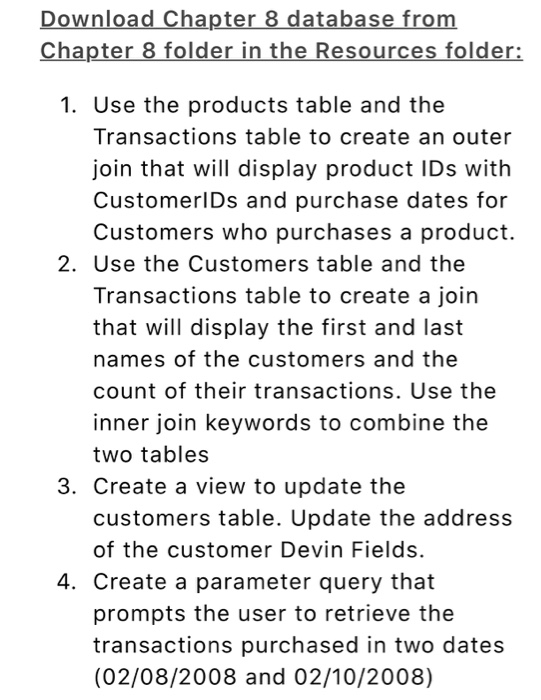
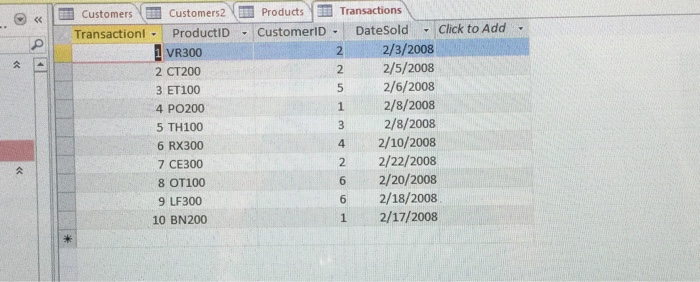
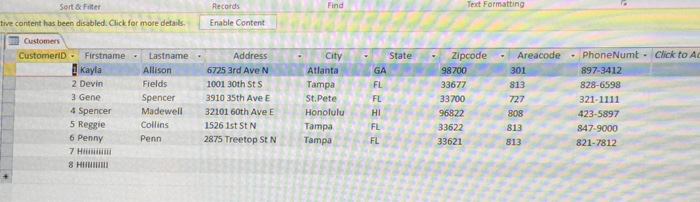
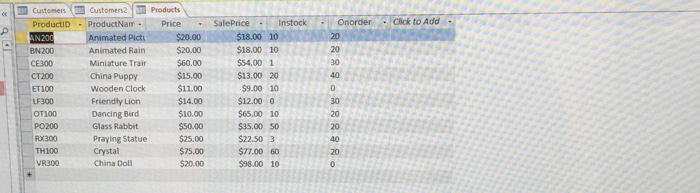
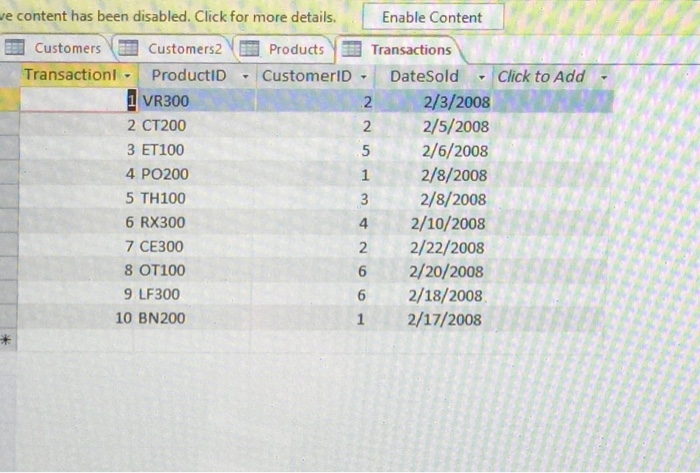
Download Chapter 8 database from Chapter 8 folder in the Resources folder: 1. Use the products table and the Transactions table to create an outer join that will display product IDs with CustomerlDs and purchase dates for Customers who purchases a product. 2. Use the Customers table and the Transactions table to create a join that will display the first and last names of the customers and the count of their transactions. Use the inner join keywords to combine the two tables 3. Create a view to update the customers table. Update the address of the customer Devin Fields 4. Create a parameter query that prompts the user to retrieve the transactions purchased in two dates (02/08/2008 and 02/10/2008)
Step by Step Solution
There are 3 Steps involved in it

Get step-by-step solutions from verified subject matter experts
 Study Help