







Question: Download RatingsData.java and add implementation of a method called printRatings that accepts as a parameter a Scanner containing a series of lines that represent song
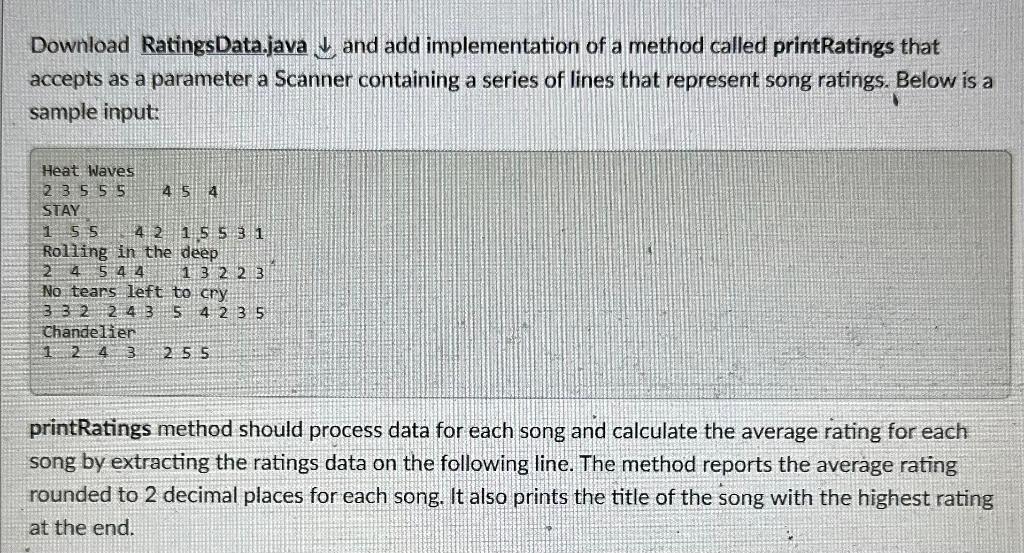
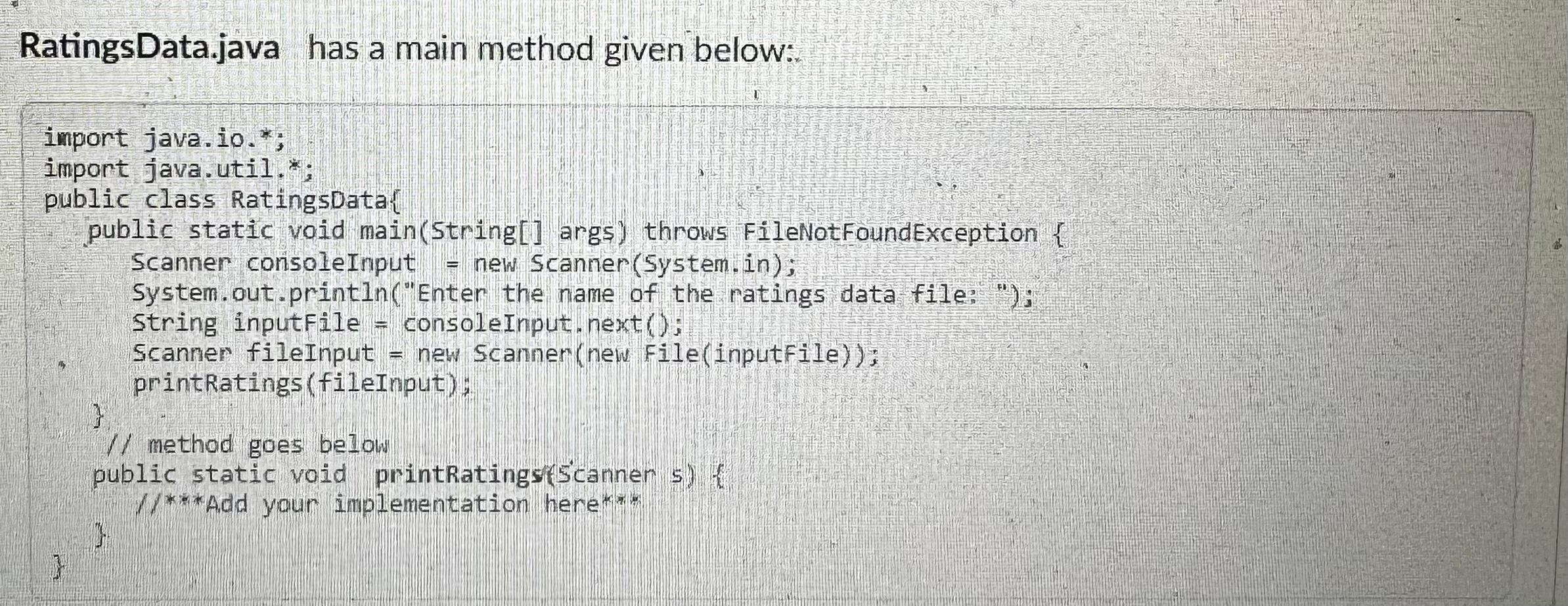
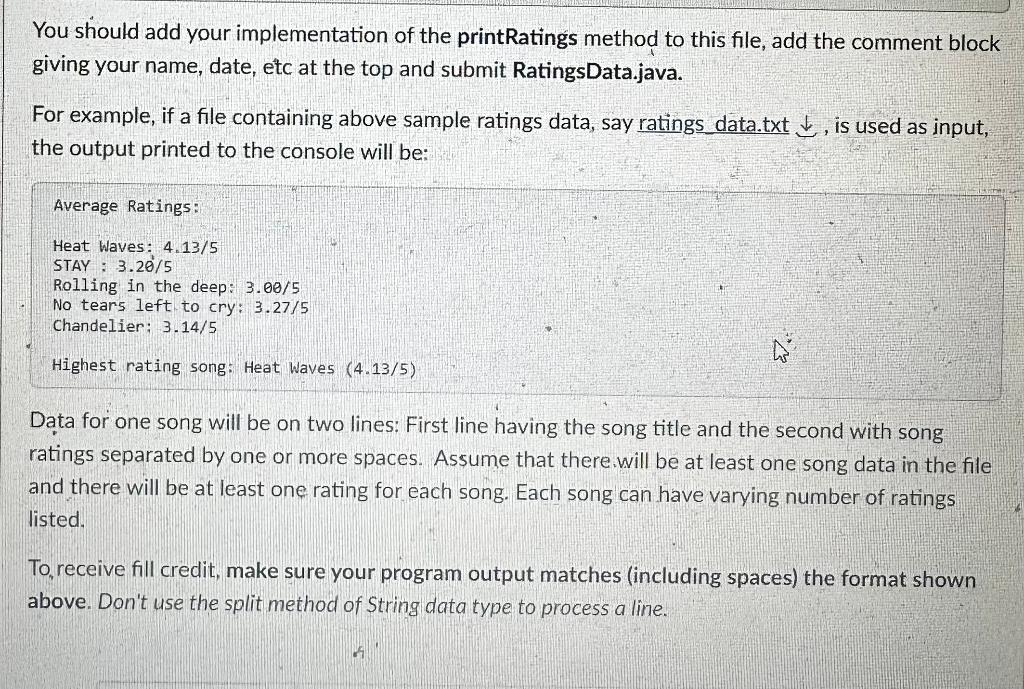
Download RatingsData.java and add implementation of a method called printRatings that accepts as a parameter a Scanner containing a series of lines that represent song ratings. Below is a sample input: Heat Waves 23555454 STAY 15542155,1 Roliing in the deep 2454413223 No teans left to cry Chandeliep 124325 printRatings method should process data for each song and calculate the average rating for each song by extracting the ratings data on the following line. The method reports the average rating rounded to 2 decimal places for each song. It also prints the title of the song with the highest rating at the end. RatingsData.java has a main method given below:. You should add your implementation of the printRatings method to this file, add the comment block giving your name, date, etc at the top and submit RatingsData.java. For example, if a file containing above sample ratings data, say ratings data.txt , is used as input, the output printed to the console will be: Average Ratings: Heat Waves: 4.13/5 STAY : 3.20/5 Rolling in the deep: 3.00/5 No tears left to cry: 3.27/5 Chandelier: 3.14/5 Highest rating song: Heat Waves (4.13/5) Data for one song will be on two lines: First line having the song title and the second with song ratings separated by one or more spaces. Assume that there.will be at least one song data in the file and there will be at least one rating for each song. Each song can have varying number of ratings listed. To, receive fill credit, make sure your program output matches (including spaces) the format shown above. Don't use the split method of String data type to process a line
Step by Step Solution
There are 3 Steps involved in it

Get step-by-step solutions from verified subject matter experts
 Study Help