







Question: Draw the image shown by this code: import java.awt.Color; public class PictureManip{ public static void main(String[] args){ Picture pic=new Picture(100,100); Pixel[] pixelArray=pic.getPixels(); for (int i=0;i
Draw the image shown by this code: import java.awt.Color; public class PictureManip{ public static void main(String[] args){ Picture pic=new Picture(100,100); Pixel[] pixelArray=pic.getPixels(); for (int i=0;i
------------------------------------------------
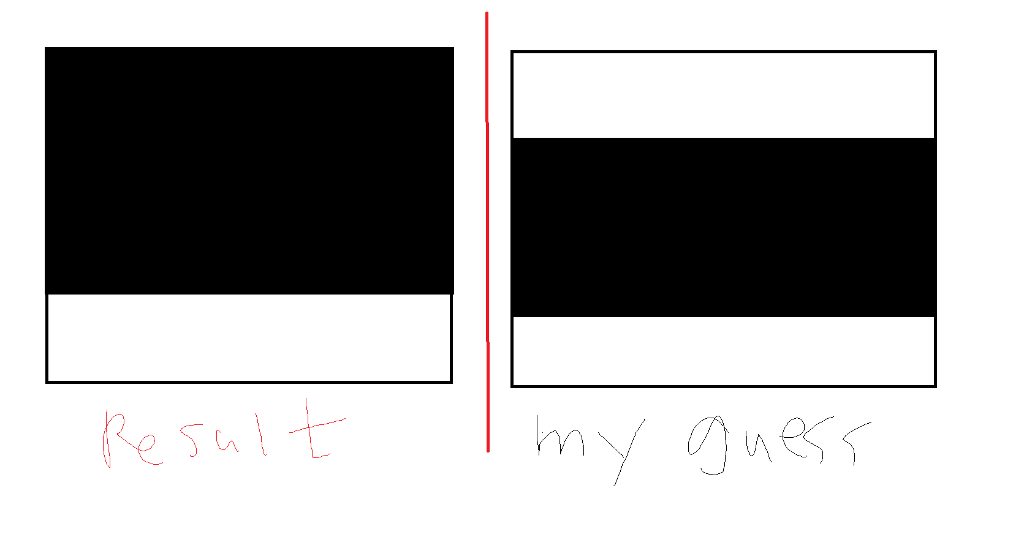
I think the result should be like right one, but Dr.java showed left one.
could you explain about that?
J J
Step by Step Solution
There are 3 Steps involved in it
1 Expert Approved Answer
Step: 1 Unlock

Question Has Been Solved by an Expert!
Get step-by-step solutions from verified subject matter experts
Step: 2 Unlock
Step: 3 Unlock
 Study Help