







Question: Drawing shapes Make two classes: one for the game and one for the player. These classes should be outlined as follows: Game: Store: Player object
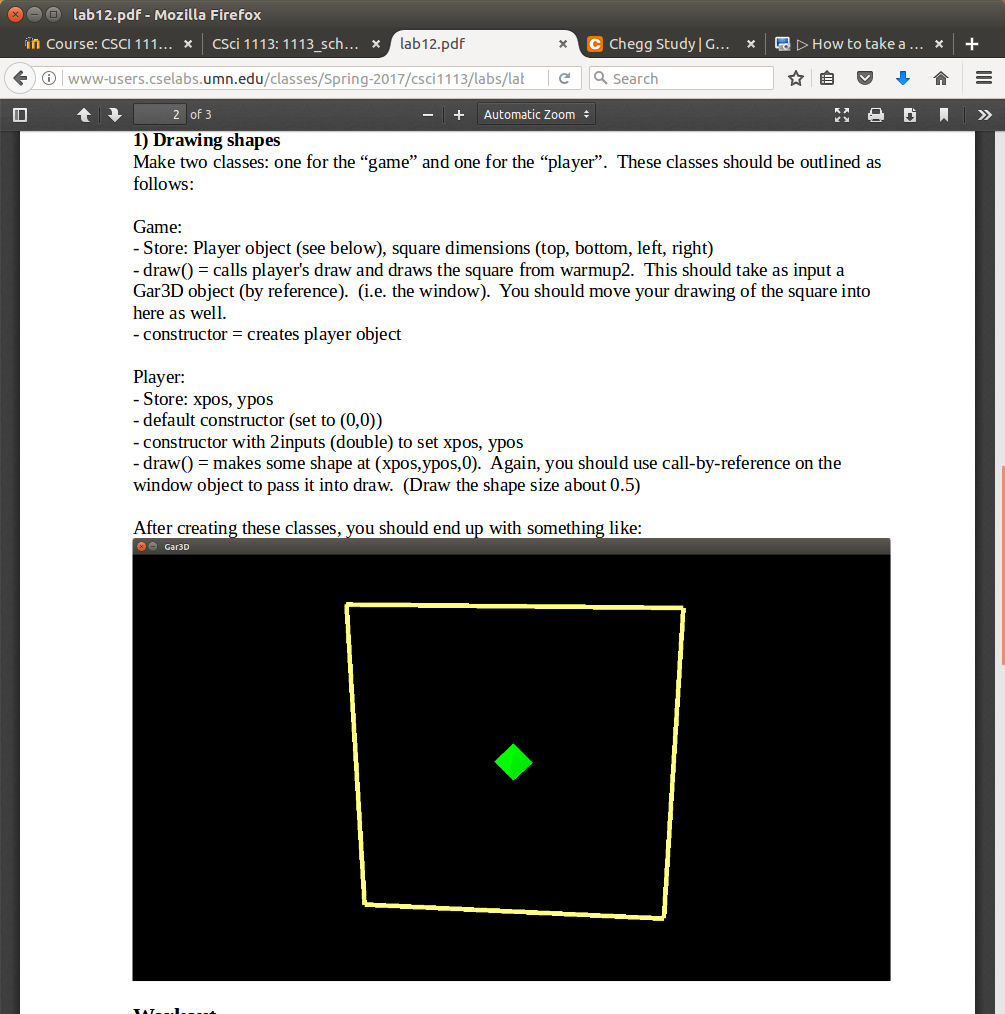
Drawing shapes Make two classes: one for the "game" and one for the "player". These classes should be outlined as follows: Game: Store: Player object (see below), square dimensions (top, bottom, left, right) draw() = F calls player's draw and draws the square from warmup2. This should take as input a Gar3D object (by reference), (i.e. the window). You should move your drawing of the square into here as well. constructor = creates player object Player: -Store: xpos, ypos -default constructor (set to (0, 0)) -constructor with 2inputs (double) to set xpos, ypos -draw() = makes some shape at (xpos, ypos, 0). Again, you should use call-by-reference on the window object to pass it into draw. (Draw the shape size about 0.5) After creating these classes, you should end up with something like: Drawing shapes Make two classes: one for the "game" and one for the "player". These classes should be outlined as follows: Game: Store: Player object (see below), square dimensions (top, bottom, left, right) draw() = F calls player's draw and draws the square from warmup2. This should take as input a Gar3D object (by reference), (i.e. the window). You should move your drawing of the square into here as well. constructor = creates player object Player: -Store: xpos, ypos -default constructor (set to (0, 0)) -constructor with 2inputs (double) to set xpos, ypos -draw() = makes some shape at (xpos, ypos, 0). Again, you should use call-by-reference on the window object to pass it into draw. (Draw the shape size about 0.5) After creating these classes, you should end up with something like
Step by Step Solution
There are 3 Steps involved in it

Get step-by-step solutions from verified subject matter experts
 Study Help