







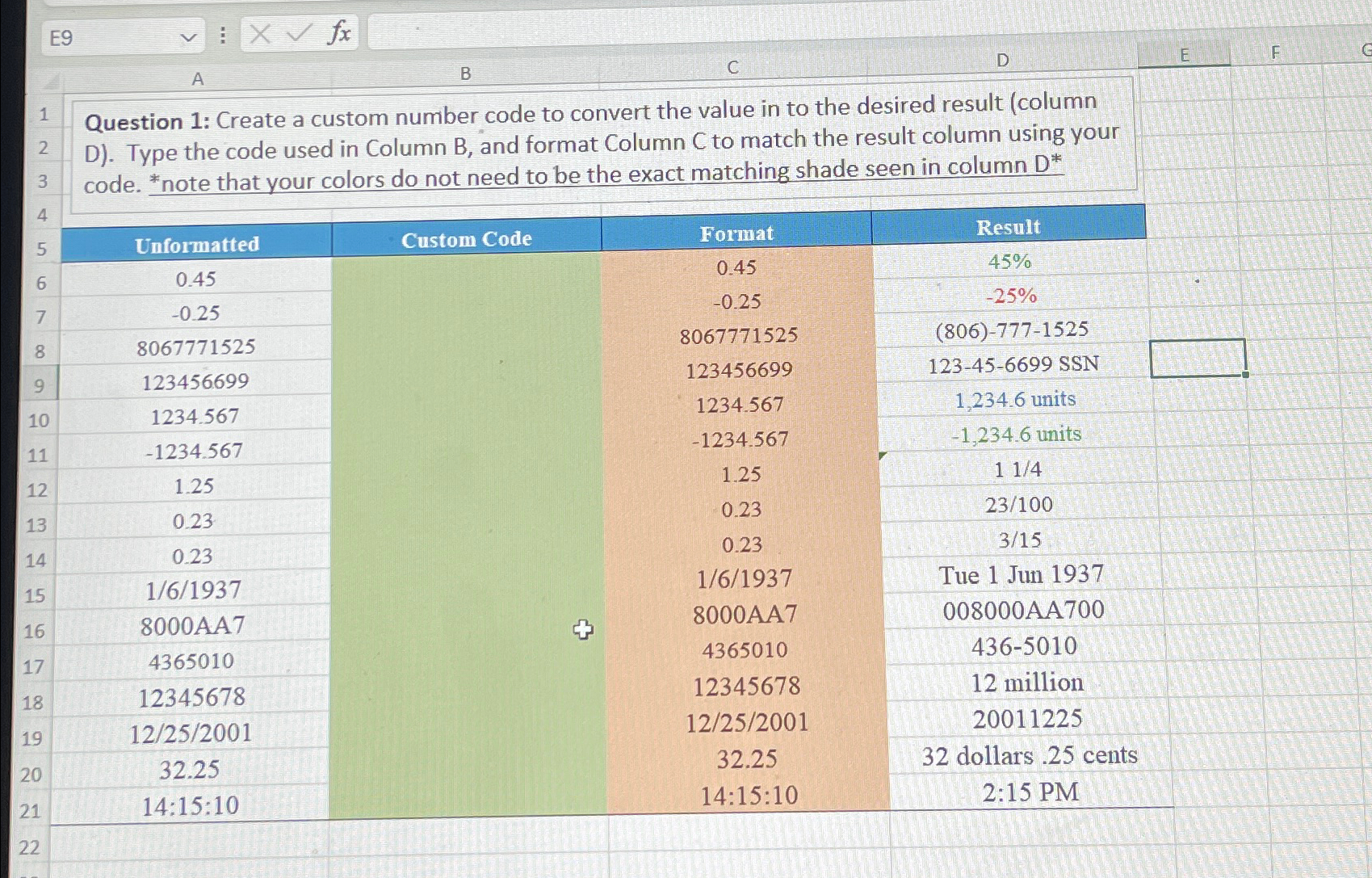
Question: E 9 B A Question 1 : Create a custom number code to convert the value in to the desired result ( column D )
E
B
A
Question : Create a custom number code to convert the value in to the desired result column D Type the code used in Column B and format Column C to match the result column using your code. note that your colors do not need to be the exact matching shade seen in column
tableUnformattedCustom Code,Format,Result units, units,Tue Jun million, dollars cents,::::: PM
Step by Step Solution
There are 3 Steps involved in it
1 Expert Approved Answer
Step: 1 Unlock

Question Has Been Solved by an Expert!
Get step-by-step solutions from verified subject matter experts
Step: 2 Unlock
Step: 3 Unlock
 Study Help